1Chapter 1: The Essentials
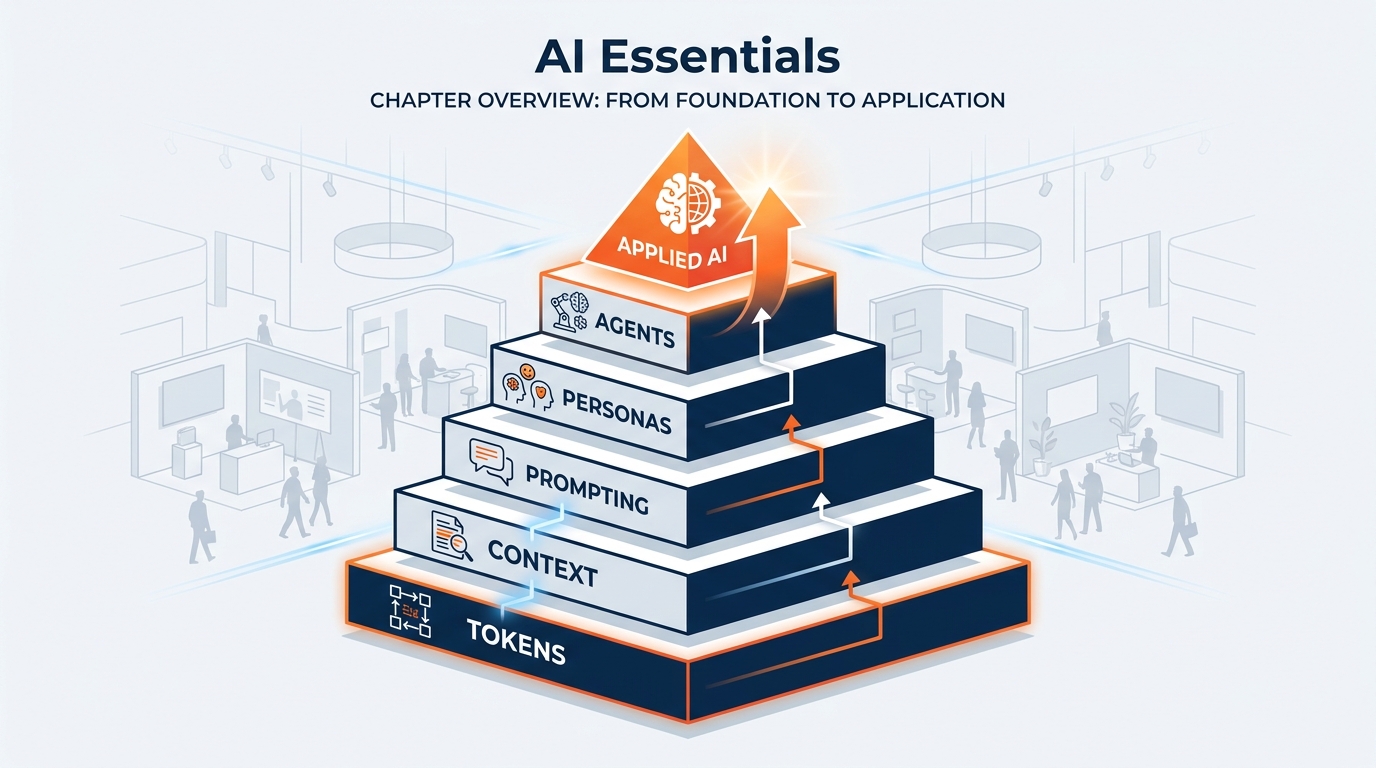
Figure 1:Your AI foundations map — seven concepts that unlock everything. Master these and you master the tool.
“You don’t need to understand how the forklift works to run a move-in. But you do need to know where the freight targets are.”
There is a particular kind of frustration that professionals experience with AI. They try it once. It gives a vague, generic answer. They think, this thing is overhyped. And they go back to doing things the slow way.
What they don’t realize is that they handed over the keys to the most capable operator on the floor — and then gave that operator no floor plan, no target times, no exhibitor list, and no idea which hall they were standing in. Then they complained that nothing got built.
Everything in this chapter exists to prevent that experience. By the time you finish here, you will understand exactly why AI gives the answers it does, how to change those answers profoundly, and how to build a system that works for you automatically — even while you’re on a red-eye between show sites.
We are going to cover seven ideas, and then one more that changes the ceiling entirely. Each one is a piece of equipment. Together, they constitute the complete operating system for working with AI at a professional level.
And this matters more at GES than it does at most companies. We produce 4,000+ live experiences a year. We serve 150,000+ exhibitors. We operate in 75+ countries out of 24 global production and warehouse facilities, with roughly 2,600 people carrying the load. Every one of those events is a deadline that does not move. When you find a way to save twenty minutes on a task, you don’t save twenty minutes — you save twenty minutes times a number so large it changes what the company is capable of.
1.1The Brain: Understanding the Large Language Model
Let’s start with the most important question: What is an AI model, really?
Strip away the marketing language and the science fiction associations. Here is what you need to know: a Large Language Model is, in its purest form, a very large, very fast pattern-matching machine trained on an almost incomprehensible amount of human text. Books, technical manuals, contracts, websites, codebases, operations documentation, safety standards, design theory, conversations — essentially, a significant portion of everything human beings have ever written down.
The result of all that training is something that functions, for practical purposes, like an extraordinarily high IQ mind that has read everything. Not memorized, exactly — it does not have a database of facts it looks up. It has learned patterns — the deep structural relationships between ideas, concepts, words, and reasoning steps across virtually every field of human knowledge.
Think of it this way: the LLM is the brain. It is pure IQ.
This is not a metaphor designed to make you comfortable. It is the most accurate way to understand what you are working with. When you ask Copilot a question, you are putting a question to something with genuine, broad intellectual capability — capability that rivals or exceeds the best-read person you have ever met, across almost every domain.
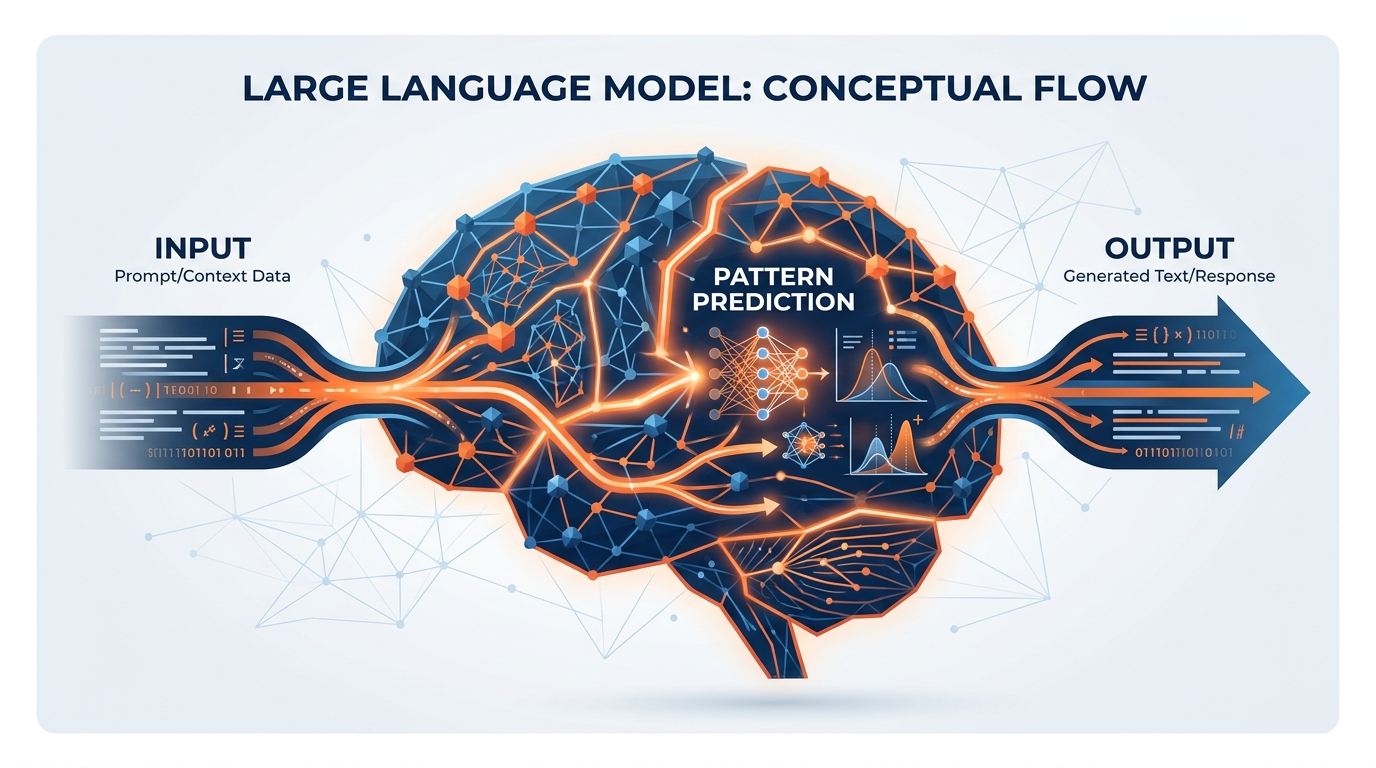
Figure 2:The LLM is the brain. It is pure IQ — broad, deep, and available to you right now.
Don’t take our word for it. Try this:
But here is the critical caveat that will define everything that follows: raw IQ, without context, is useless.
A brilliant person who has never seen a show floor cannot tell you whether your target times are realistic. They can tell you how targeting works in the abstract. They cannot tell you that your carpet crew is coming in behind a late-arriving general session set and that hall C will be a bottleneck on Wednesday morning. That knowledge lives with you. Your job in this chapter is to learn how to hand it over.
1.2Tokens: The Atoms of AI Language
Before we talk about context, we need to briefly understand how AI “reads” and “thinks.” The unit of operation is not the word — it is the token.
A token is roughly the smallest chunk of meaning the AI processes. Words get split into tokens. “GES” is likely a single token. “Drayage” might be two: “dray” and “age.” The word “exhibitor” might be a single token. “Antidisestablishmentarianism” might be six. Common short words are often single tokens; rare or long words get subdivided. Industry jargon — the vocabulary we live in — often splits in surprising ways.
Here is why this matters to you as a professional: everything in AI — the cost of the request, the limits of what you can input, the speed of the response — is measured in tokens. When IT says Copilot has a “context window” of a certain size, they are talking about tokens. When you upload an exhibitor service kit or a 90-page show operations manual to Copilot, it is converted to tokens before the AI reads it.
Understanding tokens is not just a curiosity. It directly connects to one of the most important concepts in this entire book.
1.3Token Economics: The Cost of Thinking
Every time you send a message to Copilot, tokens go in (your prompt) and tokens come out (the response). In an enterprise deployment across a company our size — thousands of people across North America, Europe, the Middle East, and India — this happens at enormous scale, every hour of every day, in every time zone we operate in.
Token economics refers to the practical implications of this:
Longer inputs cost more (in compute, and in some licensing models, in real dollars)
More focused prompts get better results — because you’re using your token “budget” efficiently
Large documents uploaded to Copilot are chunked and tokenized before being read
Some capabilities are metered directly — as you’ll see later in this chapter, Microsoft’s newest agent layer, Copilot Cowork, is billed in usage-based Copilot Credits. Tokens stop being an abstraction the moment they show up on an invoice.
For you as a practitioner, the lesson is precision: a well-crafted 50-word prompt will almost always outperform a rambling 500-word prompt. You are not chatting with a friend who needs emotional context. You are allocating resources — the same way you’d allocate labor hours against a build schedule. Be specific. Be clear. The AI will do more with less when you speak precisely.
Think of it the way you think about freight. You don’t ship air. You don’t pay drayage on empty crate volume if you can avoid it. Same discipline applies here: pack the prompt tight, ship only what’s needed, and get more value per pound.
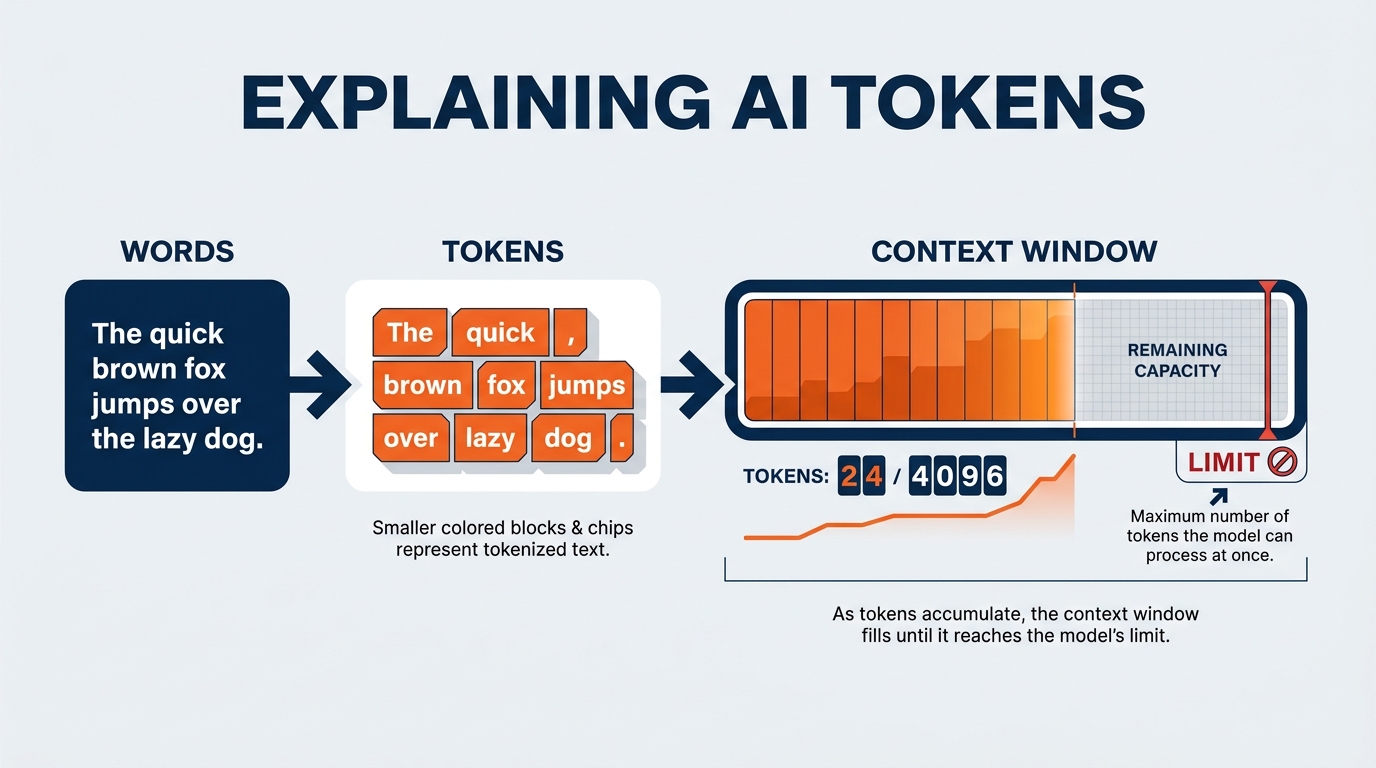
Figure 3:Tokens in, intelligence out. Understanding token economics makes you a more efficient and effective AI user.
1.4Context Engineering: The Flashlight in the Dark Room
Now we arrive at the concept that will transform your relationship with AI more than any other. It is called context engineering, and it is the essential skill of the AI era.
Here is the most important analogy in this entire book. Read it slowly.
Imagine you have hired the most brilliant operations consultant in the world. This person has read every logistics textbook ever written, has advised the largest event producers on earth, understands union jurisdiction, customs documentation, structural engineering, and crowd flow. Flawless track record. You bring them to the venue. But when they arrive, you put them in a completely dark room in the back of the hall — no windows, no lights, no floor plan, no exhibitor list, nothing.
You then lean in through a slot in the door and ask: “How should we sequence move-in for this show?”
They can’t answer. Not because they aren’t brilliant. Because they can’t see anything. They have all the IQ in the world, but zero information about your world. The result is a generic answer that could apply to any show in any hall in any country. Useless.
Now you hand them a flashlight. You shine it at a section of the room — and in that section, you have placed the floor plan, the freight target schedule, the advance warehouse receiving report, the labor forecast for aisle carpet and booth sets, the venue’s dock configuration, the union jurisdiction rules for that city, and the organizer’s general session timeline.
Now they can answer. And the answer they give is extraordinary — because it combines world-class intelligence with specific, relevant context.
The flashlight is the context. The AI is the IQ. Context engineering is the art of knowing what to put in the flashlight beam.
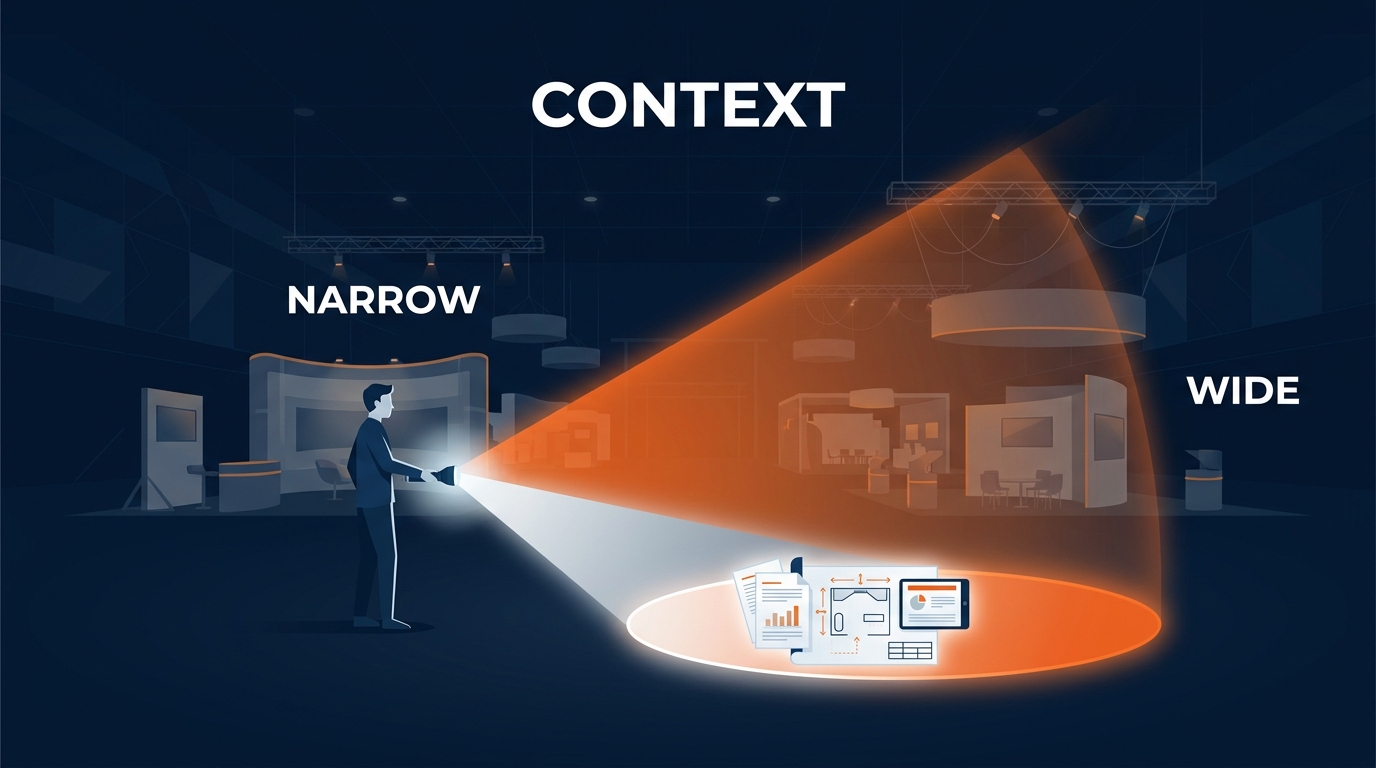
Figure 4:The Flashlight Theory of Context Engineering. Your job is not to use AI — it is to illuminate the right information with the right light.
This idea maps directly onto something you already do every day. When a new floor manager joins a show team mid-cycle, you don’t hand them the job and walk away. You hand them the floor plan, the target sheet, the exhibitor list, the punch list from the last site visit, and the three things the organizer cares about most. That handoff is context engineering. You already know how to do this for humans. You are simply learning to do it for a new kind of teammate.
1.4.1Context Rot: When Your Flashlight Gets Stale
There is a phenomenon called context rot that every serious AI practitioner needs to understand.
Imagine you are in a long conversation with Copilot — 40 exchanges deep, across the span of an hour. The early messages in that conversation were highly relevant and rich. But as the conversation grew, the AI had to start “forgetting” the earliest parts because they no longer fit in its active memory. Meanwhile, the conversation has meandered — you asked a tangential question about hotel block pickup, then got pulled into a graphics production question, then came back.
The result is that the context the AI is currently working with is a degraded version of what you started with. Critical early instructions have faded. The richness of your initial setup has been diluted by the noise of everything that came after. You are getting less useful answers not because the AI got worse, but because its flashlight is now full of unimportant things and the useful documents have slipped out the back.
It’s the same reason a show file gets messy by day four of move-in. Everything is technically still in there. Nobody can find anything.
The fix is simple: For important work sessions, start fresh. Provide your context at the top of a new conversation. Don’t rely on continuity from a long prior exchange. Fresh context in, sharp output out.
1.4.2The Context Window: Your AI’s Working Memory
The context window is the total amount of information — measured in tokens — that the AI can hold in its “attention” at one time. Think of it as the size of the room the flashlight can illuminate. Modern frontier models have context windows ranging from 128,000 to over 1,000,000 tokens — enough to hold entire operations manuals, full exhibitor service kits, lengthy organizer contracts, or many hours of meeting transcripts.
Microsoft Copilot’s context window for enterprise users is substantial and continues to expand. For practical purposes, you can upload full RFP responses, multi-page show specs, post-show reconciliation reports, and extensive email threads. The AI will read all of it.
But remember: bigger context window ≠ better focus. You want to give the AI the right context, not the most context. A precise flashlight beats a floodlight when you know what you’re looking for. Dumping every document from a show’s SharePoint library into a prompt is the equivalent of shipping the entire warehouse to the venue and sorting it on the dock. Technically possible. Operationally foolish.
1.5The Persona: Your AI’s Identity and Instructions
Here is a question: if you brought that genius consultant onto a show site, would you just set them loose with no briefing? Of course not. You would tell them: “Here is who you are on this account. Here is your role. Here is how I want you to communicate with the organizer. Here are the constraints you must operate within.”
In AI, this is called the persona — or more technically, the system prompt. It is the foundational instruction set that defines how the AI behaves before you ask it a single question.
A well-crafted persona can transform your AI from a generic assistant into something that feels like a specialized expert built specifically for your role at GES.
In Microsoft 365 Copilot, you define your persona at:
m365
This is where you tell your Copilot: who it is, what it knows about you, how it should respond, what tone to use, what it should prioritize. The AI will carry these instructions into every interaction.
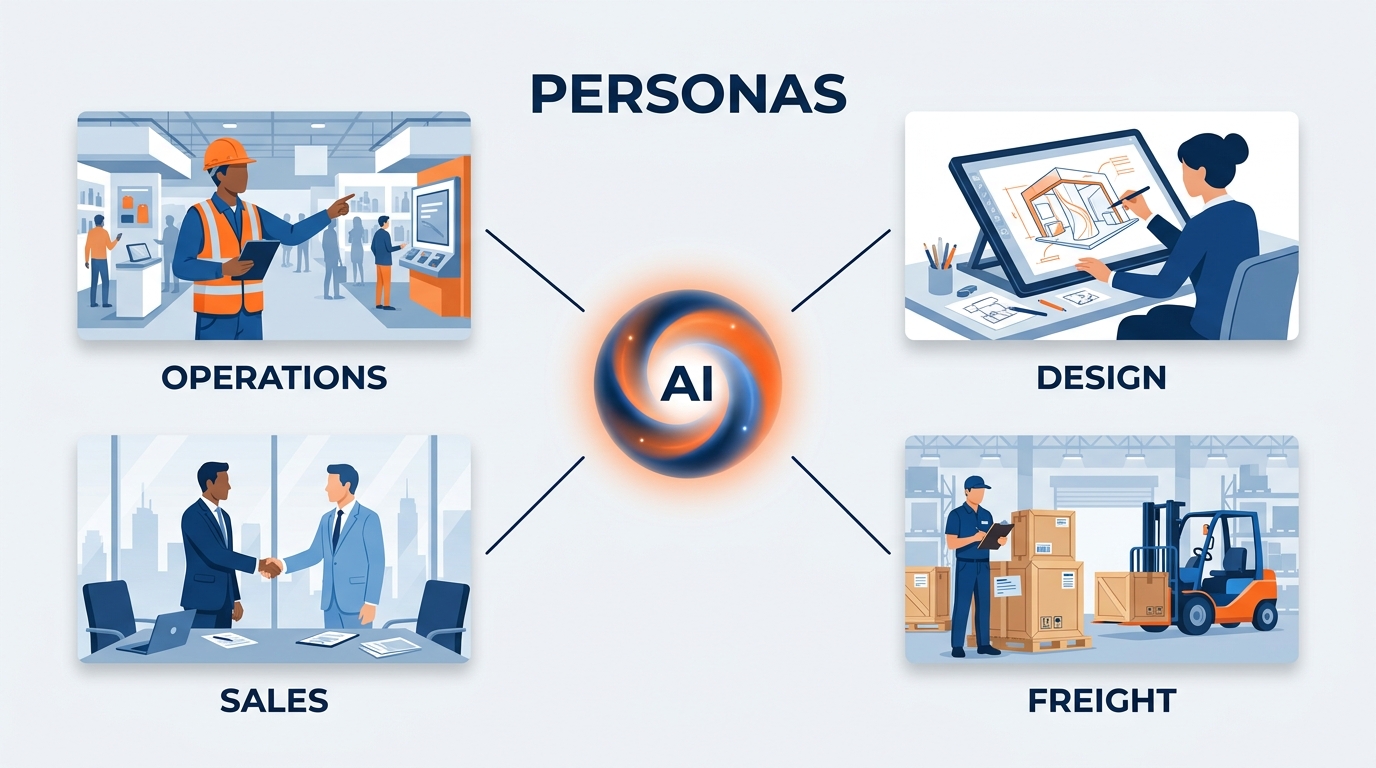
Figure 5:Your Copilot persona lives in Settings → Personalization. This is the single most impactful 5-minute setup you will do in this entire course.
Example persona for a show operations professional at GES:
You are a senior trade show operations expert with 20 years of experience
as a General Service Contractor across North American and EMEA venues.
You understand move-in and move-out sequencing, freight targets, drayage
and material handling, advance warehouse and marshaling yard operations,
union jurisdiction, and install & dismantle labor planning deeply.
When I ask you questions, respond with the precision of a senior
practitioner, not a generalist. Use clear, direct language. When I ask
for analysis, give me a recommendation, not just a summary. Always flag
safety, labor jurisdiction, and venue compliance considerations. My name
is [Name] and I work in [Team] at GES.
Example persona for an exhibit designer or graphics production lead:
You are a senior environmental and exhibit designer working inside a
global exhibitions organization. You think in terms of brand storytelling,
attendee journey, sightlines, and buildability. You understand modular
and custom stand construction, large-format graphics production, color
accuracy across substrates, and sustainable build practices including
reusable stand components. When I share a concept, push back on anything
that will not survive contact with a real show floor, a real budget, or a
real install crew. Be specific about materials and dimensions.
Example persona for a sales or account management lead:
You are a senior account director serving show organizers, exhibitors,
and experiential agencies. You understand multi-year organizer
partnerships, exhibitor satisfaction, sponsorship revenue strategy, and
post-show reconciliation. Write in a warm, partnership-focused,
operationally confident voice — never salesy, never hype-y. When drafting
client communication, lead with what we will do and by when. Flag any
commitment I am making that operations has not yet confirmed.
With a persona in place, every conversation starts with a fundamentally different AI than the generic one everyone else is using. You have built your own senior advisor.
1.6Meta-Prompting: Teaching Yourself Through AI
We need to talk about the most powerful skill in this entire book. It is called meta-prompting, and once you understand it, you will never interact with AI — or with information in general — the same way again.
Here is the insight: AI doesn’t just answer questions. It can simulate expertise you don’t yet have.
The standard approach to using AI is: I have a question, I ask the AI, I get the answer. That’s useful. But it keeps you in the position of someone asking for answers.
Meta-prompting inverts the relationship. Instead of asking the AI what you already want to know, you ask it: “From the perspective of an expert in X, what are the most important questions I should be asking about Y? What am I probably missing? What are the blind spots that non-experts in this field consistently have?”
Let’s make this concrete for GES professionals.
This is meta-prompting. And its implications are staggering.
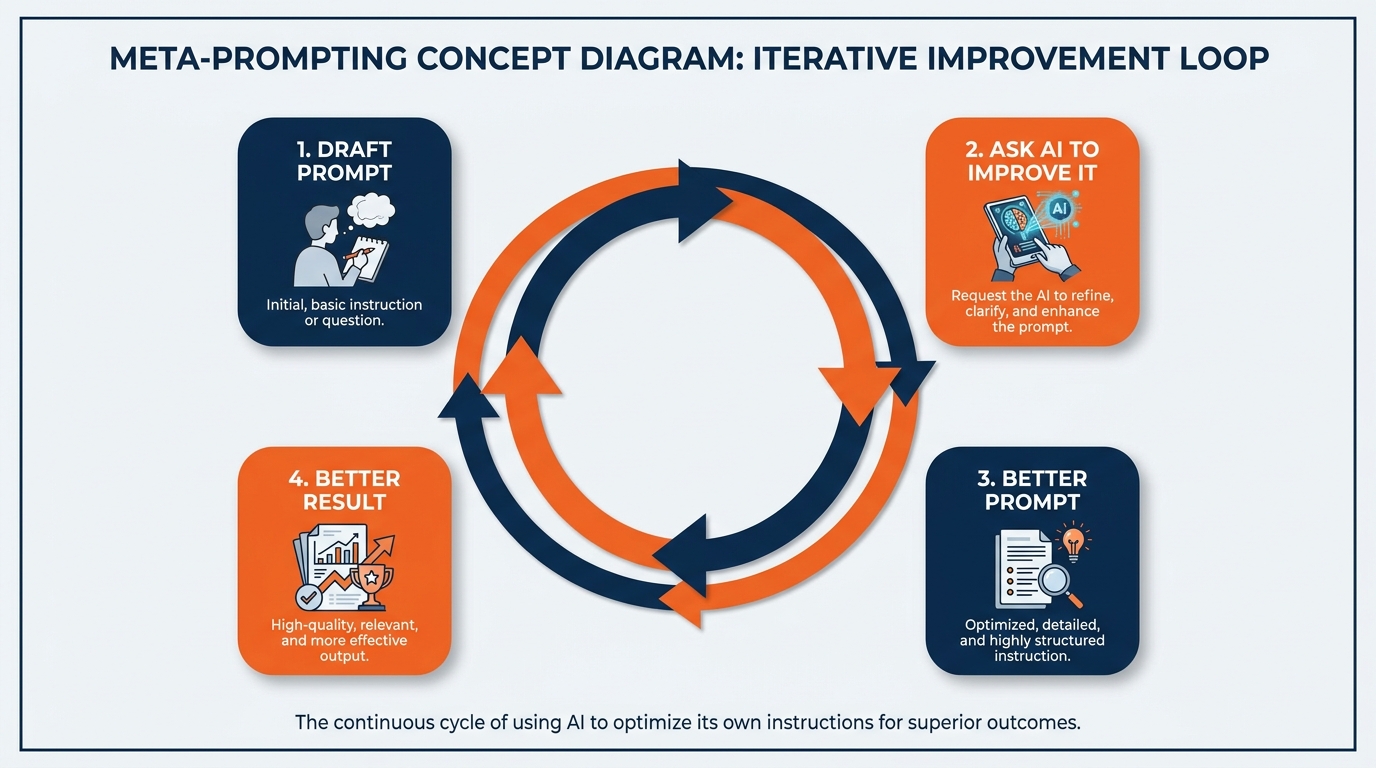
Figure 6:Meta-prompting doesn’t just answer your questions — it reveals the questions you didn’t know to ask. This is how you 10x your cognitive range.
The deepest application of meta-prompting is self-directed learning. Any time you encounter a domain where you are not an expert — a new venue, a new country’s customs regime, an unfamiliar vertical like aerospace or mining or medical devices, an emissions reporting standard, an emerging sponsorship model — you can use meta-prompting to rapidly acquire the frame of expert thinking in that domain.
This matters enormously at GES specifically. We operate in 75+ countries. Nobody knows every venue, every union agreement, every customs rule, every cultural expectation. But everyone can now walk into an unfamiliar market with a working mental model in twenty minutes instead of three weeks.
You don’t outsource your thinking. You expand it.
1.7Your Voice Is Your Superpower: Wispr Flow and Super Whisper
Before we go further, we want to pause and introduce something that sounds simple but makes a profound difference in practice.
Change your relationship with AI. Start talking to it.
Right now, most people interact with AI by typing. They sit at a keyboard, laboriously craft a prompt word by word, and send it off. The result is often a shorter, less nuanced, less contextual prompt than what the person actually needed — because typing is slow and tedious and we abbreviate when we’re tired.
For a workforce like ours, that’s a real constraint. A lot of GES work does not happen at a desk. It happens on a show floor, in an aisle, at a marshaling yard gate, on a dock, in a hotel lobby at 6 a.m. before doors open. Typing a careful 200-word prompt while standing in hall D with a radio in one hand is not realistic. Talking is.
Wispr Flow (wispr.flow) and Super Whisper (superwhisper.app) are tools that let you speak to your computer’s text fields — including the Copilot chat box — in natural speech. You think out loud, the tool transcribes, and your fully-formed thoughts appear as text prompts. No keyboard lag. No abbreviation. No loss of nuance.
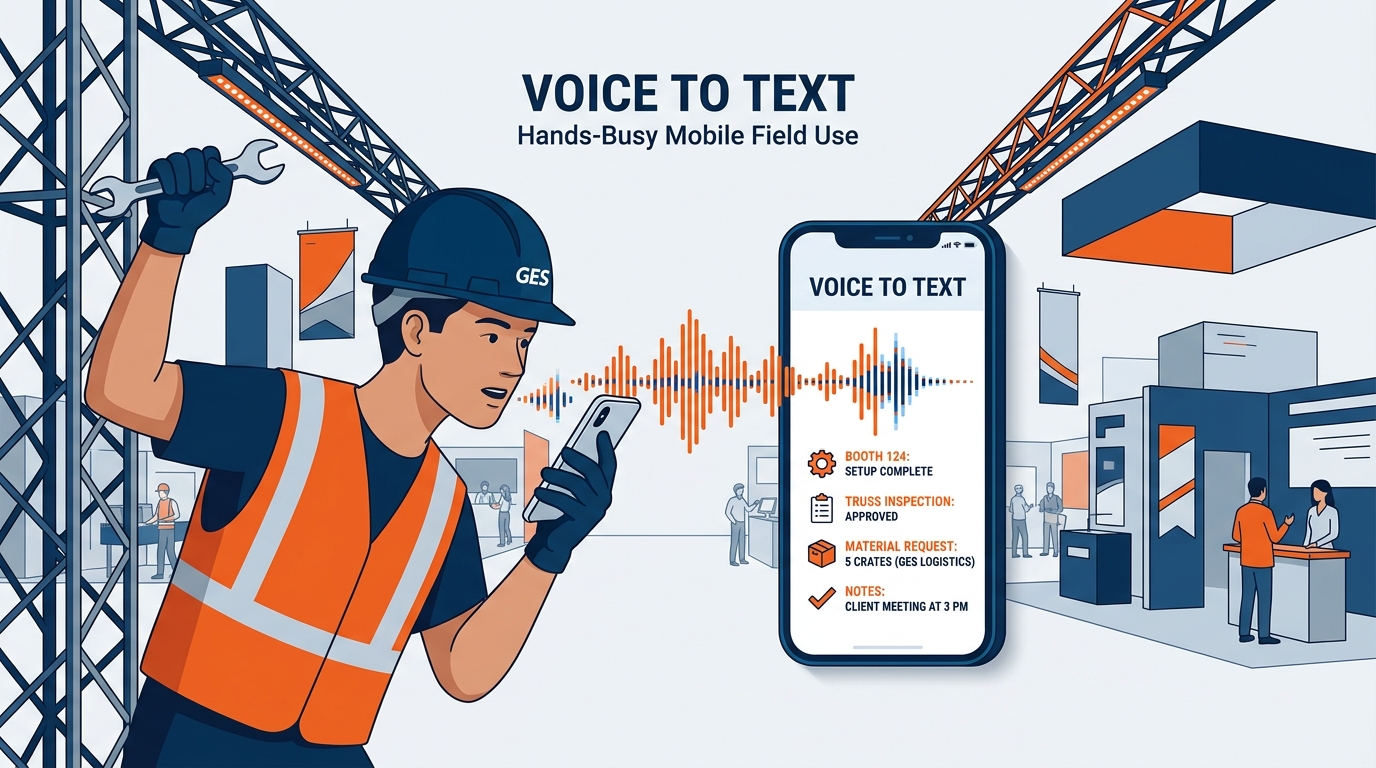
Figure 7:Voice-first AI interaction removes the friction of typing and unlocks your natural communication intelligence. Your spoken prompts are richer, more detailed, and more contextual than typed ones.
People who adopt voice-first AI interaction report that the quality of their AI outputs increases dramatically. The reason is structural: humans speak at roughly 150 words per minute but type at only 40. When you speak, you provide more context, more nuance, more of the why behind your question — and the AI has so much more to work with.
1.8Tools: Your Data Is Already Connected
Here is something that surprises most people when they learn it.
Copilot doesn’t just have the LLM brain. It already knows about your email. Your calendar. Your documents. Your Teams conversations. Your SharePoint files. The moment you started using Microsoft 365 Copilot, all of those data sources were connected.
To understand why this matters, let’s return to the Flashlight Theory. We said that the context is what makes the IQ valuable. The challenge, normally, is getting your context into the AI’s flashlight beam. With most AI tools, you have to manually copy and paste your data, upload documents, and remind the AI who you are every time.
Microsoft solved this problem. They built the data connections — the technical bridges between the AI and your business data — directly into Copilot. In the AI world, these bridges are called MCP Servers (Model Context Protocol Servers). They are the technical standard for connecting tools and data sources to AI models.
You don’t need to set any of this up. It is already done.
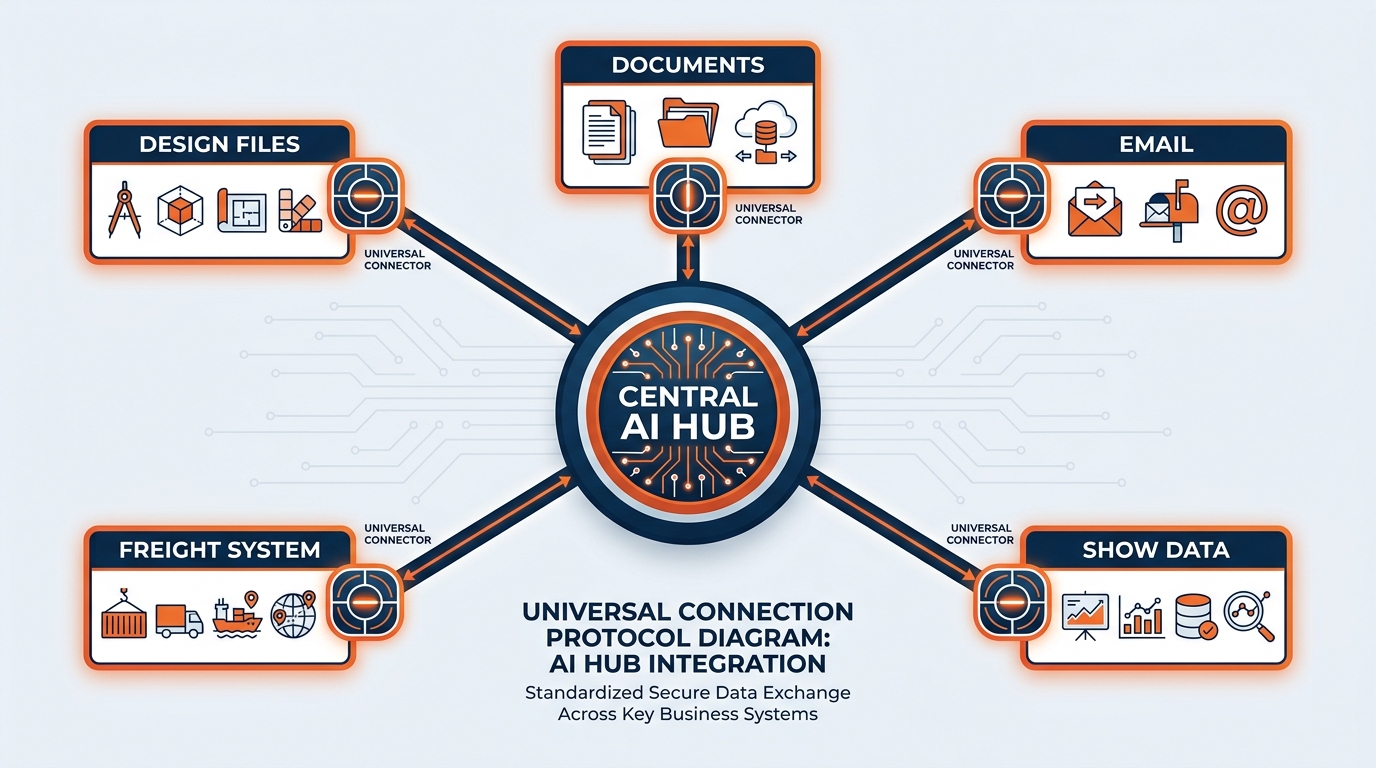
Figure 8:Your Copilot is already connected to your business world. Email, calendar, show documents, chats — all inside the flashlight beam.
1.9Agents: Your First Synthetic Teammate
We have arrived at the most powerful idea in this chapter, and arguably in this entire book. It is the idea that will define competitive advantage in the live events industry for the next decade.
An agent is a synthetic teammate.
Not a chatbot. Not a search tool. A teammate — one that you configure, brief, and deploy to handle a repeatable set of tasks.
Here is the conceptual leap: we go from prompts (you ask a question, you get an answer) to systems (a configured AI that handles a class of work automatically, without you re-explaining everything every time).
A Copilot agent is built from four components:
card-carousel - Unknown Directive
card-carousel - Unknown Directive:::{card} 🧠 Persona
The system prompt — who is this agent, what is its role, how should it respond, what constraints must it operate within?
:::
:::{card} 📁 Knowledge
Files, documents, websites, meeting transcripts, and databases that the agent uses as its source of truth — exhibitor service kits, venue specs, safety standards, brand guidelines.
:::
:::{card} 🔧 Tools
The connections it can make — can it search the web? Access SharePoint? Read a show document library? Create documents?
:::
:::{card} 📋 Instructions
The operating procedure — how does it handle edge cases, escalations, and situations outside its knowledge?
:::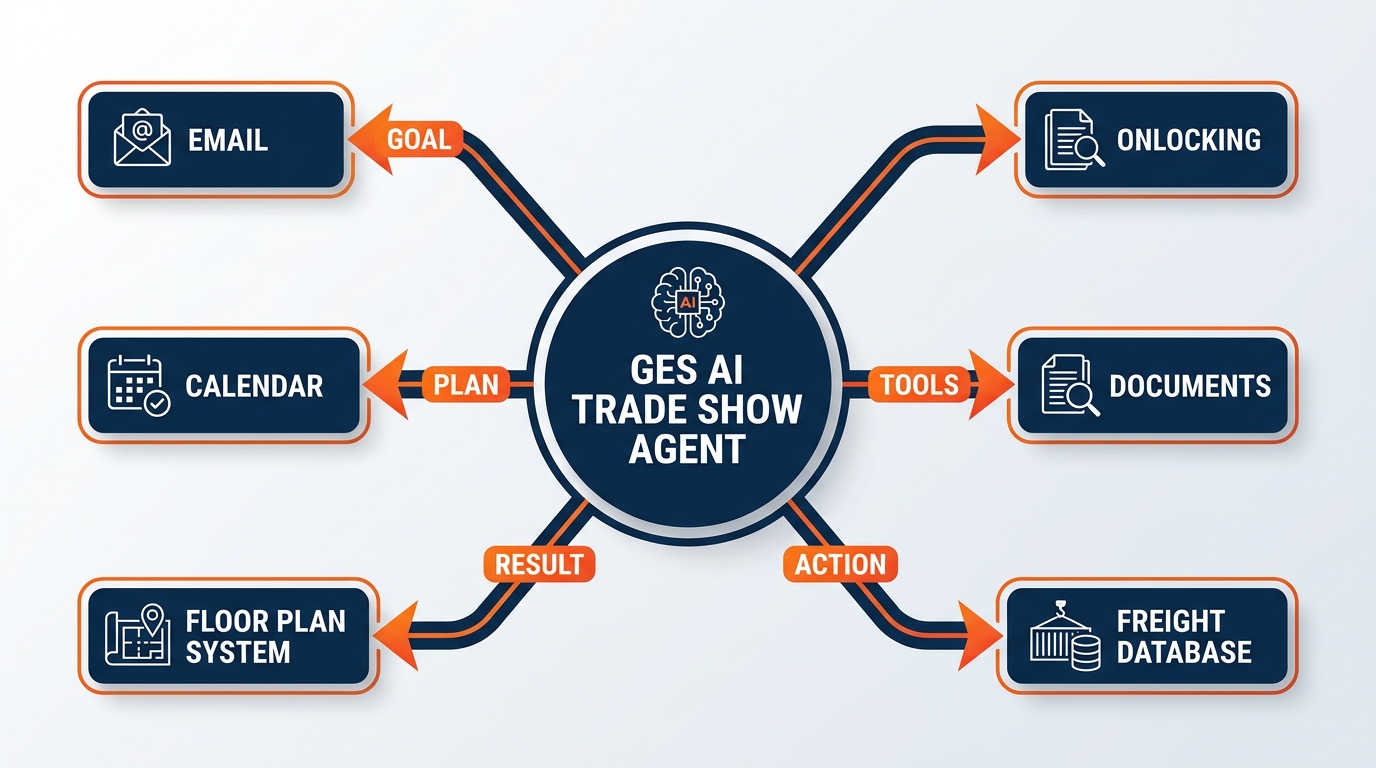
Figure 9:An agent is a system, not a prompt. Persona + Knowledge + Tools + Instructions = your first synthetic teammate.
To create an agent in Microsoft 365 Copilot, you go to m365.cloud.microsoft, click New Agent, and configure it:
Name and description — what this agent does
Instructions — the persona and operating procedures (this is your system prompt)
Knowledge — add files, websites, SharePoint links, meeting recordings, org charts
Output capabilities — enable it to create Word documents, Excel reports, PowerPoint presentations, or generate images
Web access — let it search the open web, or restrict it to only your specified sources
The agent you build will be available to you (and, if you choose, your team) as a named Copilot experience. Instead of crafting a new prompt every time you need the same type of work done, you simply open the agent and talk to it.
This is the moment we go from using AI to deploying AI.
1.9.1We’re Already Doing This
If this feels theoretical, it isn’t. It’s already happening inside the GES Collective.
In 2026, onPeak — our accommodations business — launched the onPeak AI Smart Suite: AI-powered hotel search, an AI contract reader that pulls terms out of hotel agreements, and intelligent email categorization that routes the flood of attendee and organizer correspondence to the right place. That is not a pilot deck. That is production software, built by our own people, running against real client work, under Lisa Baez’s Tech-Enabled Services organization.
The same instinct shows up across the Collective: GES Exhibitions modernizing how we plan and run the floor, Spiro pushing custom design and production workflows forward, Visit by GES shipping next-generation NFC Touchpoints and data capture, SHOWTECH running power and lighting at scale, and GES EMEA building data-led emissions reporting on the road to net zero.
So the question is not whether GES does AI. We do. The question is whether you do — in your role, on your accounts, in your week.
1.9.2Copilot Cowork: The Agent Layer You’ll Actually Use
Building your own agent is powerful. But there is now something above it — a productized, enterprise-grade agent layer that Microsoft ships and supports directly.
On June 16, 2026, Microsoft made Copilot Cowork generally available. It is the most significant change to how work gets done inside Microsoft 365 since Copilot itself.
Here is what makes Cowork different from the Copilot chat experience you already know.
Regular Copilot is conversational. You ask, it answers. It drafts, you refine. It is fundamentally a very good assistant that hands things back to you.
Cowork is executional. You give it a complex, multi-step assignment, and it goes and completes it — across Outlook, Teams, Word, Excel, PowerPoint, and SharePoint — and returns finished work, not drafts.
The distinctions that matter:
Table 1:Copilot Chat vs. Copilot Cowork
Dimension | Copilot (chat) | Copilot Cowork |
|---|---|---|
What you get back | A draft, a summary, a suggestion | A completed deliverable |
Task length | Seconds to a minute | Long-running — minutes to hours |
Scope | One app, one ask at a time | Multi-tool, end-to-end across Microsoft 365 |
Where it runs | Interactive, with you present | Cloud-hosted — it keeps working when your laptop is closed |
What it knows | Your prompt plus connected data | Grounded in Work IQ — your organization’s work patterns, relationships, and content |
Models | Frontier models | Multi-model, including Anthropic’s Claude Opus 4.8 and Sonnet 4.6 |
Security | Microsoft 365 trust boundary | Same Microsoft 365 trust boundary — permissions, compliance, and data governance intact |
Billing | Included with a Microsoft 365 Copilot license | Usage-based Copilot Credits, on top of the Copilot license |
Read the “where it runs” row again, because it matters more to GES than to almost any other company.
Our people travel. Constantly. Show teams fly out on Saturday, work install through Tuesday, run the show Wednesday to Friday, and dismantle into the weekend. Laptops get closed and shoved in bags. Wi-Fi at a convention center is what it is. The idea that a serious piece of work — a post-show reconciliation, a 60-page RFP response, a multi-week labor variance analysis — can be assigned to a cloud-hosted agent that keeps working while you’re in the air is not a productivity gimmick. It is a structural fit for how this industry actually operates.
Realistic Cowork assignments at GES might sound like:
“Go through the last six weeks of email and Teams messages on this account, build a post-show reconciliation summary in Excel comparing forecast labor hours to actuals by function, flag every variance over 10%, write a one-page narrative in Word explaining the drivers, and drop both in the show’s SharePoint folder.”
“Read the organizer’s RFP in SharePoint, pull our three most relevant past responses, draft a full response document in our voice, build the accompanying capabilities deck, and list every question we need the organizer to clarify before we submit.”
“Review every exhibitor service kit we published this quarter, identify inconsistencies in how material handling and drayage terms are explained, and produce a corrected standard language block plus a change log.”
“Analyze the last twelve months of freight cost per show by venue, build the pivot analysis, chart the outliers, and prepare a QBR deck section with three recommendations.”
Notice what all of these have in common: they are real work, they span multiple applications, they take serious time, and they end in a deliverable someone can actually use.
How to think about the layers:
Copilot chat — your everyday thinking partner. Fast, conversational, free-form.
Custom agents — your repeatable role-specific workflows, built by you.
Cowork — your heavy-lift executor for complex, long-running, cross-application work.
You’ll use all three. Most people start at the first, discover the second within a month, and reach for the third when they hit a task they genuinely didn’t have time to do properly.
1.10Why This Matters Right Now
There is a reason this book exists in this particular year and not five years ago.
On December 31, 2024, GES completed its separation from Viad Corp and became an independent company under Truelink Capital — the first time in 55 years that this business has controlled its own roadmap, its own investment decisions, and its own pace of change.
That is not a footnote. It is the whole context for everything in this book.
For five and a half decades, GES was a segment inside someone else’s portfolio. Now we set our own priorities. We decide what to build, what to fund, what to modernize, and how fast. Companies rarely get a moment like this — a business with 85+ years of accumulated operational expertise, suddenly handed the keys to its own future, at exactly the moment a general-purpose technology arrives that multiplies what every single person in the company can do.
The tools in this chapter are how individuals participate in that. Not by waiting for a rollout. By learning the seven concepts, building an agent this week, and handing your first heavy task to Cowork.
1.11The Seven Concepts: Your Master Reference
Before we close Chapter 1, let’s anchor everything you’ve just learned in a single summary you can return to:
Table 2:Your AI Foundations — The Seven Essentials
Concept | What It Is | Why It Matters |
|---|---|---|
The LLM (Brain) | A neural network trained on vast human knowledge — pure IQ | The engine behind Copilot’s intelligence |
Token | The atomic unit of AI processing (~¾ of a word) | Determines cost, speed, and context limits |
Token Economics | The relationship between token usage and value/cost | Drives better, more precise prompting habits — and Cowork is billed this way |
Context Engineering | The art of putting the right information in the AI’s “flashlight” | The primary determinant of output quality |
Context Window | The total tokens the AI can hold in active attention | Defines how much data you can give Copilot at once |
Persona / System Prompt | Foundational instructions that shape AI behavior | Turns a generic assistant into your specialized expert |
Meta-Prompting | Using AI to reveal expert thinking and unknown unknowns | The highest-leverage cognitive skill of the AI era |
Tools / MCP Servers | Data connections between the AI and your business systems | Already configured in Microsoft 365 — your data is live |
Agents | Configured AI systems that handle repeatable work | Your first synthetic teammates — from prompts to systems |
Copilot Cowork | Cloud-hosted, multi-tool agent that executes long-running work end to end | Returns completed deliverables, not drafts — the enterprise agent layer you’ll actually use |
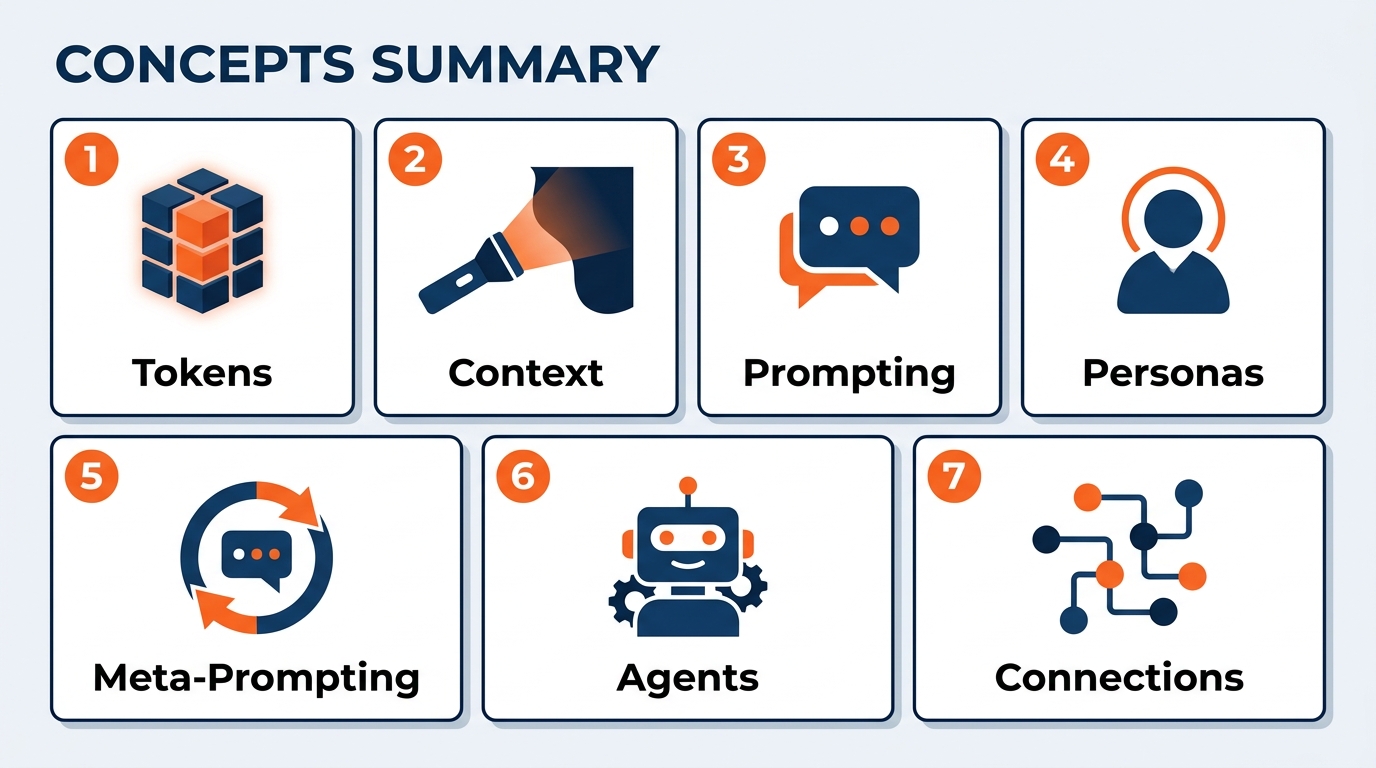
Figure 10:The seven essentials form a complete system. Each concept builds on the previous one — from raw IQ to deployed synthetic teammates.
1.12Glossary
Large Language Model (LLM) A neural network trained on massive text corpora that generates human-like text by predicting the most contextually appropriate next tokens. The cognitive engine behind Copilot.
Token The atomic unit of text that an AI processes — approximately ¾ of an average English word. All AI costs, limits, and speeds are denominated in tokens.
Context Window The maximum number of tokens an AI can process in a single interaction — its active “working memory.” Modern frontier models support 128,000 to 1,000,000+ tokens.
Context Engineering The practice of deliberately curating and structuring the information provided to an AI to maximize the quality and relevance of its outputs.
Context Rot The degradation of context quality that occurs during long AI conversations as early, relevant instructions are displaced by newer, less relevant content.
Persona (System Prompt) The foundational instruction set given to an AI that defines its role, tone, expertise, and behavioral constraints — set before any user messages.
Meta-Prompting The practice of asking AI to reveal expert thinking frameworks, unknown unknowns, and structural knowledge about a domain, rather than simply answering a specific question.
MCP Server (Model Context Protocol) The technical standard for connecting data sources and tools to AI models. Microsoft has pre-configured MCP connections between Copilot and all Microsoft 365 services.
Agent A configured AI system combining a persona, knowledge base, tools, and instructions to handle a repeatable class of tasks — a synthetic teammate.
Copilot Cowork Microsoft’s cloud-hosted agent capability, generally available June 16, 2026. Executes complex, long-running, multi-tool tasks end to end across Outlook, Teams, Word, Excel, PowerPoint, and SharePoint, returning completed results rather than drafts. Multi-model — including Anthropic’s Claude Opus 4.8 and Sonnet 4.6 — grounded in Work IQ, operating inside the Microsoft 365 trust boundary, and billed usage-based in Copilot Credits on top of a Microsoft 365 Copilot license.
Work IQ Microsoft’s organizational intelligence layer that grounds Copilot and Cowork in how your company actually works — people, relationships, projects, documents, and communication patterns.
Copilot Credits The usage-based billing unit for Cowork consumption, charged in addition to a Microsoft 365 Copilot license.
Token Economics The relationship between token consumption, cost, and value — the principle that precise, well-structured prompts outperform verbose, unfocused ones.
Copilot Studio The Microsoft 365 interface for creating, configuring, and deploying custom AI agents within an organization’s Copilot environment.
Permission Inheritance The security principle by which Copilot agents respect existing Microsoft 365 access controls — the AI can only access data that the user themselves can access.
Wispr Flow A voice dictation tool that transcribes spoken language into text in real time across any application, enabling voice-first AI interaction.
Super Whisper A macOS voice transcription tool that converts speech to text across any text field, optimized for natural, conversational AI prompting.
GSC (General Service Contractor) The official on-site service provider appointed by a show organizer to deliver exhibition services — floor plan execution, decorating, material handling, labor, and venue operations. GES’s core role at thousands of events each year.
EAC (Exhibitor Appointed Contractor) A contractor engaged directly by an exhibitor rather than by the show organizer, working on the show floor under the GSC’s operational rules. Spiro frequently operates in this capacity.
Drayage / Material Handling The movement of exhibitor freight from the dock or advance warehouse to the assigned booth space, and back out again at the close of the show.
1.13Chapter Summary
You began this chapter knowing that AI is important. You end it knowing why — and more crucially, you know how to use it with precision and purpose.
The Large Language Model is pure IQ — extraordinarily capable, trained on the sum of human knowledge, and available to you through Microsoft 365 Copilot right now. But IQ without context is wasted. Context engineering — the art of putting the right information in the AI’s flashlight beam — is the skill that determines everything. Your Microsoft 365 data is already connected to that flashlight. Your email, your calendar, your show documents — they are live context, already loaded.
Personas and meta-prompting multiply your capabilities, not by outsourcing your thinking but by extending the range of your expertise across 75+ countries and every vertical we serve. Agents take the system further: a synthetic teammate, configured by you, deployed for your work, available always. And Copilot Cowork takes it to its logical conclusion — an enterprise-grade executor that runs in the cloud, works while your laptop is closed, spans every app you use, and hands back finished work.
None of it replaces what makes GES what it is. Trust, Responsibility, Understanding, Excellence — those are human commitments, and they still belong to you. AI just clears the path so you have more room to keep them.
This is not the future. This is Tuesday morning during move-in.
In the next chapter, we go deeper into the mindset that makes all of this actually stick — and why the people who thrive in this transition aren’t the most technical ones. They’re the most curious.