Chapter 12: Week 4, Session B — Copilot in SharePoint
Where Knowledge Lives — and How AI Makes It Findable
1Chapter 12: Copilot in SharePoint
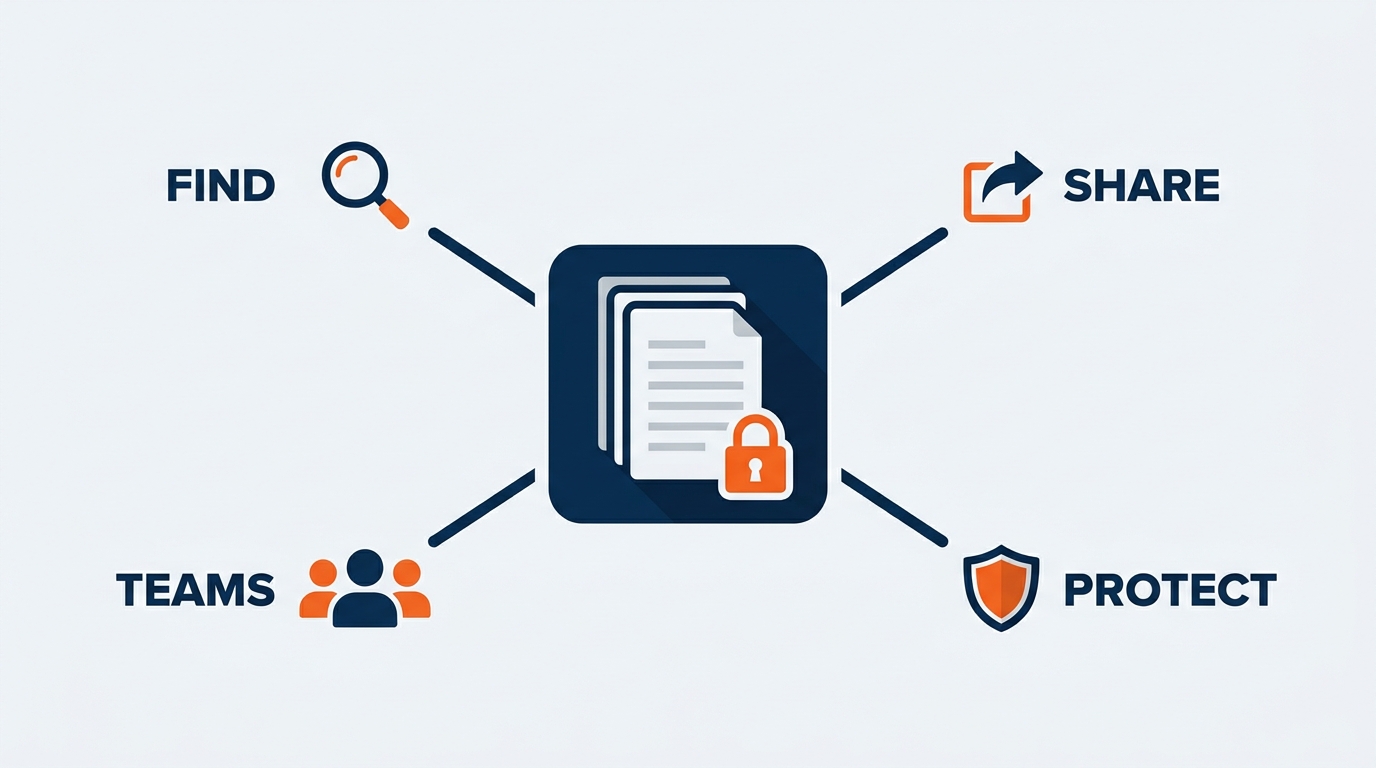
Figure 1:SharePoint is not just a file storage system. It is the organizational memory that Copilot draws from — which means how you organize, name, permission, and retire your SharePoint content determines the quality of every Copilot answer that touches what GES knows.
“Information is not knowledge. Knowledge is not wisdom. Wisdom is not foresight. But you need them all.” — Arthur C. Clarke
There is a question that surfaces in almost every Copilot training session, usually around week three, once people have gotten comfortable with the basics: “Why did Copilot not find that file?”
The answer, almost every time, is not that Copilot failed. It is that the file was not where Copilot could find it — buried in a folder structure that made it invisible, named something that said nothing about its contents, or sitting in a show site that nobody has touched since move-out two years ago.
There are two other answers, and they are the ones that make people sit up.
The first: “Copilot found exactly what you had permission to see. It turns out you had permission to see more than anyone realized — including a client you don’t work on.”
The second: “Copilot found it. It was the 2023 version. And it read like the truth.”
Those three answers point at the same root cause. SharePoint governance is Copilot governance. The quality — and the safety — of your Copilot experience is directly upstream of the state of your SharePoint environment. That relationship is not metaphorical. It is architectural.
This chapter is about understanding that architecture and using it deliberately, at GES.
1.11. Why SharePoint Is Copilot’s Most Important Data Source at GES
Microsoft 365 Copilot can draw on email in Exchange, chat history in Teams, your calendar, and files in OneDrive. But for organizational knowledge — the operations manuals, venue rules, service kits, design standards, rate sheets, SOPs, safety records, and contracts that define how GES actually delivers 4,000+ live experiences a year — the primary home is SharePoint.
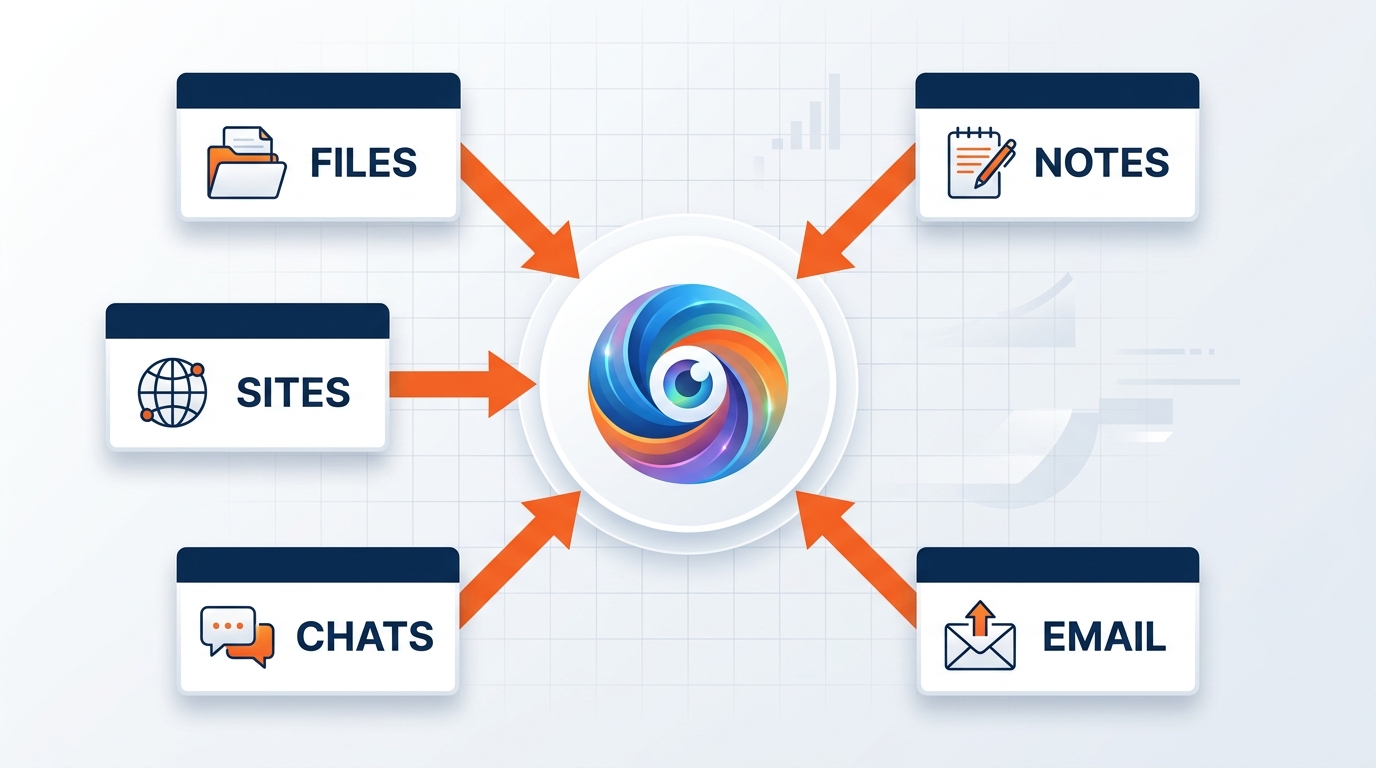
Figure 2:Copilot draws from all of Microsoft 365, but SharePoint holds the knowledge that matters most — the show documents, venue libraries, design standards, and procedures that define how GES works across 24 facilities and 75+ countries.
When a show operations manager asks Copilot what the freight target sequence was for the last edition of a show, that answer does not come from an email. It comes from the show folder where the operations manual and the post-show reconciliation live. When an exhibitor services lead asks what the advance warehouse cutoff is for a given venue, it comes from the venue knowledge library. When a Spiro producer asks which substrate spec the client approved for a previous activation, it comes from the design asset library. When a safety lead asks what corrective actions followed a dock incident in a particular facility, it comes from the safety documentation site.
SharePoint is the institutional brain. Copilot is the interface to it.
That is a meaningful shift from how most people use SharePoint today — as a shared drive, browsed manually, navigated by folder, searched sporadically when you cannot remember where you saved something. In the Copilot era, SharePoint stops being a place you navigate and becomes a knowledge base Copilot queries on your behalf, in natural language, from a phone in a marshaling yard at 5 a.m.
That transformation is only as good as the underlying content allows. A disorganized, outdated, inconsistently permissioned SharePoint environment produces poor Copilot answers — and in a business where a wrong answer becomes a crew in the wrong aisle at the wrong hour, poor answers are expensive. The implication is clean: every investment GES makes in SharePoint governance is an investment in Copilot quality.
1.22. How Copilot Accesses SharePoint — The Permission Inheritance Model
Before organization and governance, we need the foundational principle that governs everything Copilot can and cannot do with SharePoint content.
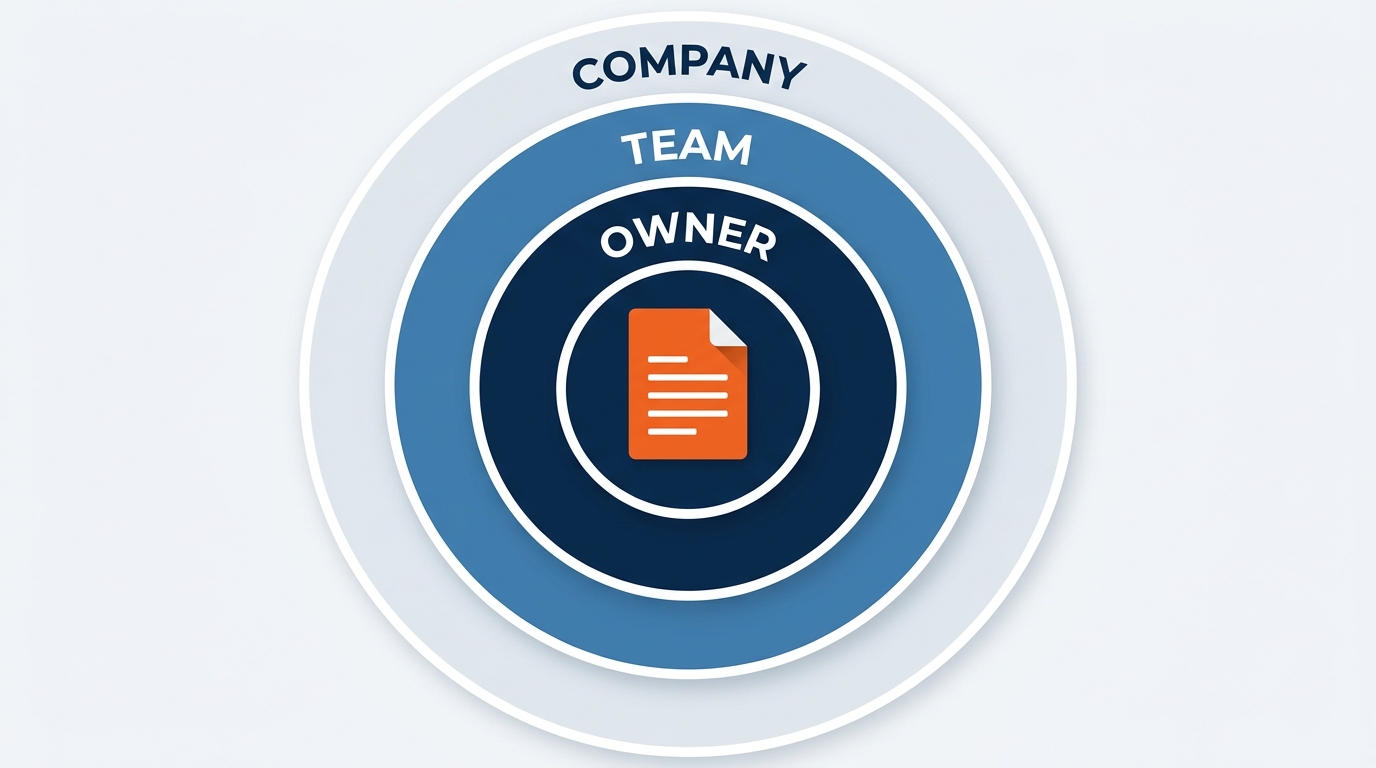
Figure 3:The permission inheritance model: Copilot accesses Microsoft 365 content through Microsoft Graph, and Microsoft Graph enforces the same permissions as SharePoint itself. Copilot cannot see what you cannot see. But it can see everything you can see.
The principle: Copilot accesses SharePoint content through Microsoft Graph, the same API that underlies all of Microsoft 365. Graph enforces existing SharePoint permissions, sharing settings, and policies. There is no separate Copilot permission layer. Copilot inherits exactly the permissions of the signed-in user.
Two consequences follow, and both matter at GES.
First, Copilot cannot surface content you do not already have access to. If a Toronto operations coordinator has no access to a Spiro client account site, Copilot will not pull from it — not because Copilot is blocked, but because Graph enforces the boundary before any content is returned. The AI respects the permission model. It is not a backdoor.
Second — and this is the one that changes how we work — Copilot will surface everything you do have access to. Every site you can browse, every library you can read, every folder you were added to for one show in 2022 and never removed from.
That second consequence is where the risk lives, and at GES it has a specific name.
1.33. Cross-Client Contamination — The Control That Matters Most Here
Chapter 4 introduced the term. This is the chapter where we take it seriously.
GES serves direct competitors at the same show. On a single show floor, our exhibitor services team supports rival manufacturers in adjacent aisles. Our design teams at Spiro build brand environments for companies that are in a bidding war with each other. Our account teams hold rate structures, budget ceilings, and negotiated terms for organizations that would very much like to know each other’s numbers. And in the weeks before a launch, GES routinely sees unreleased products — the physical thing, the graphics, the reveal choreography, the embargo date — before the market does.
That is the business. Trade shows are where companies show the world what is next, and someone has to build it, ship it, and stand it up. That someone is us — a genuine privilege and a genuine exposure.
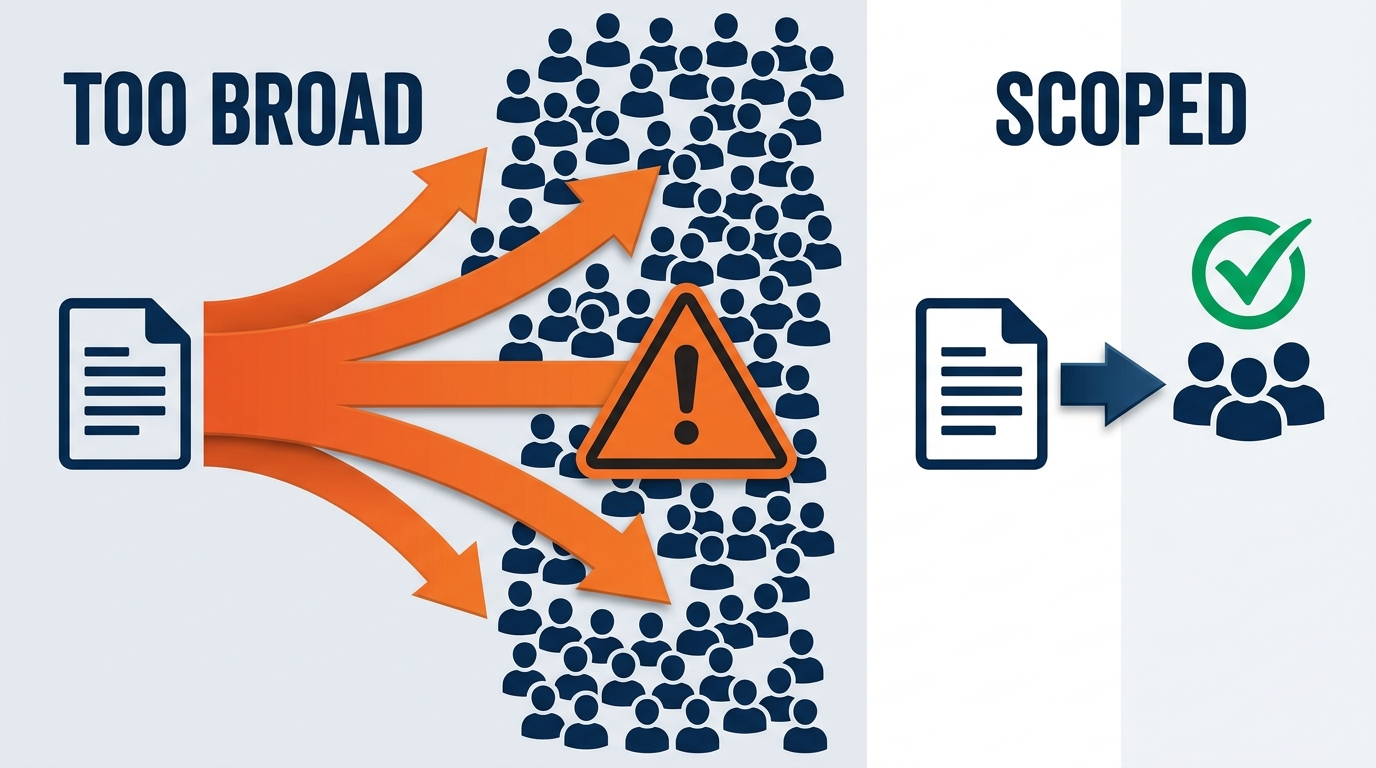
Figure 4:The oversharing amplification effect: what was a latent permission gap in the manual-navigation era becomes an active disclosure risk in the Copilot era. Content that people technically had access to but never found is now findable in a sentence.
Cross-client contamination is what happens when material belonging to one client becomes visible — through a permission gap rather than a deliberate act — to someone working for another. Copilot does not cause it. Copilot reveals it, at speed, because from the system’s point of view that access was authorized.
Here is the scenario, and it is not hypothetical in shape.
Two exhibitors in the same category are at the same show. Both are GES clients. One is launching a product. Their stand drawings, reveal sequence, and embargoed graphics sit in a show folder that — for entirely well-meant reasons two years ago — was shared with “everyone in the show operations group” so a colleague could pull a floor plan on a Sunday.
An account coordinator who works on the competing exhibitor opens Copilot and types something completely ordinary: “What’s going into Hall B for this show and what are the install sequences?”
Under the old model, nothing happens. Nobody browses to a folder they have no reason to know exists. That is not protection; it is luck.
Under the Copilot model, the coordinator gets a tidy, well-cited summary that includes a competitor’s unreleased product, because the permission said readable and Copilot read it. Nobody hacked anything. Nobody acted in bad faith. A sharing decision made in a hurry in 2024 became a confidentiality incident in 2026.
That is cross-client contamination, and at GES it is not IT housekeeping. It is a business-critical control, on the same tier as show-floor safety.
1.3.1Why the stakes are structurally higher at GES
Three features of our business raise the consequence of a permission gap above what a typical company faces.
We hold competitors simultaneously, not sequentially. Most companies have one client per deal. We have several per aisle. A permission model that works fine when your clients don’t compete is inadequate the moment they do.
We see things before the market does. Unreleased products, unannounced acquisitions revealed through booth branding, pricing shown in a client’s own materials. Much of what sits in a GES show folder is market-moving information with a fixed embargo date attached.
The GES Collective has different confidentiality boundaries per brand. GES Exhibitions is the General Service Contractor — the official contractor appointed by the show organizer, serving every exhibitor on the floor. Spiro is an experiential agency and frequently the Exhibitor Appointed Contractor for a specific brand, working against the general floor in a competitive design capacity. onPeak holds attendee and housing data with privacy obligations attached. SHOWTECH holds power and lighting plans. Visit by GES holds registration and lead-capture data governed by GDPR and equivalent regimes.
These are not five departments of one team. They are five sets of client relationships with five different confidentiality perimeters, and they run on the same tenant. A Spiro designer holding an EAC engagement for one brand should not be inheriting general-floor GSC content about that brand’s competitors, and vice versa. That separation is real, contractual, and enforced in exactly one place that Copilot cares about: SharePoint permissions.
1.3.2The three failure modes
Nearly every case of cross-client contamination traces to one of three patterns.
Organization-wide sharing links. A document shared via “Anyone in GES” is readable by every Copilot user in the company. That is correct for the holiday calendar and the travel policy. It is indefensible for a client’s booth drawings, a negotiated rate exception, or an unreleased product spec.
Show-team access that outlives the show. This is the most common failure at GES, and it comes directly from how we work. Show teams form fast, pull in labor coordinators, graphics production, freight, exhibitor services, and a Spiro producer or two, deliver a show, and dissolve. The team dissolves. The access does not. After a few seasons, a mid-career GES employee holds read access to dozens of show sites belonging to clients they have not thought about in years — and Copilot searches every one of them.
Convenience-driven breadth. “Give the whole division access, it’s easier.” It is easier. It is also how a client account site ends up readable by 400 people with no engagement on that account — including the negotiated rate structure, which not every account manager needs to see.
1.3.3What this means for you, concretely
When you own content: Default to the tightest permission that lets the work happen. Client-specific material belongs in client-specific libraries with named access, not division-wide sites. Never use an organization-wide link for anything with a client name on it. If a document contains an unreleased product, an embargo date, a negotiated rate, or a competitive design, it gets explicit access control — every time, no exceptions, no “just for this week.”
When a show closes: Access review is part of move-out. The show is not done when the last crate leaves the dock; it is done when the reconciliation is filed and the show site’s access list reflects who still needs it. Add it to the closeout checklist. It takes ten minutes.
When Copilot shows you something you shouldn’t see: Report it to IT immediately, without drama and without forwarding the content. You have not done anything wrong and neither has Copilot — you have found a misconfiguration, and finding it is genuinely valuable. What you must not do is act on it, mention it to the other account team, or quietly keep reading.
1.44. Grounding Drift — Your AI Is Only as Current as Your SharePoint
Chapter 4 named the second risk: grounding drift. Copilot’s generative models are Microsoft’s problem. What Copilot is grounded in is ours.
Grounding drift is what happens when Copilot retrieves content that is real, findable, well-formatted, and no longer true — and presents it in exactly the same confident register it uses for current content. There is no visual difference between a right answer and a stale one. That is the entire danger.
In live events, staleness is not an abstraction. It has a price tag and a hard date.
A superseded rate sheet produces an exhibitor quote we then have to honor or walk back. Both are bad; one is expensive and the other is worse.
An outdated venue rule — a changed aisle obstruction policy, a new rigging restriction, a revised dock curfew — produces a move-in plan that the venue rejects at the door.
A last-edition service kit sends exhibitors to an advance warehouse address that changed, with a freight target date that no longer exists.
A stale drayage tariff drives a client estimate that misses by a margin nobody discovers until reconciliation.
A superseded SOP gets followed correctly by a crew in a facility that adopted version 6 while the SOP library still serves version 4.
Every one of those is a document hygiene failure that used to cost one person some confusion and now, mediated by Copilot, scales instantly to everyone who asks a reasonable question.
This is the reframe that matters: document hygiene is now an AI quality issue. Archiving a superseded rate sheet is no longer tidiness. It is the difference between an accurate quote and a wrong one, produced at volume.
1.4.1The three disciplines that prevent drift
Ownership. Every library has a named owner — a person, not a department. Ownerless sites are how content goes stale, because nobody is accountable for reviewing it. When someone leaves a role, ownership transfers explicitly, the way a show file does at handoff.
Lifecycle. Every content type has a review cadence proportional to how fast it changes. Rate sheets and tariffs: every publication cycle, without exception. Venue knowledge: after every show at that venue, because that is when you learned something. Service kit templates: per season. SOPs: annually, or on incident. Design standards: per brand refresh. Safety documentation: continuously, because it is safety.
Archiving over deletion. When something is superseded, move it out of the active pool — do not leave it beside the current version, and do not delete it either. We need history for reconciliation, contract disputes, and ESG reporting continuity. Archived content stays preserved and retrievable but is not surfaced in Copilot’s default responses. Two versions of the same rate sheet in one folder is the single most reliable way to make Copilot confidently wrong.
Currency has to be visible in the document, not just in the metadata. Copilot reads what documents say. A rate sheet whose first line reads “Effective for shows moving in on or after 1 September 2026. Supersedes the rate schedule dated 1 March 2026.” is doing real work — for a human skimming it and for a model retrieving it. A rate sheet titled Rates FINAL v3 (2).xlsx with no effective date anywhere in it is a liability with a spreadsheet icon.
1.55. Governance for Copilot Readiness — Assessment, Lifecycle, Archiving
Microsoft has published specific guidance for preparing SharePoint for Copilot. GES IT administrators will run most of it; everyone else lives with the outputs, which is reason enough to understand it.
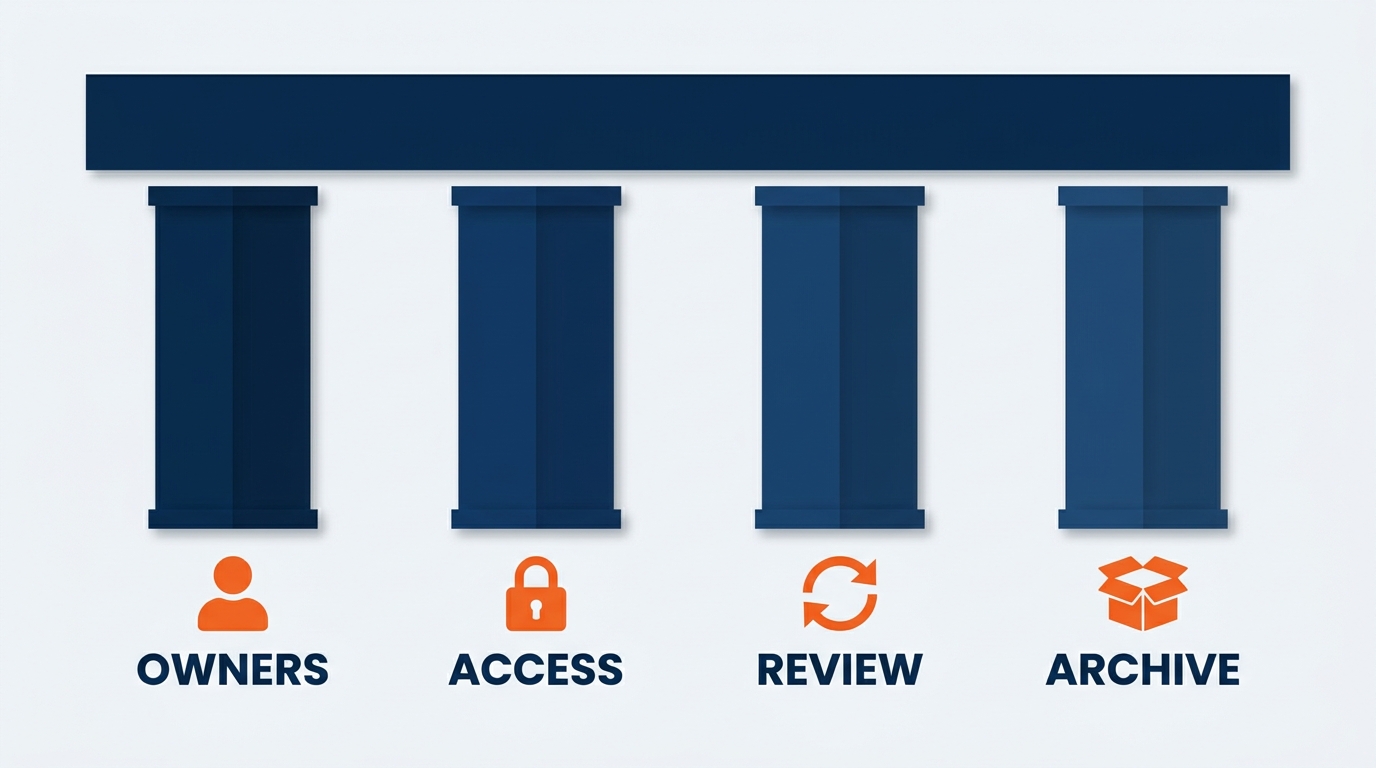
Figure 5:The four pillars of SharePoint Copilot readiness: assessment, lifecycle management, archiving, and ongoing governance — a continuous cycle, not a one-time project.
The Content Management Assessment hub. SharePoint Advanced Management (SAM) includes an assessment hub that gives administrators actionable insight into the environment: it identifies overshared content, finds inactive and ownerless sites, scores Copilot readiness, and tracks progress across recurring runs. Microsoft recommends running assessments every 30 days.
At GES the assessment cadence should be tied to something real: run it against the show calendar. Post-season is when show sites go dormant and access lists go stale, and it is exactly when an assessment is most likely to find something worth fixing.
Site lifecycle management. Some sites are actively owned and current. Others were spun up for a show that closed two years ago and still surface in Copilot answers because they contain documents full of relevant keywords. Lifecycle policies let administrators detect inactivity, prompt owners to review, and archive or decommission rather than leave stale content in the pool. For a company creating SharePoint content at the rate of 4,000+ events a year, this is the only thing standing between a useful knowledge base and a decade of dormant show folders.
Archiving. Archiving moves inactive content out of Copilot’s active search scope without deleting it. Archived content is preserved and restorable but is not surfaced by default. Microsoft’s stated principle is plain: “Copilot and agents work best when content is up to date and well governed.” That is not marketing. It is the architecture.
1.66. Organizing SharePoint for GES Teams
For Copilot to be genuinely useful, SharePoint has to be organized for findability — not just for human browsing. Folder hierarchies help people navigate. Clear naming, consistent structure, and correct permissions help Copilot retrieve.
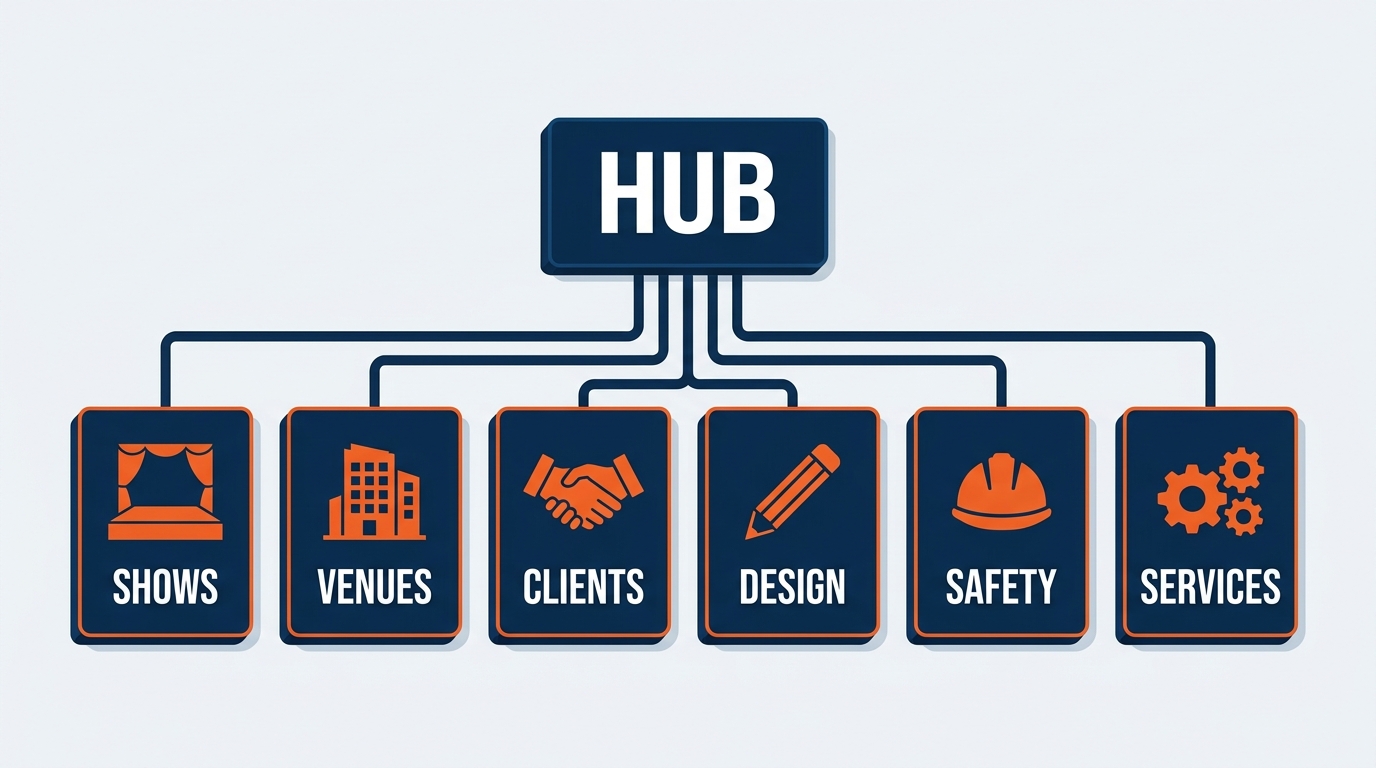
Figure 6:The GES SharePoint site model — six primary site families with standardized internal library structures. Standardization is what makes Copilot retrieval consistent across shows, facilities, and countries.
The GES Site Model
Site pattern: GES Show Operations — [Show Name] — [Year] Owner: Show Operations Manager Libraries:
Show Operations Manual & Move-In/Move-Out Sequencing
Exhibitor Service Kit (current edition + approved template)
Floor Plans, Booth/Stand Assignments & Aisle Carpet Plans
Freight Targets, Marshaling Yard & Material Handling Plans
Labor Calls, I&D Schedules & Union Jurisdiction Notes
Post-Show Reconciliation Archive
Governance note: Show sites are the highest-volume site type at GES and the most common source of stale access. Access review at move-out is mandatory, and the site should be archived on a defined schedule after reconciliation closes.
Site name: GES Venue Knowledge Library Owner: Global Operations / Regional Operations Directors Libraries:
Venue Profiles (dock configuration, freight door dimensions, ceiling and rigging limits)
Union Jurisdiction Summaries by Market
Freight Quirks & Known Constraints (the institutional memory)
Advance Warehouse, Marshaling Yard & Drayage Specifications
Facility Profiles — all 24 global production and warehouse facilities
Customs, Carnet & Cross-Border Guidance
Governance note: This is the highest-value shared library at GES and one of the few that should be broadly readable — it contains no client information. Currency is the entire point: update the venue profile the week after every show at that venue, while the lesson is still fresh.
Site pattern: GES Client — [Account Name] (one site per account) Owner: Account Director Libraries:
Contracts, SOWs & Amendments
Negotiated Rates & Commercial Terms
Show History & Performance
Client Brand Standards & Approved Assets
QBR Materials & Account Plans
Governance note: This is the cross-client contamination frontline. One site per account, named access only, no organization-wide links, no division-wide grants, no exceptions. Access is granted on engagement and revoked at disengagement. If a competitor’s account team can read this site, that is a reportable incident, not a preference.
Site name: Spiro Design & Production Library Owner: VP Creative + Design / Regional Creative Directors Libraries:
Design Templates & Reusable Structural Systems
Graphics Production Standards & Color-Accurate Substrate Specs
Materials Library & Better Stands Reusable Components
Show Ready — The Edit Modular Product Documentation
Concept Archive (non-client-identifiable)
Governance note: Separate reusable standards from client-specific work. Templates, substrate specs, and structural systems belong here and should be widely available. Client concepts, unreleased product environments, and competitive pitch work belong in the client account site under named access. When in doubt about which side of that line a file falls on, it is client-specific.
Site name: GES Safety, Compliance & ESG Owner: Global Safety Director / ESG Lead Libraries:
Safety Standards & Site Safety Plans
Incident Records & Corrective Action Tracking
Venue-Specific Safety Requirements
ESG Reporting Sources & Emissions Data
Better Stands Reuse Tracking & Sustainability Documentation
Governance note: Safety standards should be broadly readable — everyone benefits. Specific incident records with named individuals require restricted access. ESG source data must be version-controlled and traceable; published reporting depends on it being reproducible.
Site name: GES Commercial Standards & Procedures Owner: Operations Standards Lead / Commercial Director Libraries:
Standard Operating Procedures (by function, applicable across facilities)
Published Rate Sheets & Material Handling Tariffs (current edition only)
Superseded Rates Archive (dated, clearly marked)
Exhibitor Service Kit Master Templates
Estimating Standards & Labor Forecasting Guidance
Governance note: This site is the grounding-drift epicenter. Exactly one current rate sheet per market lives in the active library. Superseded versions move to the archive the day they are superseded — not at the end of the quarter, not when someone gets around to it.
The GES File Naming Convention
Copilot’s semantic search reads file names as context. Consistent naming is the highest-leverage improvement any team can make in an afternoon.
[Show-or-Account]-[DocumentType]-[Topic]-[YYYY-MM].ext

Examples:
MeridianExpo2026-OpsManual-MoveInSequencing-2026-03.docx
VenueLibrary-Profile-DockAndFreightDoors-ExCeLLondon-2026-02.docx
Commercial-RateSheet-MaterialHandling-USMarkets-2026-09.xlsx
MeridianExpo2026-ServiceKit-ExhibitorEdition-2026-04.pdf
SOP-AdvanceWarehouseReceiving-v6-2026-01.docx
MeridianExpo2026-Reconciliation-LaborAndDrayage-2026-06.xlsx
This does two things: it makes documents findable through meaningful keywords, and it makes version currency visible at a glance. A 2024-11 service kit and a 2026-04 service kit are distinguishable without opening either.
1.77. Why Well-Organized Content Surfaces Better
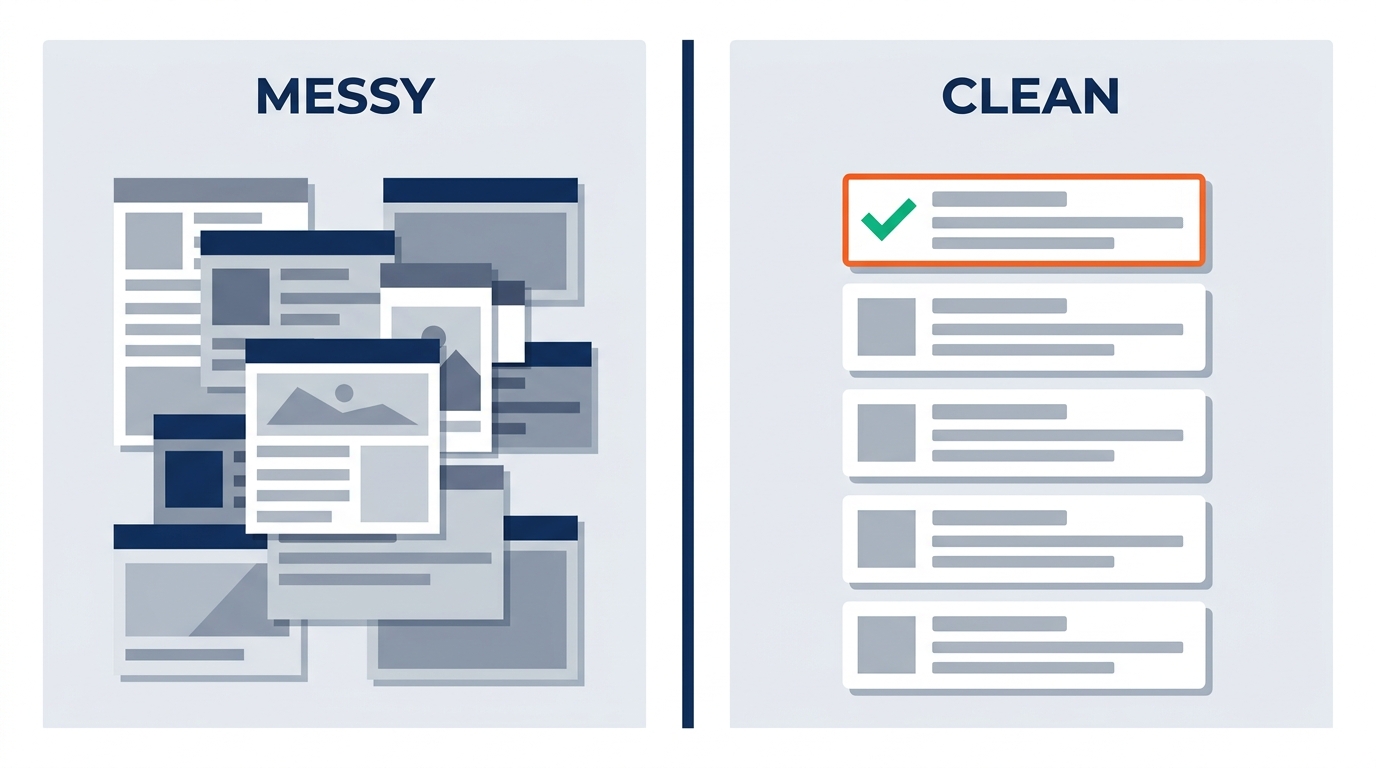
Figure 7:The organization-quality-to-response-quality pipeline: Copilot’s answers are only as specific as the content it can find. Well-named, current content produces precise answers with clear attribution. Disorganized content produces vague generalities.
When you ask Copilot a question requiring organizational knowledge, it queries Microsoft Graph for content you can access that is semantically relevant — meaning-based matching, not keyword matching. That is powerful, and it also means a document with no meaningful title, no descriptive opening, and no metadata will rank poorly even when it contains precisely the answer.
Three things make content Copilot-findable:
1. Meaningful file names. Show or account, document type, topic, date. Final_v3_USE THIS ONE.docx is invisible to semantic search and, frankly, to humans.
2. Strong document openings. The first paragraph is disproportionately influential in how Copilot understands a document. Compare an operations manual that opens with a letterhead and a table of contents against one that opens: “This operations manual governs move-in, move-out, material handling, and labor sequencing for the Meridian Manufacturing Expo, 640 exhibiting companies, 310,000 net square feet, at [venue], March 2026. It supersedes the 2025 edition.” The second one is findable. The first one is a PDF in a haystack.
3. Current content, in an active site. Copilot weights recency. But if your current service kit sits in a show site nobody has touched in eighteen months, lifecycle policy may flag that site as inactive. Keeping owned sites active — reviewing and touching them periodically — keeps them in the pool.
1.88. The Share-with-Summary Workflow
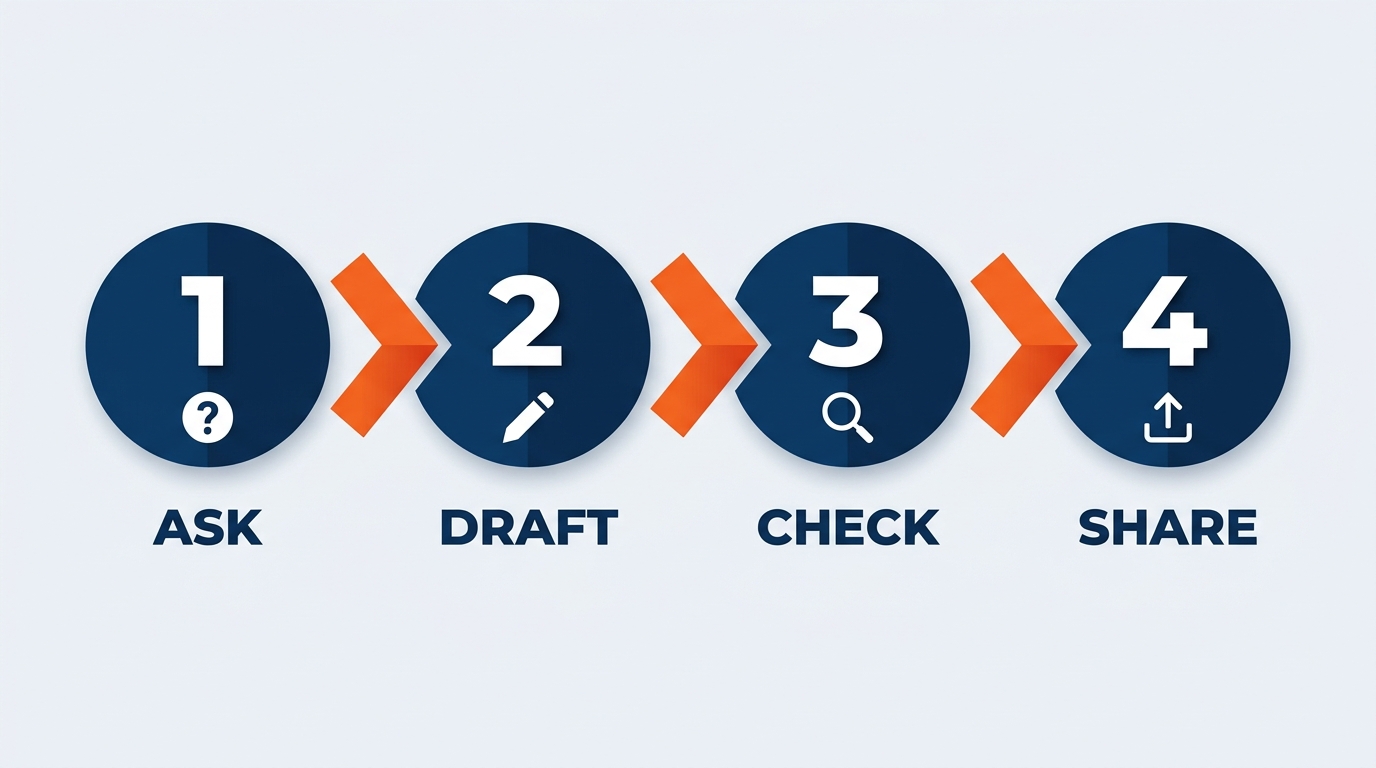
Figure 8:The Copilot share-with-summary workflow: share a file and an AI-generated summary in a single action. The recipient gets context immediately — no need to open and scan the document before understanding what they are looking at.
As of May 2026 this is generally available, not a preview. When sharing a file from SharePoint, you can choose to generate a Copilot summary as part of the sharing action. The recipient gets the file and a concise summary of its contents alongside it.
GES applications:
Operations manual distribution. Send the manual to the show team with a summary flagging the move-in sequence, the hard-out constraint, and the escalation contacts — so a labor coordinator reading it on a phone knows in fifteen seconds what changed from last edition.
Venue rules packages. A venue’s updated rules run 60–80 pages. Share it with a summary of what actually changed for GES as GSC, and the exhibitor services desk can act before anyone reads page 40.
Client deliverables. A post-show reconciliation sent to an organizer with a summary of variance drivers demonstrates that GES is delivering intelligence, not a spreadsheet.
SOP rollouts across facilities. Push a revised procedure to 24 facilities with a summary of the delta. Facilities that trained on version 5 need to know what version 6 changed, not re-read the whole document.
1.99. SharePoint + Teams — One Permission Surface
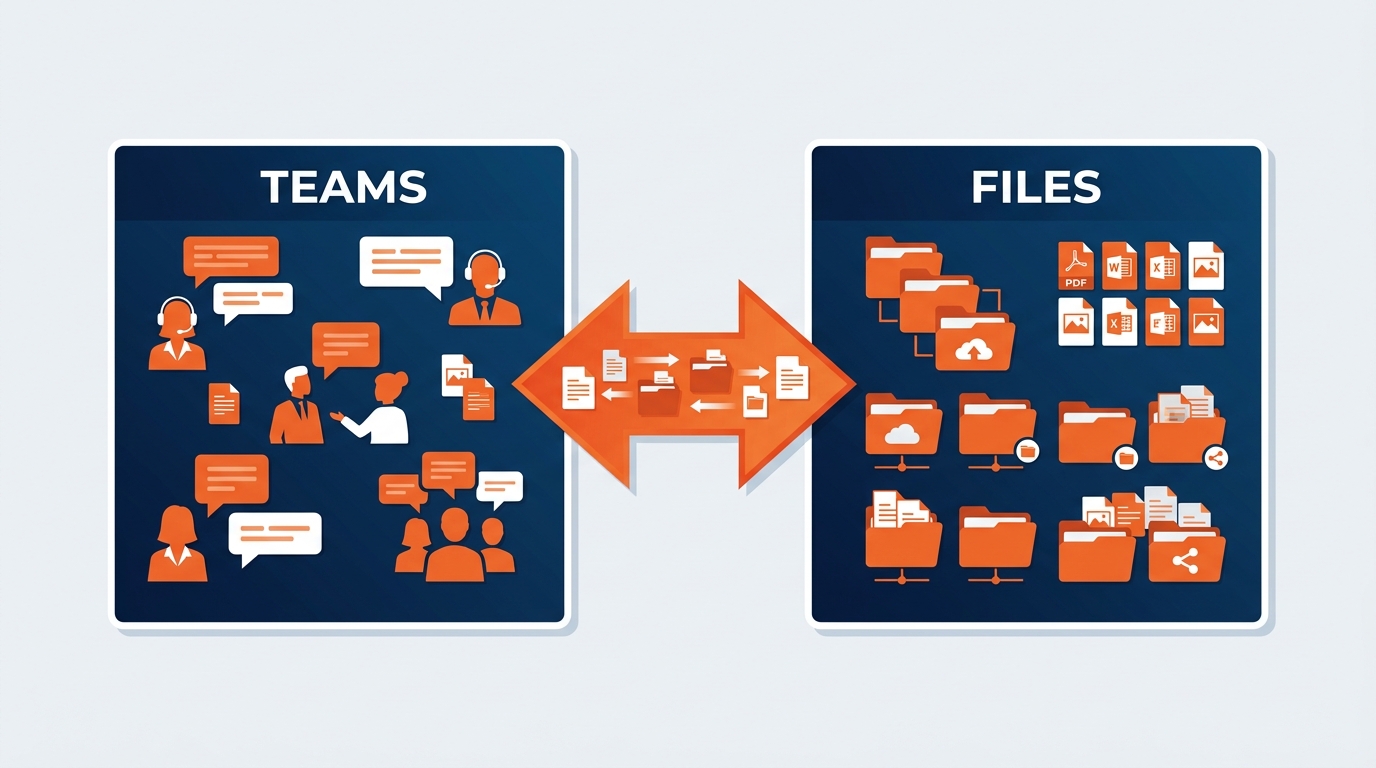
Figure 9:The SharePoint-Teams-Copilot triangle: Teams is the workspace, SharePoint is the knowledge store, Copilot is the intelligence layer connecting them. Every file dropped in a channel is a SharePoint file with SharePoint permissions.
Every Teams channel has a backing SharePoint library. Every file shared in a channel lives there. Every meeting recording lands there. That integration is what makes the Teams–SharePoint–Copilot pattern powerful for show teams — and it is also where a lot of cross-client contamination originates, because people think of Teams as chat and forget it is storage.
A producer drags a client’s booth drawing into a show channel to answer a quick question during move-in. That file now lives in a SharePoint library whose membership is whoever was ever added to that channel — including the three people added for one weekend in a different season.
The practical rules:
A Teams channel is a permission boundary, not a chat window. Before you drop a client file into a channel, ask who is in it. If you would not email the file to everyone on the member list, do not post it.
Client-specific channels for client-specific work. Not one general show channel where every exhibitor’s material accumulates.
Meeting recordings inherit channel permissions. A design review where an unreleased product is on screen is a confidential asset stored in SharePoint. Treat it as one.
Naming discipline compounds. A file posted as
deck FINAL.pptxis as unfindable in Teams as it is in SharePoint, because it is the same file in the same place.
The upside of the same architecture is real: a show manager who missed the pre-show call can ask Copilot to summarize what was decided and pull the associated documents in one query, drawing on both the conversation and the files — genuinely valuable across teams spanning 75+ countries that rarely share a timezone. It just requires that the boundary be correct first.
1.1010. Copilot Cowork and SharePoint — More Reach, Same Rules
Copilot Cowork became generally available worldwide on June 16, 2026. It matters in a SharePoint chapter because Cowork does not just read SharePoint. It works in it.
Per Microsoft’s documentation, Cowork can browse OneDrive and SharePoint to find and select the files it needs rather than requiring you to attach every source up front; create SharePoint and OneDrive folders and reorganize existing files into them; run multi-file analysis across large document sets; and produce finished artifacts saved where you asked — all while your laptop is closed. Microsoft cites a customer team that compared nearly 4,000 files across two product versions, work that would otherwise have taken weeks.
The GES use cases are obvious and genuinely attractive:
Reorganize a season of show folders into the standard library structure, applying the naming convention as it goes, and produce a report of what could not be resolved automatically.
Multi-file consistency sweep: compare every regional exhibitor service kit against the approved master template and report every deviation in deadlines, rates, and advance warehouse instructions.
Post-season currency audit: identify every rate sheet, tariff, and venue profile in the active libraries that has not been reviewed within its cadence, and list them by owner — grounding drift, found and assigned.
Reconciliation packaging: assemble labor logs, material handling records, and the operations manual into a structured post-show archive in the right folder with the right names.
Here is the part that must not get lost.
Cowork makes permission hygiene more important, not less. Every Cowork task runs with your permissions and sees only what you can see — which is exactly the safeguard we want, and exactly why it is not a substitute for correct permissions. If your access is too broad, Cowork inherits that breadth and applies it autonomously, at machine speed, across thousands of files, while you are on a show floor and not watching. Copilot Chat surfaces an overshared file when you happen to ask a question that touches it. Cowork can systematically traverse everything you can reach.
The controls are real and you should use them deliberately. Cowork pauses before sensitive actions and shows risk indicators; you can approve once, approve for the session, approve all, or cancel. Actions are auditable. But the governing discipline is in how you scope the assignment. Microsoft’s five-part structure — outcome, inputs, definition of done, constraints, approval scope — is where you put the boundary:
Constraints: Operate only within the show folders listed. Do not open, read, move, or reference any client account site. Do not modify venue-specific or jurisdiction-specific content. Where a change requires judgment, flag it rather than resolving it.
Approval scope: Ask before creating or overwriting any file. Do not send any email or post any Teams message without explicit approval.
Scope it narrowly. Name what it must not touch. Review what comes back. The skill shift Chapter 6 described — from doing the work to delegating and quality-controlling it — carries a governance obligation with it. A tool that produces finished work faster produces unreviewed finished work faster, and unreviewed work is exactly what people are tempted to ship.
1.1111. Who Does What — IT, Legal, and Everyone Else
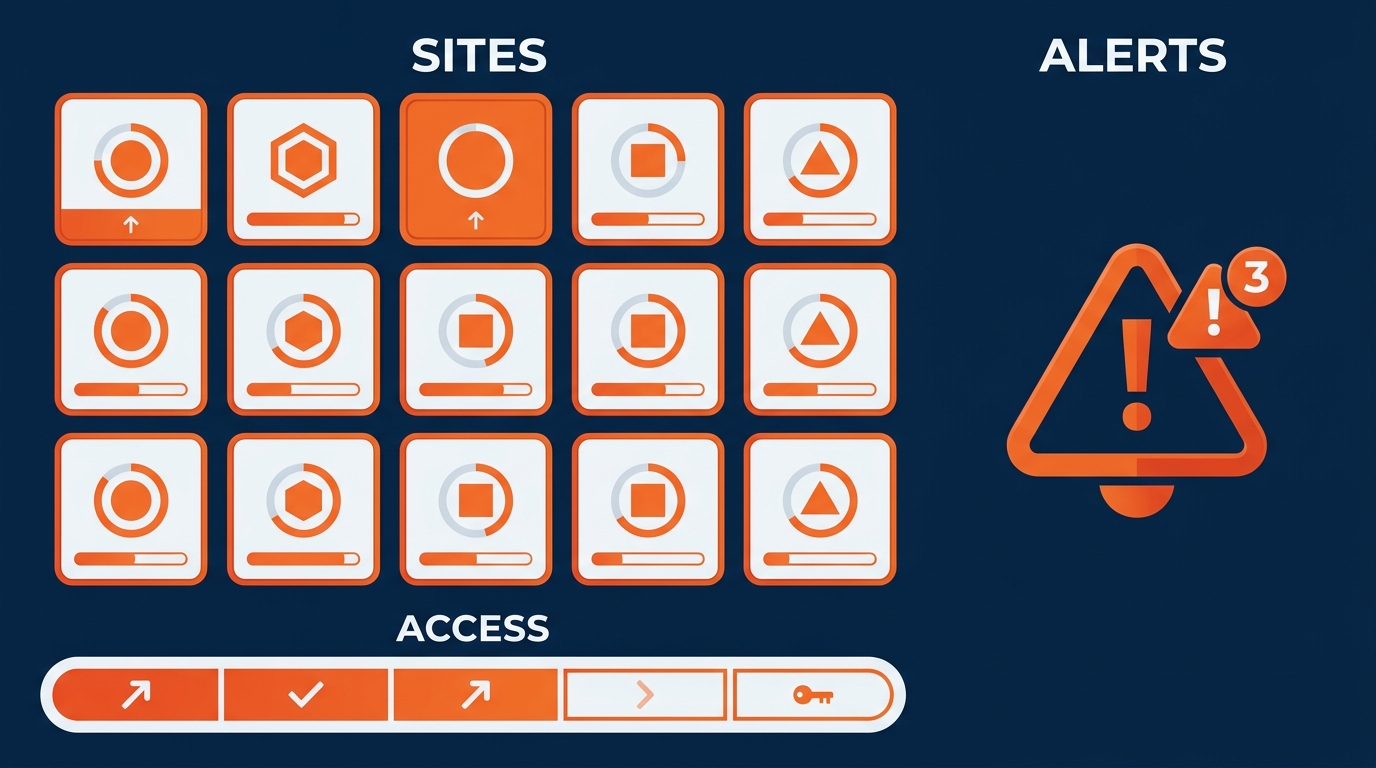
Figure 10:Three governance tracks for GES’s SharePoint Copilot readiness — IT Administration, Legal and confidentiality oversight, and individual employee responsibility — distinct roles, one shared outcome.
GES IT. Run the Content Management Assessment on a recurring cadence tied to the show calendar. Audit and remediate organization-wide sharing links, prioritizing client account sites and Spiro design libraries. Configure lifecycle policies so dormant show sites trigger owner review and archiving. Establish a site provisioning process so new show and account sites are created with correct permission templates from day one — this is the single highest-leverage control, because it prevents the problem instead of finding it later. SharePoint Advanced Management should be part of the Copilot deployment package, not a later phase.
GES Legal and client confidentiality. Client NDAs and master service agreements already impose confidentiality obligations on GES. Copilot does not change those obligations; it changes the mechanism by which they can be breached. The mapping is direct: an NDA obligation to a client becomes a SharePoint permission requirement on that client’s site. Where GES Exhibitions holds GSC obligations to the organizer and Spiro holds EAC obligations to a competing exhibitor at the same show, that separation must exist as an enforced permission boundary — not a professional understanding. Attendee and housing data at onPeak and registration data at Visit by GES carry GDPR and equivalent obligations that likewise resolve to access control. Information protection labels should be applied to unreleased-product and competitive-design material so classification travels with the file.
Everyone else. Three responsibilities, and none of them require a project:
Follow the naming and organization conventions for your show, account, or function.
Permission the content you own to the narrowest set that lets the work happen — and review show site access at move-out.
Report anything Copilot surfaces that you should not be able to see, the same day, without forwarding it.
1.1212. What You Can Do This Week
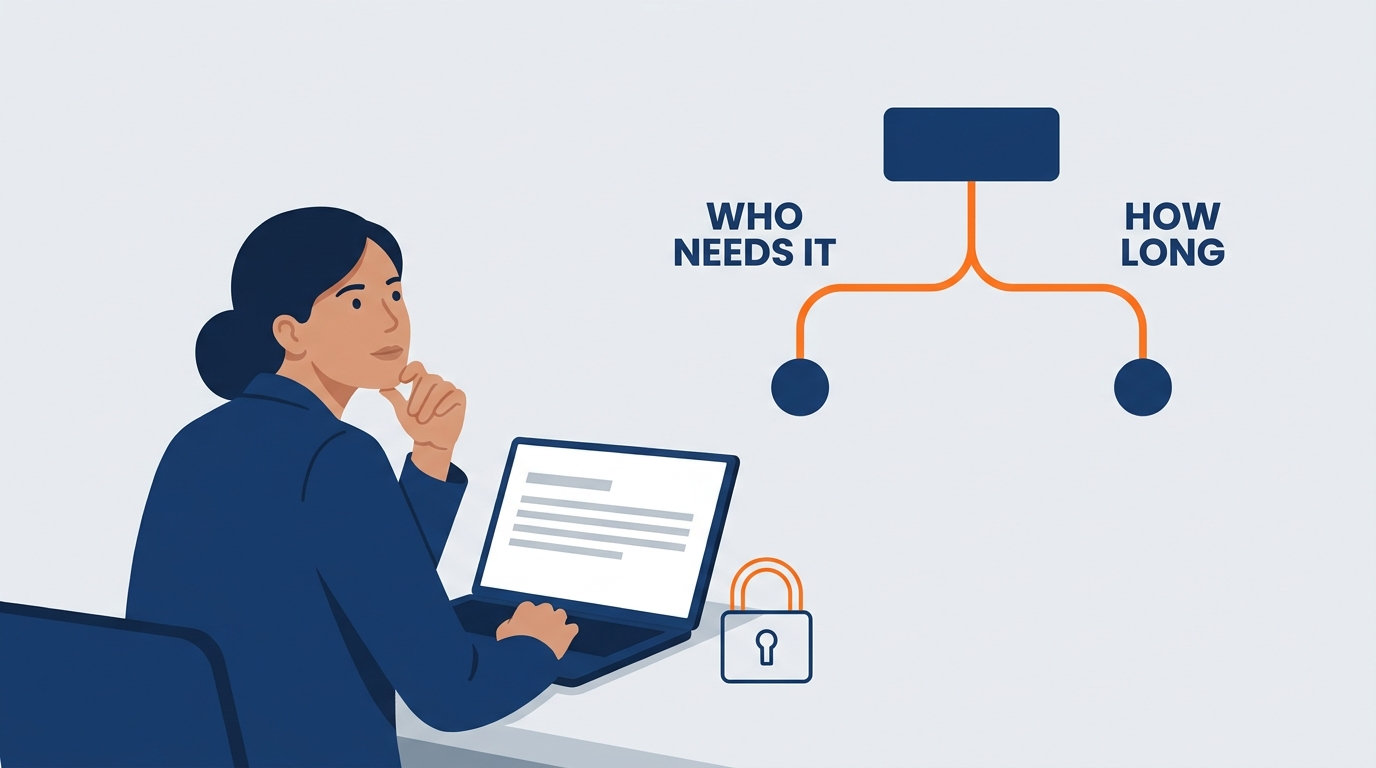
Figure 11:The individual governance cycle — four steps any GES employee can perform on libraries they own, without waiting for an IT project. Small actions compound into dramatically better and safer Copilot results.
Step 1: Audit. List every site or library where you are an owner or major contributor. How much is current? How much belongs to a show that closed two seasons ago? Thirty minutes on one library will surface real issues.
Step 2: Rename what matters. Do not rename everything. Rename the documents Copilot is most likely to be asked about — the current rate sheet, the active service kit, the venue profile, the SOP.
Before:
Final FINAL service kit revised (3).pdfvenue notes USE THIS.docxRates April.xlsx
After:
MeridianExpo2026-ServiceKit-ExhibitorEdition-2026-04.pdfVenueLibrary-Profile-DockAndFreightDoors-ExCeLLondon-2026-02.docxCommercial-RateSheet-MaterialHandling-USMarkets-2026-04.xlsx
Step 3: Fix permissions. For every library you own, ask: who can read this, and should they? Any organization-wide link on client material gets converted to named access today. If you are unsure how to check, ask GES IT — this is exactly the request they want to receive.
Step 4: Archive the superseded. Move outdated rate sheets, prior-edition service kits, and old venue rules into a clearly dated archive. The test: could a reasonable person — or an AI — open this library and be confused about which version is authoritative? If yes, you are not done.
1.13Bringing It Together — SharePoint as a Strategic Asset
There is a temptation to see SharePoint governance as maintenance — unglamorous folder-tidying while the exciting AI work happens elsewhere. That framing gets the relationship backwards.
SharePoint is where GES’s institutional knowledge lives. Eighty-seven years of it, since a small sign and exhibit company opened in Kansas City in 1939. The venue quirks learned the hard way. The freight sequencing that works at one facility and fails at another. The design standards, the reuse tracking, the safety corrective actions, the reconciliation history that tells you what a show actually costs. That knowledge is why a client picks GES over a competitor, and most of it now sits in document libraries.
Copilot is the interface that makes it accessible — not only to the people who know which folder it is in, but to anyone who can ask a clear question. A coordinator in Paris can ask what the marshaling yard constraints are at a Las Vegas venue and get an authoritative answer in thirty seconds. A first-season exhibitor services rep can ask what the advance warehouse cutoff is and be right. That is a real democratization of hard-won operational knowledge across ~2,600 people, 24 facilities, and 75+ countries.
But it only works if two things are true at once: the knowledge base has to be current, or Copilot confidently repeats last year’s rates; and it has to be correctly permissioned, or Copilot helpfully hands one client’s unreleased product to another client’s account team.
Those are the two disciplines of this chapter — grounding drift and cross-client contamination — and they are not IT problems. They are business controls owned by the people who create and hold the content.
GES became independent on December 31, 2024, for the first time in 55 years. That independence means we set our own standards and own the consequences — there is no parent company defining our information governance and no one else to hand the problem to. The muscle is not new; GES has always treated client confidentiality and operational precision as core to the work. It is the existing muscle, applied to a new domain, at a new speed.
Start with one library. Fix one naming convention. Review one show site’s access list before you file the reconciliation. That is how the larger transformation actually happens — not in a single IT project, but in thousands of small decisions made by people who understand what is at stake.
1.14Glossary
- Microsoft Graph
- The unified API underlying all Microsoft 365 services, including SharePoint and Copilot. Graph enforces permissions and provides the data layer Copilot queries when answering questions.
- Permission inheritance
- The principle that Copilot can only access content the signed-in user already has permission to see. Copilot has no permissions of its own — it operates within the user’s existing access rights as enforced by Microsoft Graph.
- Cross-client contamination
- The exposure of one client’s confidential material to personnel working for another client — frequently a direct competitor at the same show — through SharePoint permission gaps rather than deliberate disclosure. Copilot does not cause it; Copilot reveals it at speed. The business-critical SharePoint control at GES.
- Grounding drift
- The degradation of AI answer quality caused by stale source content. Superseded rate sheets, outdated venue rules, and prior-edition service kits produce confidently wrong Copilot answers. Managed through ownership, review cadence, and archiving. Your AI is only as current as your SharePoint.
- Oversharing
- The condition in which SharePoint content is shared more broadly than its sensitivity warrants — via organization-wide links, excessive group grants, or show-team access that outlives the show.
- Content Management Assessment hub
- A SharePoint Advanced Management feature giving administrators actionable insight into environment health — identifying overshared content, inactive sites, and ownerless resources affecting both confidentiality and Copilot quality. Recommended cadence: every 30 days.
- A licensed Microsoft add-on providing enhanced SharePoint governance tooling, including the Content Management Assessment hub, site lifecycle management policies, and archiving capabilities relevant to Copilot readiness.
- Site lifecycle management
- Administrative policies that manage site health over time — detecting inactivity, prompting owners to confirm relevance, and enabling archiving or decommissioning. At GES, most relevant to dormant show sites.
- A rollout feature limiting Copilot’s SharePoint search to an administrator-curated list of sites during initial deployment. A staged rollout tool, not a permanent governance solution.
- Semantic search
- Copilot’s meaning-based retrieval, matching content by context rather than exact keywords. Clearly named documents with strong opening statements perform substantially better.
- Archiving
- Moving inactive content out of Copilot’s active search scope without deleting it. Archived content remains preserved and restorable but is not surfaced in Copilot responses by default — the primary defense against grounding drift.
- Copilot-generated summary
- An AI-generated summary of a document’s contents included when sharing a SharePoint file. Generally available since May 2026: choose Share, generate the summary, and send it alongside the document.
- Copilot Cowork
- The Microsoft 365 Copilot capability, generally available June 16, 2026, that executes long-running multi-step work and returns finished artifacts. Relevant to SharePoint because it can browse OneDrive and SharePoint autonomously, create folders, reorganize files, and run multi-file analysis — always within the user’s own permissions, which makes permission hygiene more consequential rather than less.
- GES naming convention
- The standardized file naming format for GES SharePoint content: [Show-or-Account]-[DocumentType]-[Topic]-[YYYY-MM].extension. Improves human findability and Copilot semantic retrieval, and makes version currency visible without opening the file.
- Site owner
- The named individual accountable for a SharePoint site’s content currency, permission accuracy, and governance compliance. Ownerless sites are the leading cause of both stale content and stale access.
- Exhibitor Appointed Contractor (EAC)
- A contractor engaged directly by an exhibitor rather than appointed by the show organizer. Spiro frequently operates as an EAC, creating a confidentiality boundary distinct from GES Exhibitions’ General Service Contractor role at the same show — a boundary that must be enforced in SharePoint permissions.
- General Service Contractor (GSC)
- The official service provider appointed by a show organizer to serve the entire show floor. GES Exhibitions’ core role, and the reason GES simultaneously holds material for competing exhibitors at the same event.
1.15Leader’s Takeaway
SharePoint governance is Copilot governance. The teams that get the most from Copilot are not the ones with the cleverest prompts — they are the ones with the cleanest, most current, best-permissioned knowledge bases. For GES specifically:
Cross-client contamination is the control that matters most. GES serves direct competitors at the same show and sees unreleased products before launch. Copilot surfaces anything a user has permission to see. Client account content gets named access only — and show site access gets reviewed at move-out, every time.
The GES Collective has five confidentiality perimeters, not one. GES Exhibitions, Spiro, onPeak, SHOWTECH, and Visit by GES hold different client relationships and different obligations on a shared tenant. That separation lives in SharePoint permissions or it does not exist.
Grounding drift is a business risk with a price tag. Stale rate sheets, superseded venue rules, and prior-edition service kits become confidently wrong answers delivered at volume. Ownership, review cadence, and archiving are now AI quality controls.
Naming and structure are infrastructure, not bureaucracy. Consistent naming across shows, venues, accounts, and facilities is what makes 87 years of operational knowledge retrievable in thirty seconds.
Cowork raises the stakes on permissions. Autonomous browsing, folder creation, and multi-file work across SharePoint all run with the user’s access. Scope assignments narrowly, name what must not be touched, and review what comes back.
Governance is everyone’s job. IT runs the tooling. Legal maps client obligations to access control. But every person who owns a library decides whether Copilot becomes an intelligence multiplier or a confidentiality incident with good formatting.