Chapter 5: Week 3, Session A — Introduction to Microsoft Copilot & Prompting Essentials
The Front Door — Copilot Across the Microsoft 365 Suite
1Chapter 5: Week 3, Session A — Introduction to Microsoft Copilot & Prompting Essentials
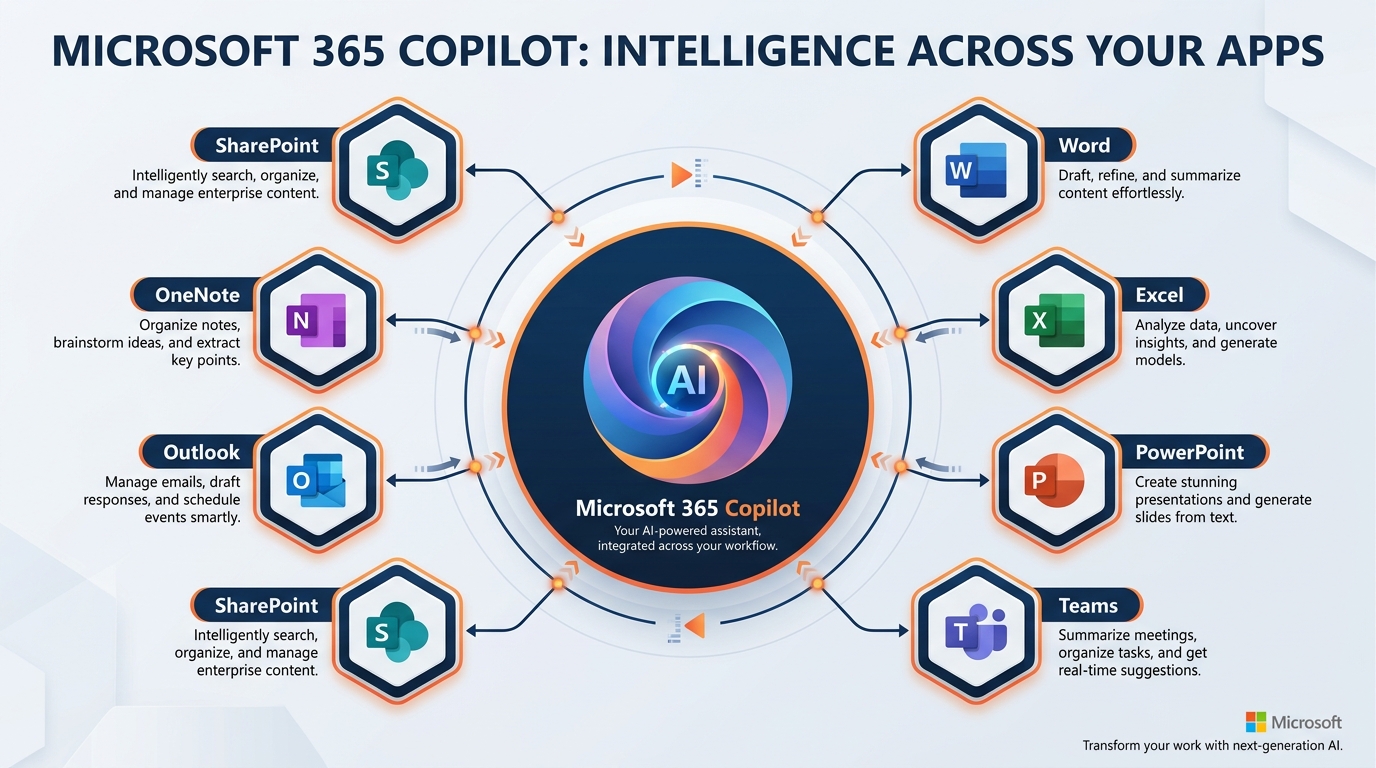
Figure 1:The Microsoft Copilot ecosystem for GES — from the front door at m365.cloud.microsoft to the intelligence layer that grounds it in your work context, to the five prompting techniques that determine whether you get generic output or precise, show-ready results.
“The quality of your question determines the quality of your thinking.” — Peter Drucker
There is a version of Microsoft Copilot that is, frankly, underwhelming.
You type: “Write me a report on trade show logistics.”
Copilot dutifully returns four paragraphs of polished, completely generic prose that could have been written about any exhibition, in any hall, in any year. It reads like a Wikipedia summary. It doesn’t know what a marshaling yard is in practice, it has never watched a freight target slip by ninety minutes, and it has certainly never stood on an empty show floor at 4:00 a.m. wondering whether the aisle carpet is going to arrive before the exhibitors do. You could have found better with a three-second web search. You close the window, return to your keyboard, and quietly conclude that AI is probably overhyped.
There is a second version of Microsoft Copilot — the version that the top performers in every organization that has deployed it eventually discover. In this version, you type a different kind of prompt. Copilot pulls from your actual emails, your recent meeting transcripts, the labor forecast your operations analyst shared yesterday, and the venue safety bulletin your show manager circulated last Friday. It gives you a first draft that reflects your tone, incorporates the actual freight weights from the exhibitor service kit, and accounts for the union jurisdiction rules that govern the hall you’re working in. It saves you forty-five minutes. Then it saves you another forty-five. Then it rewrites the way you work.
The difference between those two outcomes is not the software. It is the prompt.
This chapter is about the architecture that makes the second outcome possible — how Microsoft 365 Copilot actually works, where to find it, how it connects to your organizational data — and then the five prompting techniques that separate average users from power users. Master these, and Copilot stops being a curiosity and starts being your most capable colleague.
1.11. The Copilot Landscape: Not All Copilots Are Equal
Before we discuss prompting, we need to clear up a confusion that trips up most new users: Microsoft has multiple products with “Copilot” in the name, and they are not the same thing.
This is not a minor technical footnote. If you understand the distinction, you will know exactly which tool to reach for and why. If you don’t, you’ll end up frustrated that “Copilot” doesn’t have access to your files — because you’re using the wrong one.
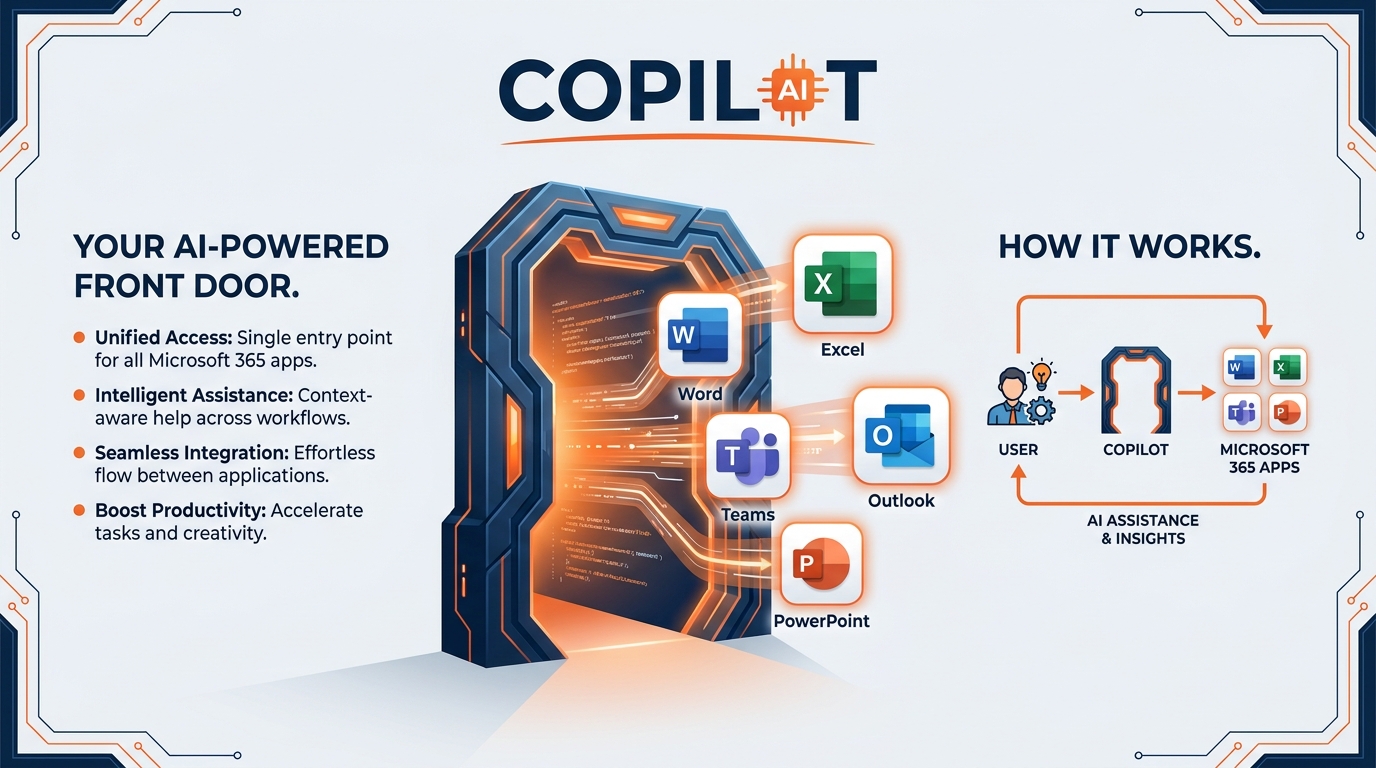
Figure 2:Microsoft 365 Copilot is accessible across desktop, web, and mobile — all through the m365.cloud.microsoft portal. The same conversation, the same context, whether you’re at a desk in Las Vegas or standing in a marshaling yard in Dubai.
Think of it this way: imagine a hospital. They have a public information desk at the front entrance — anyone can walk in, ask questions, and get general health information. That’s useful. But when you need a specialist who actually knows your medical history, who can look at your chart and make recommendations based on your specific situation, you see a physician with access to your full record. That is a fundamentally different kind of help.
Copilot Chat (free, included in your Microsoft account) is the public information desk. It is web-connected, it can answer general questions, it can help you write a cover letter or explain a news story — but by default, it does not have access to your GES emails, your SharePoint show libraries, your Teams conversations, or any other organizational data. It is general-purpose. It is genuinely useful. But it is not your specialist.
Microsoft 365 Copilot (the paid license add-on) is the physician with your chart. It knows your organizational context. It connects to Microsoft Graph — the intelligence layer that maps your emails, your meetings, your chats, and your documents — and it uses that context to give you responses grounded in your actual work. When you ask it to summarize the key points from your call with a show organizer last Tuesday, it can actually do that. When you ask it to draft a move-in schedule based on the freight target spreadsheet your logistics coordinator shared this morning, it can pull that file.
Copilot Agents are a third category: specialized, purpose-built AI assistants configured to handle specific workflows. A Copilot Agent might be designed specifically to answer exhibitor questions from a show’s service kit, or to automate an ESG emissions reporting workflow, or to triage inbound organizer requests against a standing scope of work. These are more advanced and, for most GES colleagues in this course, are the horizon toward which we’re building — the payoff of foundational mastery.
If you want proof that this horizon is real and not theoretical, look inside your own company: the onPeak AI Smart Suite already ships AI-powered hotel search, an AI contract reader, and automated email categorization. GES is not deciding whether to adopt AI. GES is deciding how fast the rest of the organization catches up to the teams that already have.
What it is: A general-purpose AI assistant connected to the web.
What it can do:
Answer general questions using web search
Help draft documents, emails, and summaries
Explain concepts, analyze text you paste in
Work with content you explicitly share in the conversation
What it cannot do:
Access your GES emails or calendars
Pull from your Teams chats or SharePoint show libraries
Reference organizational documents without you pasting them in
Best for: General research, personal productivity, drafting when you have content to share manually — for example, researching a venue’s published rigging rules before a site survey.
Access: copilot
What it is: An AI assistant grounded in your organizational context via Microsoft Graph.
What it can do:
Access your emails, meetings, files, and chats (only what you have permission to see)
Draft documents referencing actual GES files in SharePoint/OneDrive — show operations manuals, exhibitor service kits, SOWs
Summarize Teams meetings you attended, including cross-timezone show calls you slept through
Create Excel analyses from data in your tables — labor hours forecast vs. actual, drayage weights, booth inventory
Search across your entire M365 ecosystem
What it cannot do:
Access data you don’t have permission to view
See other employees’ private files or emails
Go outside your Microsoft 365 security boundary
Best for: Everything in this course. This is your primary tool.
Access: m365.cloud.microsoft
What they are: Purpose-built AI assistants configured for specific workflows or knowledge bases.
What they can do:
Automate specific, repeatable workflows
Answer questions from a defined knowledge base (e.g., a show’s exhibitor service kit, or a venue-specific operations library)
Handle multi-step processes without step-by-step prompting
Integrate with specific systems beyond M365
What they require:
Configuration by IT or a designated Copilot admin
Clear definition of scope and data sources
Best for: Advanced use cases — exhibitor services Q&A, freight target triage, ESG emissions data collection, standardized post-show reconciliation packages.
Access: Through Microsoft Copilot Studio (admin-configured)
1.22. The Front Door: m365.cloud.microsoft
Every powerful tool has an entry point. For Microsoft 365 Copilot, that entry point is m365.cloud.microsoft — the unified Microsoft 365 Copilot portal that brings together everything in one place.
Think of m365.cloud.microsoft the way you think of the service desk on a show floor: it’s not the only way to get help (you can also call your account manager, use the online ordering portal, or grab the floor manager on the aisle), but it’s the hub — the place where everything connects and where you can do the most, all in one location.
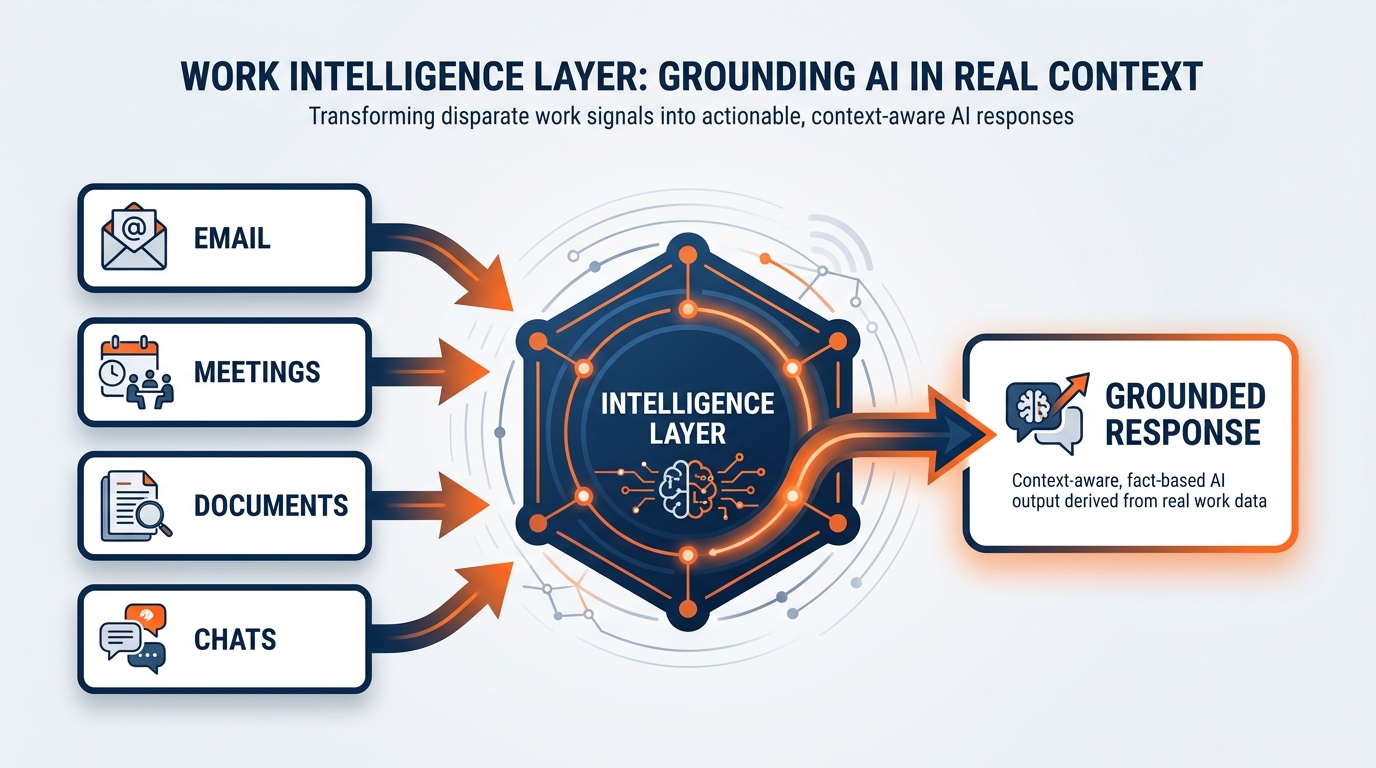
Figure 3:The Microsoft Graph intelligence layer — how Copilot grounds its responses in your actual organizational context. Every response is personalized to what you have permission to access, not generic web content.
What you’ll find at m365.cloud.microsoft:
The portal gives you access to the full Microsoft 365 Copilot experience from your browser — the same capability available through the Microsoft 365 Copilot desktop app and the mobile app. You can start conversations, manage ongoing threads, use the Prompt Gallery (more on this shortly), and access all Copilot integrations from a single authenticated session.
Three ways to access M365 Copilot:
Web: m365.cloud.microsoft — works in any modern browser, no installation required
Desktop: The Microsoft 365 Copilot app, available through your Microsoft 365 installation
Mobile: The Microsoft 365 Copilot mobile app (iOS and Android) — the same Copilot, on your phone, with the same access to your organizational data
That third one deserves emphasis at GES more than at most companies. A large share of this workforce is not desk-bound. Show operations managers, labor coordinators, I&D leads, and freight coordinators live on their feet — in halls, in marshaling yards, at advance warehouses, in the back of a venue loading dock with bad Wi-Fi and a radio in one hand. Mobile Copilot is not the consolation prize. For a significant part of GES, it is the primary interface.
Copilot embedded in the apps you already use:
m365.cloud.microsoft is the standalone experience. But Microsoft 365 Copilot also lives inside every app in your M365 suite — and for most GES workflows, you’ll use it there rather than switching to the portal.
In Word: Copilot appears in the document margin. Ask it to draft a section, expand a paragraph, rewrite in a different tone, or summarize the document. You can reference a specific file from SharePoint by typing
/and the file name in your prompt. Useful for RFP responses to organizers, show operations manuals, exhibitor service kits, SOWs, and safety briefings.In Excel: Copilot appears in the ribbon on the Home tab. It can analyze data in a table, generate formulas, create charts, identify trends, and surface outliers — without you needing to write a single formula manually. Think labor hour forecasts vs. actuals, material handling weights and drayage costs, booth inventory, show P&L, hotel block pickup rates.
In Outlook: Copilot can draft email replies, summarize long email threads, and flag action items from your inbox — including the ninety-message exhibitor thread that spawned four change orders you haven’t logged yet.
In Teams: Copilot can summarize meetings you missed, recap decisions made during a call, and list action items — pulling from the meeting transcript in real time. For a company running teams across Las Vegas, Chicago, Toronto, London, Paris, Amsterdam, and Dubai, “summarize the call I couldn’t take at 3:00 a.m. local” is not a party trick. It’s a scheduling reprieve.
In PowerPoint: Copilot can generate slide decks from a document, reorganize presentations, and suggest design improvements. Organizer pitch decks, post-show recap decks, sponsorship proposals, QBRs, design concept presentations.
The pattern across all of these is consistent: you stay in the tool you’re already using, and Copilot shows up as a natural part of the workflow. You don’t need to stop what you’re doing and go somewhere else.
Microsoft 365 Copilot Search:
The portal also includes Microsoft 365 Copilot Search — a universal search capability that works across all your M365 apps and connected third-party data. Instead of searching separately in Outlook, then SharePoint, then Teams, Copilot Search finds relevant content across your entire organizational ecosystem in a single query. For an account manager trying to find everything related to a specific organizer across emails, site survey notes, shared floor plans, prior-year reconciliations, and team chats — this alone is a significant capability.
Consider the concrete version. A show returns to the same venue every eighteen months. The institutional knowledge about that venue — the freight elevator that runs slow, the union jurisdiction quirk on the mezzanine, the dock that floods when it rains, the organizer’s preference for carpet color — is scattered across three years of email, two SharePoint sites, and the memory of a colleague who has since moved to another region. Copilot Search is how you recover that knowledge instead of rediscovering it the hard way.
1.33. Work IQ — The Intelligence Layer That Grounds Copilot in Your Context
Here is the feature that makes Microsoft 365 Copilot genuinely different from a general-purpose AI chatbot — and it is important enough that it deserves its own section.
When you ask a general AI tool a question, it answers from what it knows from training data — the internet, books, articles. That’s valuable. But it doesn’t know you. It doesn’t know what happened in your pre-con call last Tuesday. It doesn’t know the venue safety bulletin your operations team circulated last week. It doesn’t know the revised booth dimensions the exhibit designer just shared via email.
Microsoft 365 Copilot uses Microsoft Graph to close that gap.
Microsoft Graph is the intelligence layer that maps your organizational context. Think of it as the connective tissue of your Microsoft 365 environment — it knows which emails you’ve sent and received, which meetings you’ve attended, which documents you’ve created and accessed, which chats you’ve had in Teams, and which files your colleagues have shared with you. It maps the relationships between all of this information and maintains that map in real time.
When you submit a prompt to Microsoft 365 Copilot, the system does something called grounding: before generating a response, Copilot accesses Microsoft Graph within your tenant to pull in relevant context from your actual work. If you ask “Summarize what I need to prepare for the pre-con call with the show organizer tomorrow,” Copilot doesn’t just give you generic meeting prep advice — it looks at the meeting invitation, pulls the agenda, finds relevant emails from recent weeks, locates the floor plan and labor estimate shared with the attendees, and synthesizes all of that into a personalized briefing.
This process — the prompt going in, the grounding against your Microsoft Graph data, and the response coming out — all happens within your organization’s Microsoft 365 service boundary. Your data does not leave your tenant.
What grounding means in practice at GES:
A show operations manager asks Copilot to draft the move-in sequencing narrative for an upcoming show. Copilot pulls the current floor plan revision from SharePoint, the freight target schedule shared by the logistics coordinator via email, and the notes from the last pre-con call — all automatically, because they’re already in the user’s M365 environment.
A logistics & freight coordinator asks Copilot to flag any advance warehouse exceptions from the last 30 days of email. Copilot searches the user’s inbox for relevant threads and surfaces a prioritized summary of late arrivals, weight discrepancies, and unlabeled shipments.
An account manager asks Copilot to prepare talking points for an organizer renewal conversation. Copilot finds the account history, prior-year post-show reconciliation, recent correspondence, and service scope documentation in SharePoint and synthesizes key points for the meeting.
An exhibit designer at Spiro asks Copilot to summarize every client comment on a design concept across three review cycles. Copilot pulls the email threads and the Teams review meeting transcripts and returns a consolidated change log.
An onPeak housing analyst asks Copilot to compare this show’s room block pickup curve against the same event two years ago. Copilot locates both workbooks and surfaces the delta by hotel tier and booking window.
None of these require the user to manually attach files or paste content into the prompt. The intelligence layer does the retrieval automatically — because it already knows your work context.
The analogy that makes this click:
Imagine you have a brilliant new coordinator who has been working alongside you for three shows. They’ve sat in every pre-con call with you, read every email you’ve sent and received, reviewed every document in your shared show library, and walked the floor with you at every move-in. When you ask them to help you prepare for an organizer meeting, they don’t need you to explain the history of the account — they already know it. They synthesize what they know into what you need.
That is what Microsoft Graph grounding does for Copilot. You don’t need to brief it every time. It already knows your context. You just need to ask the right question.
The honest caveat: the analogy breaks down when it comes to judgment and craft. Your coordinator builds genuine understanding — they learn that this particular organizer says “flexible” but means “not really,” and that the dock at this venue backs up on Tuesdays. Copilot’s “knowledge” is a structured map of your data — incredibly useful, but not a substitute for the contextual judgment you bring. The output it generates is always a first draft, not a final verdict. Microsoft itself is explicit about this in its product documentation: “Remember that Copilot generates a draft. You’ll need to verify and modify details to make sure it’s accurate and fits your tone and style.”
Read that sentence carefully. It is not a liability disclaimer buried in fine print. It is honest product guidance from Microsoft — and it is good professional practice.
1.44. The Microsoft 365 Copilot Prompt Gallery and Skilling Center
Before we get to the five prompting techniques, you need to know about two resources Microsoft has built specifically to help you get better at this faster.
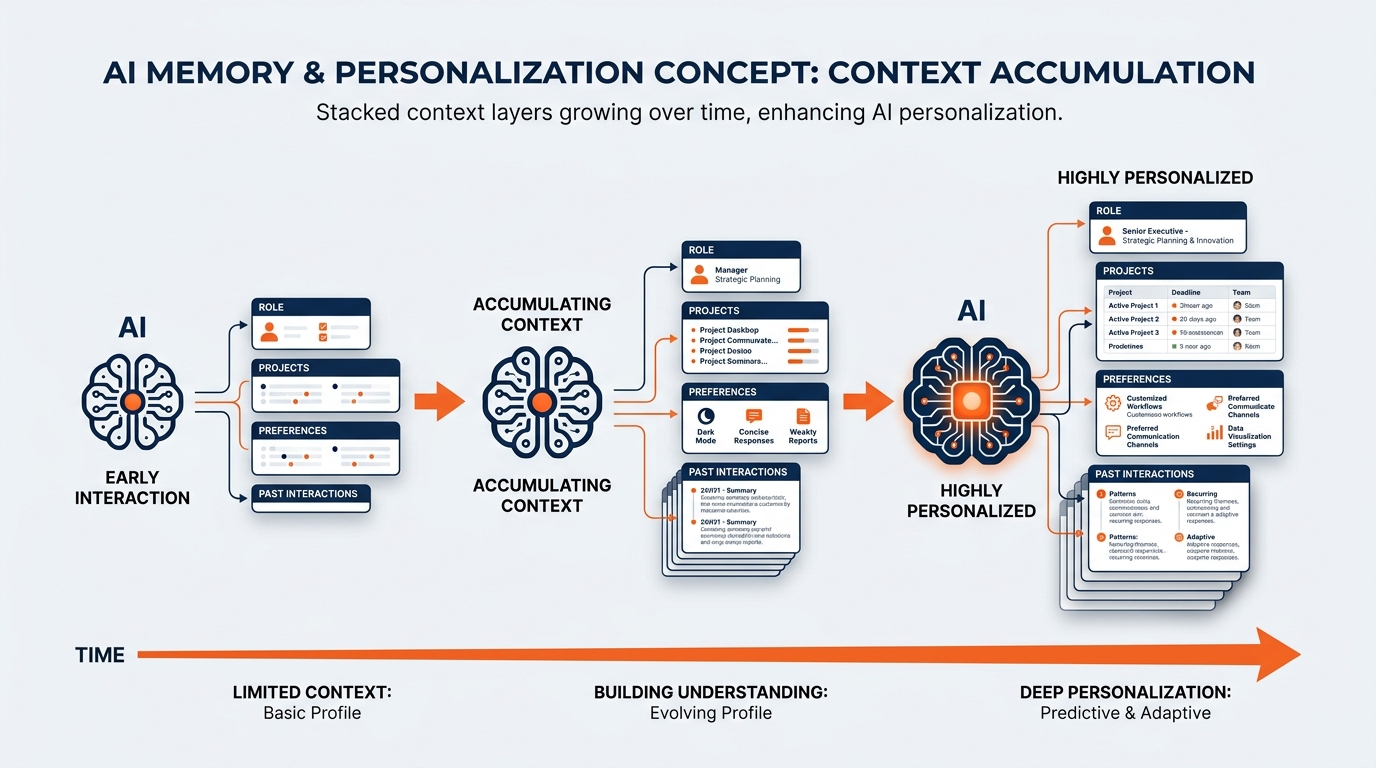
Figure 4:The Microsoft 365 Copilot Prompt Gallery (m365.cloud.microsoft/copilot-prompts) and the Copilot Skilling Center — Microsoft’s official resources for accelerating your prompting skills with verified, tested techniques organized by role and workflow.
The Copilot Prompt Gallery lives at m365
For GES colleagues, the gallery is your starting point, not your ceiling. Browse the operations, project management, and sales categories to find proven prompts you can adapt to your specific workflows. Then modify them using the five techniques in the next section to make them sharper, more specific, and more powerful. A generic “summarize this project status” prompt becomes far more valuable when you rewrite it as “summarize move-in readiness by hall, flagging any exhibitor whose freight has not hit the advance warehouse.”
The Microsoft 365 Copilot Skilling Center is the official learning hub at adoption
Build a GES prompt library while you’re at it. Every time you land on a prompt that produces genuinely good output, paste it into a shared OneNote page or SharePoint list for your team. Within a month, a show operations team will have a house set of prompts covering pre-con prep, freight exception triage, safety briefing drafts, and post-show reconciliation summaries. That library becomes an onboarding asset — the fastest way to get a new coordinator to competence is to hand them the prompts your best people already use.
1.55. The Five Prompting Techniques
Now we get to the core of this chapter.
Microsoft 365 Copilot has access to your organizational context. It has sophisticated language models coordinating its responses. It is, architecturally speaking, a remarkable tool. But none of that matters if you don’t know how to talk to it.
Prompting is not a technical skill. It is a communication skill. The same way a well-constructed question to a colleague gets you a better answer than a vague one, a well-constructed prompt gets you better output from Copilot. The techniques below are not tricks — they are frameworks for clarity. Learn them, practice them, and they become second nature.
If you have ever written a good set of I&D instructions, you already have the underlying instinct. A crew lead doesn’t hand a team a note that says “build the booth.” They specify the sequence, the tools, the tolerances, the finish standard, and what to do when something doesn’t fit. Prompting is that same discipline applied to a different kind of collaborator.
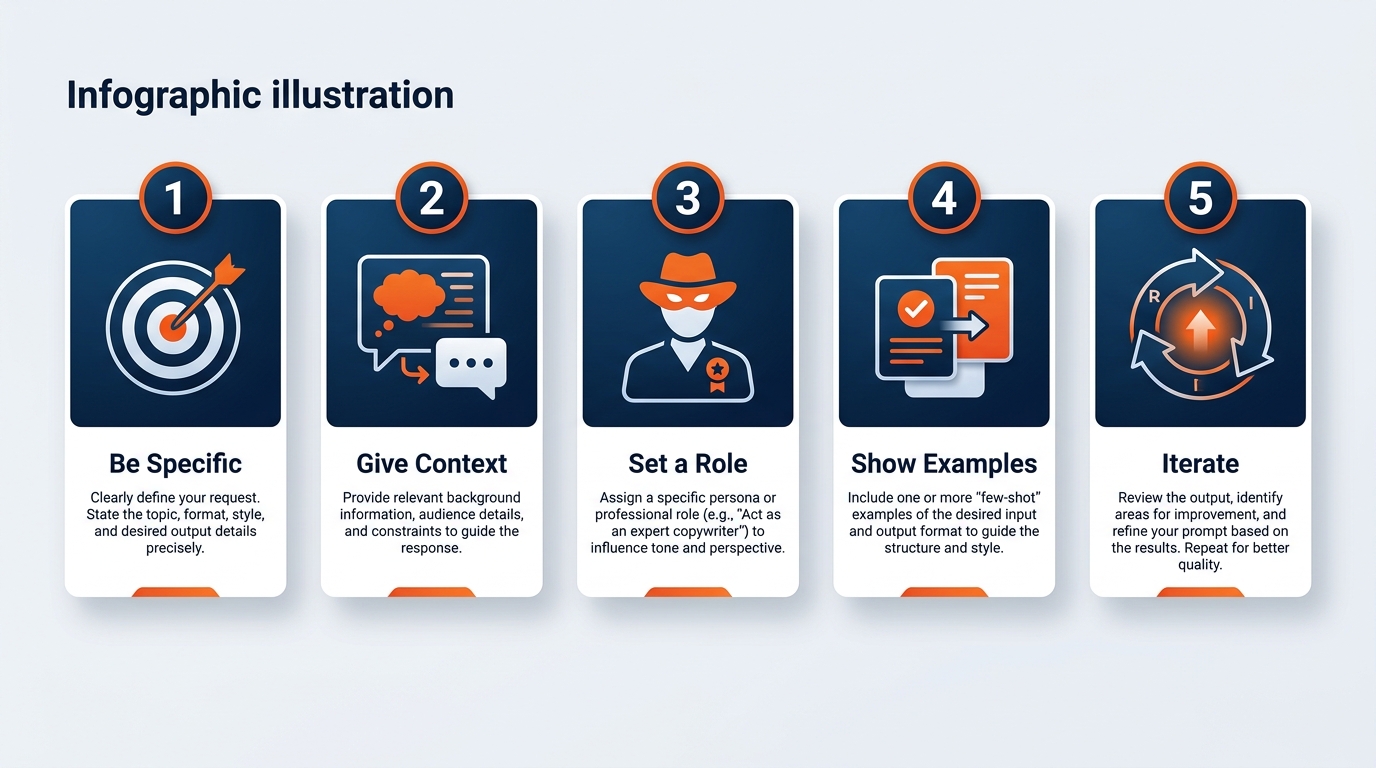
Figure 5:The five prompting techniques that separate average Copilot users from power users. Each addresses a different challenge: persona, reasoning transparency, learning from examples, requirement clarity, and critical pressure-testing.
1.5.1Technique 1: Role-Based Prompting
The core idea: Before asking Copilot to do something, tell it who it is.
This sounds almost comically simple. It is also the technique that produces the most immediate and dramatic improvement in output quality for most users.
Here is why it works: language models like the one powering Microsoft 365 Copilot don’t have a single fixed “voice” or perspective. They adapt their reasoning, vocabulary, tone, and framing based on the context they’re given. When you assign a role — “Act as a veteran general service contractor operations director with 20 years of show floor experience” — you are not just changing the tone. You are shifting the entire conceptual frame from which Copilot approaches the task. The criteria it applies, the risks it looks for, the language it uses, the depth of analysis it attempts — all of these shift to match the assigned role.
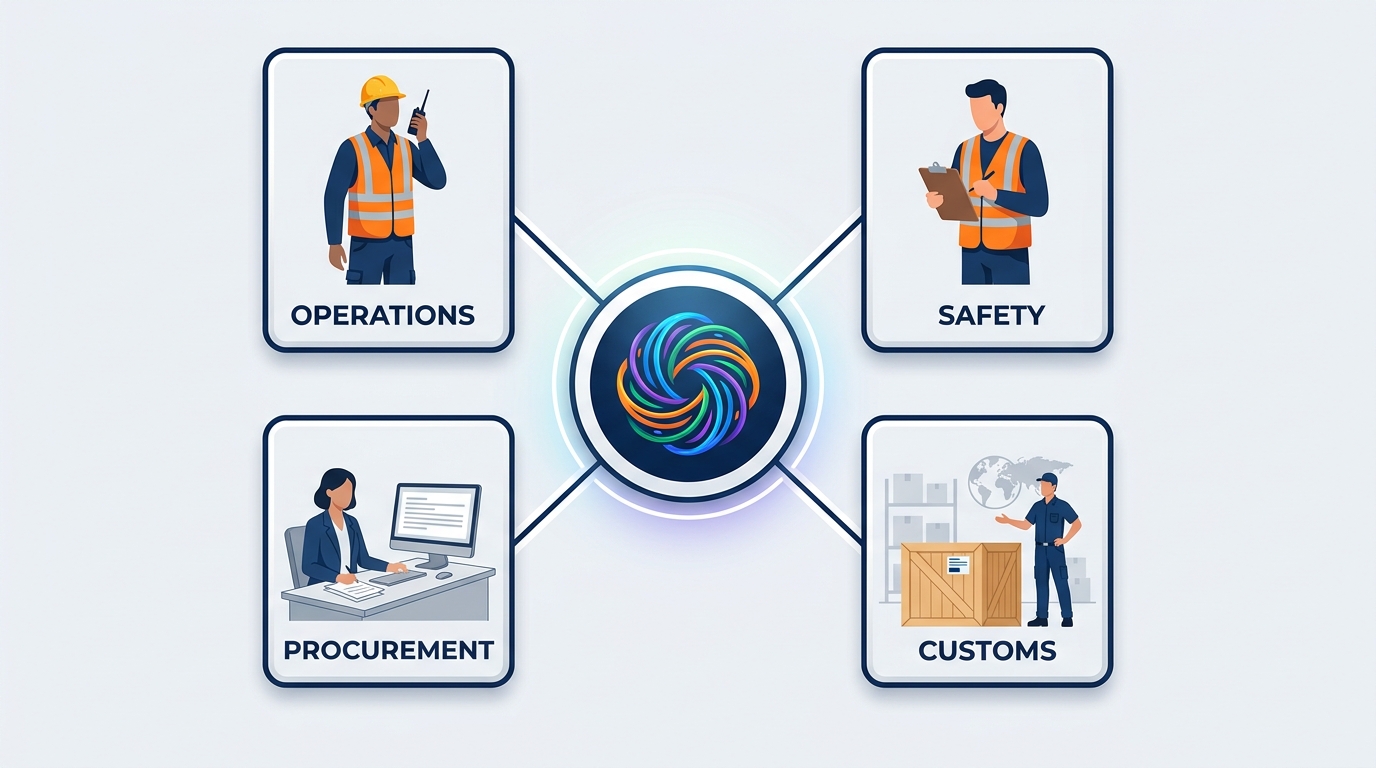
Figure 6:Role-Based Prompting transforms a generic request into a professional-grade inquiry by anchoring Copilot’s response in the expertise, analytical frame, and vocabulary of a specific role.
The analogy: Think about what happens when you call a venue’s main number with a question about rigging points. If you reach the general switchboard, you get a polite, general answer — maybe a PDF link. If you get routed to the venue’s safety officer who signs off on rigging plans, you get a different kind of answer entirely — one that draws on specific expertise, that flags the load limits you didn’t think to ask about, that speaks in the language of your actual problem.
Role-Based Prompting is how you route your request to the right expert, even when the expert is an AI.
Where the analogy breaks down: a real venue safety officer has genuine experiential judgment, knows the building’s quirks, and carries professional liability for their sign-off. Copilot’s role adoption is sophisticated pattern matching, not lived expertise. You still bring the judgment. Copilot brings the synthesis and first draft. Never substitute a role-played safety review for an actual one.
The revolution this enables: Consider what it means for an operations lead to prompt Copilot as a “skeptical show organizer reviewing this service proposal line by line for anything that looks like padding.” Or for an exhibit designer to prompt as a “marketing director at an exhibiting brand who has been told to cut booth spend by 15% and needs to justify every square foot.” Or for a logistics coordinator to prompt as a “customs broker reviewing a carnet manifest for missing HS codes and value discrepancies.” Or for a process improvement lead to prompt as a “Six Sigma consultant looking for waste and bottlenecks in a move-out sequence.” Each role unlocks a different analytical lens — applied instantly, at scale, to your actual GES materials.
Prompting template:
Act as a [specific role with relevant background].
Your task is to [specific task].
[Additional context about what you need.]
GES examples:
Act as a cynical, veteran show operations director with 20 years of
experience running general service contractor teams in convention
centers across North America. Review the following move-in schedule
and freight target plan and flag every assumption you would push
back on in a pre-con call.

[Paste or reference the move-in schedule]
Act as a venue safety officer responsible for approving rigging and
overhead hang plans. Read the following exhibit structural summary
and identify any language that is ambiguous, any load figure that
is unsupported, and anything that would cause you to withhold
sign-off. Be specific about what documentation you would demand.Act as a customs broker reviewing an ATA carnet manifest for an
international show shipment. Read the following equipment list and
flag every item that is likely to trigger a classification question,
a valuation challenge, or a temporary-import restriction at the
destination country.Act as an account manager who has served this show organizer for
five years. Based on the following account summary and recent
correspondence, draft a renewal conversation agenda that acknowledges
the relationship history and anticipates the organizer's likely
concerns about material handling rates.Act as an exhibitor services rep who fields 200 calls a day during
move-in week. Read the following draft exhibitor service kit section
and rewrite it so that the three questions you get asked most often
are answered before they are asked.1.5.2Technique 2: Chain-of-Thought Reasoning
The core idea: Ask Copilot to show its work before giving you the final answer.
This is one of the most counterintuitive techniques, because the instinct is always to ask for the answer — not the reasoning process. But in complex analytical tasks, asking for reasoning first produces dramatically better final answers. Here is why.
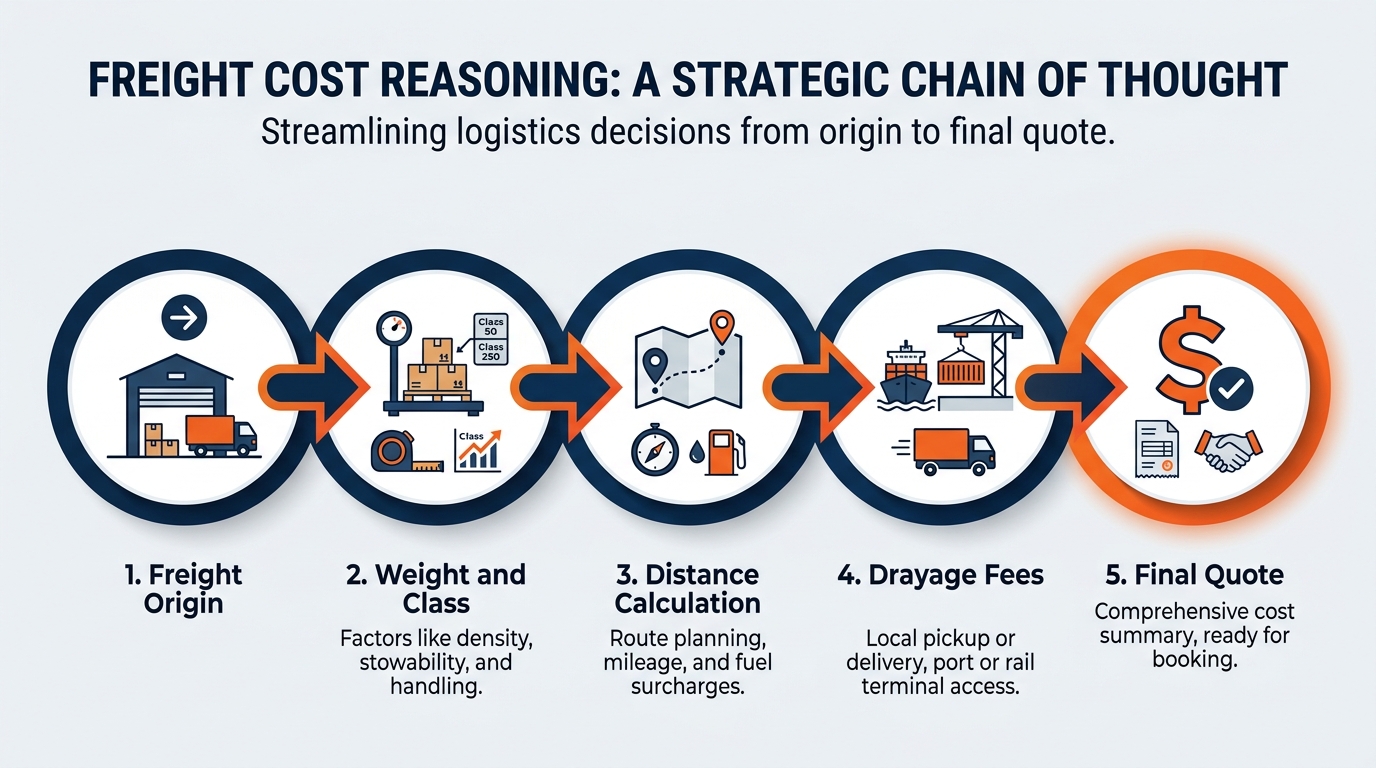
Figure 7:Chain-of-Thought Reasoning makes Copilot’s analytical process visible — each intermediate step can be reviewed, corrected, or redirected before the final answer, producing more reliable output for complex operational decisions.
When you ask Copilot directly for a conclusion, it pattern-matches toward the most statistically likely answer given the context. When you ask it to reason through the problem step-by-step, it builds each conclusion on the previous one — and that structured process tends to produce more coherent, internally consistent analysis. More importantly, it makes the reasoning visible, which means you can catch errors in the logic before they propagate into the conclusion.
The analogy: Think about a freight target quote versus the cost breakdown behind it. The quote — a single drayage number on a page — is the conclusion. The breakdown is the reasoning chain: inbound weight by shipment type, advance warehouse vs. direct-to-show split, special handling, overtime exposure based on the target window, marshaling yard dwell assumptions, and the contingency you built in for the two exhibitors who always ship late. When the exhibitor challenges the number, the quote alone gives you nothing to defend. The breakdown gives you a conversation.
The same holds for a labor estimate versus the forecast reasoning behind it. Anyone can produce a number of hours. What makes the number credible is the chain: booth count by size band, install complexity, hall configuration, union jurisdiction rules that dictate crew composition, historical productivity rates from the last time you did this show, and the weather contingency for the outdoor loading dock.
When Copilot shows its reasoning chain, you get the breakdown instead of just the number. That is almost always more useful, because you can engage with the analysis rather than just accepting or rejecting the conclusion.
Where the analogy breaks down: a real freight cost breakdown is built on actual measured weights and real rate cards, produced by people who are accountable for them. Copilot’s reasoning chain is sophisticated generation — it should be reviewed for logical consistency, not treated as a substitute for verified operational data.
The prompting template:
Walk me through your reasoning step-by-step before giving me the final answer.
[Then state the task clearly.]
GES examples:
I need to evaluate whether to recommend that an exhibiting client
ship direct-to-show or route through the advance warehouse for an
upcoming event with a compressed three-day move-in.

Walk me through your reasoning step-by-step: what factors should I
consider, what are the trade-offs on cost, risk, and target timing,
and what questions do I need answered before making a recommendation?
Then give me your final recommendation framework.
A show organizer who represents roughly \$4.2M in annual services
revenue is asking us to match a competitor's proposal that includes
lower material handling rates, expanded onsite staffing, and a
dedicated exhibitor success team. We currently provide standard
GSC scope with a shared services model.
Walk me through your reasoning on whether to negotiate, match, or
hold our position — then give me a prioritized recommendation with
the key risks clearly stated.Our move-out at a recent show ran eleven hours past the contracted
hall release time, and we absorbed the overtime. Walk me through
your reasoning on the likely contributing causes — sequencing,
carrier check-in, marshaling yard throughput, labor availability,
exhibitor dismantle behavior — and only then give me a prioritized
list of the three changes most likely to prevent a repeat.Why Chain-of-Thought Works at a Technical Level
At the model architecture level, Chain-of-Thought prompting works because it forces the language model to generate tokens that represent intermediate reasoning before generating the final answer token sequence. Each step in the chain conditions the next step — creating a more constrained, coherent generation path than a direct-to-conclusion prompt allows.
In plain language: when you ask for the answer directly, Copilot takes a shortcut. When you ask for the reasoning first, it has to build the bridge piece by piece, and those intermediate pieces keep it on track. The final answer that comes out of a reasoning chain is usually more defensible than one that appeared directly.
This is also why Chain-of-Thought is particularly valuable in contract- and compliance-adjacent GES work: the reasoning chain is auditable. You can show it to a senior colleague, an organizer’s procurement lead, or an insurance reviewer and explain why the analysis landed where it did. In a business where post-show reconciliation disputes are settled by documentation, showing your work is not an academic virtue. It is how you get paid.
1.5.3Technique 3: Few-Shot Prompting
The core idea: Show Copilot what “good” looks like before asking it to produce something new.
This technique is borrowed directly from machine learning — “few-shot learning” is the ability of a model to generalize from a small number of examples. Applied to prompting, it means you give Copilot two or three strong examples of the output you want, and then ask it to produce a new output in the same style.
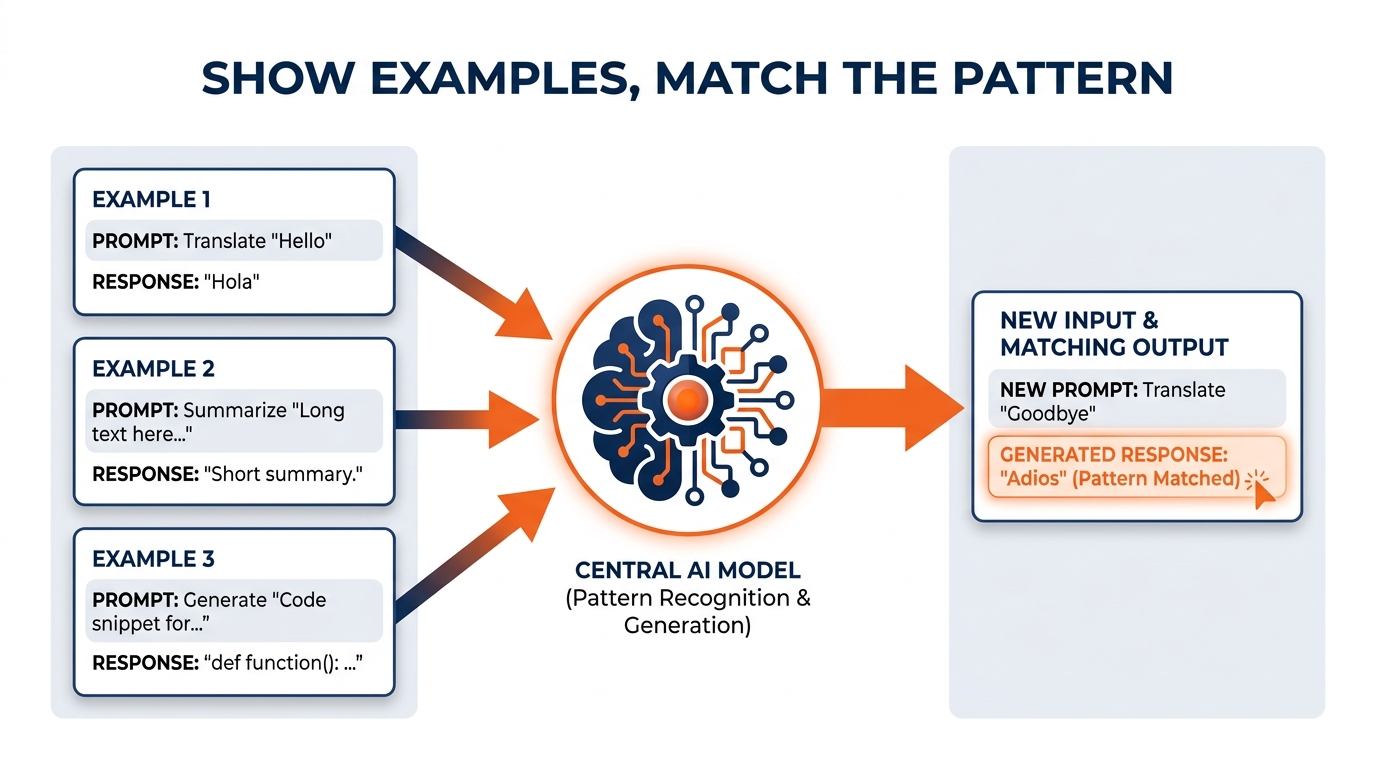
Figure 8:Few-Shot Prompting teaches Copilot by example — providing strong and weak examples establishes quality standards that Copilot replicates in new output, far more effectively than describing what you want in abstract terms.
The analogy: Think about how you onboard a new coordinator who has strong general skills but no GES institutional knowledge. You don’t hand them a style guide and tell them to write like the senior team. You hand them three or four examples of excellent post-show reconciliation reports written by your best people and say: “Write at this level. Match this structure. Aim for this depth.” They look at the examples, internalize the pattern, and produce work that fits the house standard.
This is exactly what few-shot prompting does. The examples are your institutional standard, communicated directly to Copilot.
Where the analogy breaks down: your coordinator internalizes examples through genuine understanding, not pattern matching. Copilot extracts statistical patterns from your examples — which means if your examples have a systematic flaw or bias, Copilot will replicate that flaw. If every reconciliation report you feed it quietly buries the overtime variance in a footnote, every new one will too. The “garbage in, garbage out” principle applies here more directly than in most other techniques.
The prompting template:
Here are [number] examples of [type of output].
[Example 1 — labeled "Strong" or "Weak" as appropriate]
[Example 2]
[Example 3]

Now [state the task]. Match the style, depth, and structure of the strong examples.
GES examples:
Here are three examples of post-show reconciliation reports that our
team considers high quality, and one example of a weaker report.

[EXAMPLE 1 — Strong: paste text]
[EXAMPLE 2 — Strong: paste text]
[EXAMPLE 3 — Weak: paste text]

Now write a post-show reconciliation report for the following event
using the structure and depth of the strong examples. Here is the
raw labor, freight, and change-order data:
[paste the data]
Here are two examples of the way our design team writes a booth
design spec document — concise, dimensionally precise, with clear
material callouts, no ambiguous qualifiers, and an explicit note on
what is rental versus custom fabrication.
[EXAMPLE 1]
[EXAMPLE 2]
Now write a design spec document for the following concept:
[describe the concept]Here are two examples of site survey writeups from venues we have
worked before. Notice that both cover dock configuration, freight
elevator capacity, ceiling and rigging constraints, union jurisdiction
notes, aisle and egress requirements, and a "known surprises" section.
[EXAMPLE 1]
[EXAMPLE 2]
Now draft a site survey writeup template for a venue we have never
worked, and list the questions I need to answer on-site to complete it.Advanced application — the “Four Examples” method:
For complex output like organizer proposals, sponsorship decks, or reconciliation packages, try four examples: two strong, one acceptable, one weak. Ask Copilot to explain what makes the strong examples better before generating new output. This forces a brief analysis step (a variation of Chain-of-Thought) that tends to sharpen the generation significantly.
There is a bonus here that teams underestimate: the explanation Copilot produces about why the strong examples are strong is frequently a better articulation of your house standard than anything currently written down. Capture it. You just generated the first draft of a style guide as a side effect.
1.5.4Technique 4: Reverse Prompting
The core idea: Instead of you asking Copilot a question, ask Copilot to ask you questions.
This is the technique that most surprises people when they first try it — because it inverts the natural instinct. We assume we know what we need and we try to describe it. The problem is that we often don’t know what we need precisely enough to describe it well. The resulting prompt is vague, the output is generic, and we conclude that Copilot isn’t that useful.
Reverse Prompting short-circuits this by letting Copilot do the requirement-gathering.
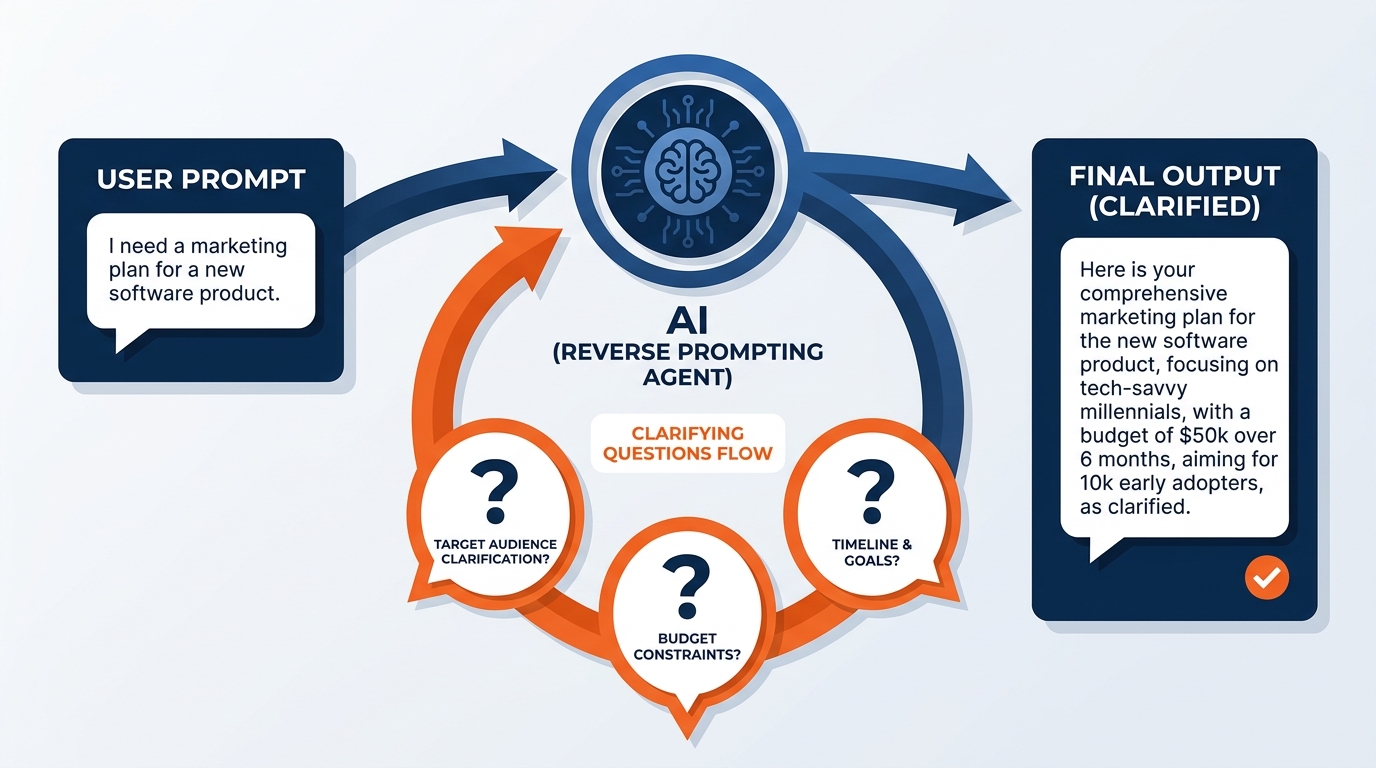
Figure 9:Reverse Prompting turns the dynamic around — instead of struggling to articulate requirements precisely, you let Copilot interview you. The questions Copilot asks reveal what it needs to know to produce genuinely useful output.
The analogy: Think about the difference between an exhibitor walking up to the service desk with a vague request (“I need my booth to look better”) versus an exhibitor services rep running a structured discovery (“What’s the booth size and configuration? Is this an inline or an island? What’s your target dwell time? Do you need power drops, and where? Is your freight already at the advance warehouse or is it coming direct? What’s your dismantle deadline?”). The rep who asks questions produces a dramatically better outcome than the one who takes the vague description and starts ordering furniture. Reverse Prompting makes Copilot the skilled services rep.
Where the analogy breaks down: a skilled rep’s questions come from deep craft knowledge and an understanding of your specific situation and venue. Copilot’s questions are good but may not always surface the most important uncertainty for your specific task. After it asks its questions, you should also add anything it didn’t think to ask — the venue quirk, the organizer’s unwritten preference, the crew constraint.
The prompting template:
I need your help with [general description of task].
Before you start, ask me any questions you need to
perfectly understand my request and produce exactly
what I need. Don't proceed until I've answered.
GES examples:
I need to write a presentation for our quarterly business review
with the show organizer's leadership team. Before you start,
ask me any questions you need to understand exactly what this
presentation should accomplish, who will be in the room, what
show performance data I have available, and what format works
best for this audience.
I want to draft a proposal letter to a show organizer we've been
courting for six months in the healthcare association space.
Before writing anything, ask me everything you need to know
about the relationship history, their current general service
contractor arrangement, what scope we're proposing, and the tone
I want.I need to build an exhibitor communications plan for a first-time
international show where roughly 40% of exhibitors are shipping
under carnet from outside the country. Before you draft anything,
interview me about timeline, languages, customs constraints,
target windows, and what our exhibitor services team can
realistically support.When Reverse Prompting works best:
Complex, multi-part deliverables (organizer proposals, show operations manuals, sponsorship packages, strategy memos)
Tasks where the audience or venue context matters significantly to the output
Situations where you’re not sure exactly what you want — but you know it when you see it
Tasks you’re doing for the first time with Copilot and haven’t yet developed a strong prompt template for
Any first-time venue, first-time organizer, or first-time country
1.5.5Technique 5: The Sparring Partner
The core idea: Ask Copilot to push back on your ideas, not agree with them.
This is the most advanced technique in the set — and for many event and exhibition professionals, the most valuable. The default behavior of any AI assistant is to be helpful, which in practice means it tends to be agreeable. It will draft your proposal, it will refine your service plan, it will polish your arguments. What it will not do, unless you specifically ask it to, is tell you where your thinking is weak.
The Sparring Partner technique flips this. You give Copilot a role defined by skepticism, and then you present your best thinking and ask it to attack it.
Figure 10:The Sparring Partner technique — Copilot assigned the role of a skeptical counterpart (an organizer’s procurement lead, an exhibitor’s marketing director, a venue safety officer) pushes back on your best thinking, revealing weaknesses before they become problems in the real conversation.
The analogy: Think about a full pre-con walkthrough with a hostile clock. You walk the floor plan with the venue, the organizer, and the union steward, and every one of them is looking for the thing you missed — the egress width that’s four inches short, the hang point that isn’t rated, the target window that assumes a dock can turn twelve trucks an hour when it has never done better than eight. The goal of that walkthrough is not to be right. It is to discover every weakness before move-in day, when the stakes are real and the cost of a fix multiplies by ten.
For GES professionals, the Sparring Partner technique is how you pressure-test your thinking before an organizer procurement review, an exhibitor escalation call, a leadership presentation, or a venue safety sign-off. Copilot, assigned the role of your toughest critic, will find the holes that your own confirmation bias is inclined to skip over.
Where the analogy breaks down: a real pre-con walkthrough involves people who know the building, know the crew, and carry accountability for the outcome. Copilot’s pushback is sophisticated, but it is still pattern-matched critique rather than genuine adversarial reasoning. It may miss highly specific or contextual weaknesses — the ones that come from having worked this exact hall before — that a real expert would catch. Use it as a first filter, not the only one.
The prompting template:
Play the role of [specific skeptical counterpart].
I am going to present [my idea/proposal/analysis].
Push back hard. Don't flatter me. Identify every weakness,
every assumption, every place where my reasoning is
vulnerable. Be direct.

[Present your idea/proposal/analysis]
GES examples:
Play the role of a skeptical procurement lead at a show organizer
that runs a \$200M annual event portfolio and has been told to cut
supplier costs by 12%. I'm going to pitch you on renewing GES as
your general service contractor with an expanded scope that includes
exhibitor success outreach and sponsorship consulting. Push back hard.
Don't accept my assumptions. Tell me what objections you'd actually raise.

Here is my pitch: [present your pitch]
Play the role of a venue safety officer conducting a rigging and
overhead hang review. I am going to present our structural plan
for a 60x80 island stand with a suspended banner ring and integrated
LED. Identify every area where you would ask hard questions, where
our documentation is thin, and where our load calculations may not
hold up under scrutiny.
Here is the plan: [paste the plan]Play the role of an exhibiting brand's marketing director who has
just been handed our quote and thinks material handling is a
made-up line item designed to inflate the bill. I'm presenting a
\$7.5M program for a multi-city custom exhibit build with full
door-to-floor logistics. Find the weaknesses in my cost story.
Do not soften your feedback.
Here is my proposal summary: [paste the summary]Play the role of an operations director who has watched four
international shows blow their move-in window in the last two
years. I'm proposing a compressed two-day move-in for a 900-booth
show in a venue with six docks and a single freight elevator to
the mezzanine. Tell me exactly where this plan breaks.
Here is my sequencing plan: [paste the plan]1.66. The Goldilocks Zone of Prompt Length
Now that you understand the five techniques, there is one meta-principle that governs all of them: the length and precision of your prompt determines the quality of your output, and there is a precision sweet spot — not too short, not too long.
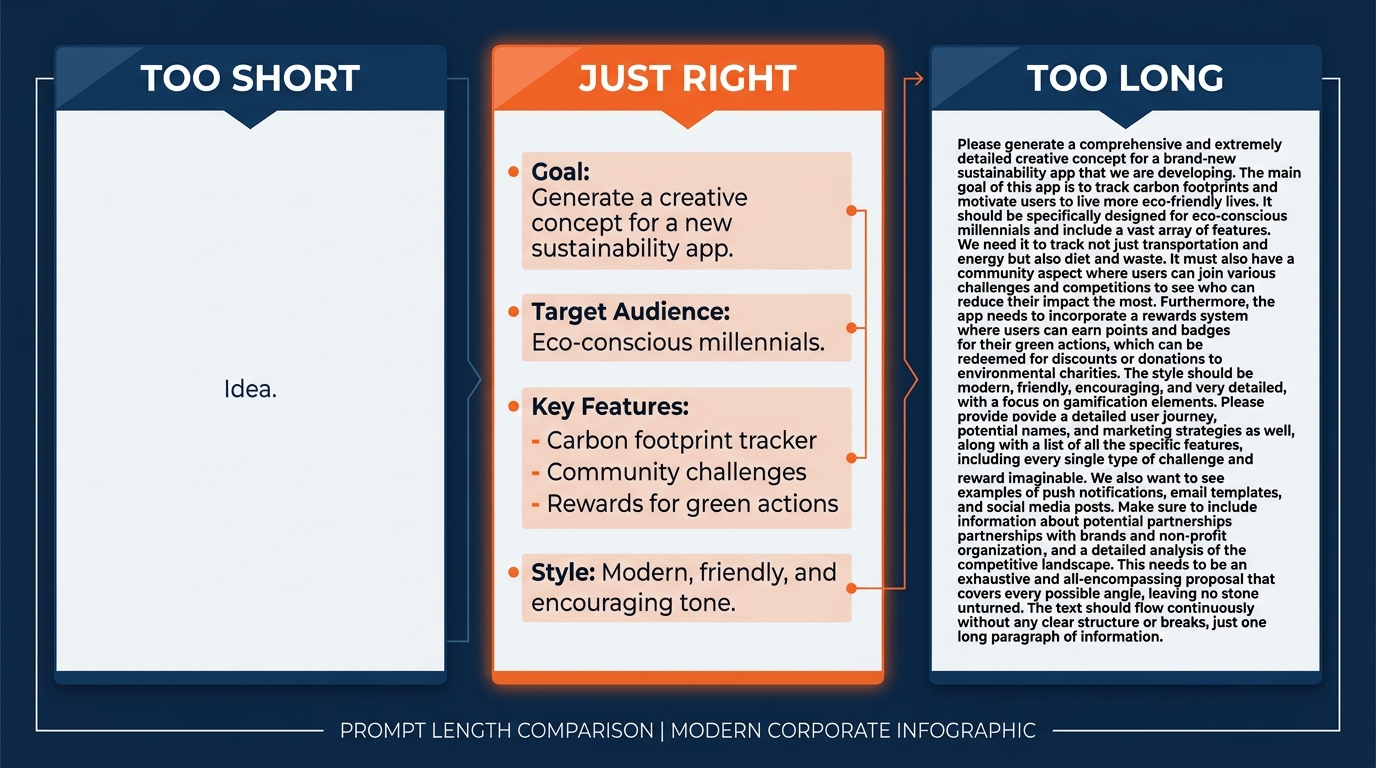
Figure 11:The Goldilocks Zone of prompt length — precision in four dimensions (Context, Goal, Format, Constraints) produces consistently better output than either minimal prompts or overly detailed instruction sets that obscure the actual request.
The “too short” failure mode:
“Write a memo about our Q2 show operations performance.”
This prompt has no context (who is reading it? what do they already know?), no specific goal (is this for leadership? the organizer? the regional GM?), no format guidance (length? tone? structure?), and no constraints (what should it include? what should it avoid?). Copilot will generate something. It will be polished. It will be almost entirely useless for your specific purpose, because it is optimized for the generic version of the task rather than your version.
The “too long” failure mode:
Some users, having learned that detail helps, overcompensate. They write prompts that are five paragraphs of background, instruction, counter-instruction, caveats, and competing requirements. At a certain level of complexity, this actually degrades output — the model gets pulled in multiple directions by conflicting guidance, and the result is incoherent or over-hedged.
The Goldilocks zone — the four-component prompt:
The research and practitioner experience on prompting converges on a consistent structure for most business tasks. A good prompt has four components:
Context: Who you are, what situation you’re in, what Copilot needs to know to frame its response appropriately
Goal: What you want Copilot to produce — specific, not vague
Format: How you want the output structured (bullet list, formal memo, executive summary, table, numbered recommendations, etc.)
Constraints: What to include, what to avoid, tone, length, any requirements that bound the output
These four components can usually be covered in three to five sentences, or a short paragraph. That is the sweet spot.
The GES four-component prompt in action:
Context: I'm an account manager at GES preparing for a renewal
conversation with a show organizer whose annual event represents
roughly \$15M in services across three halls. They have been a
GES client for eight years. Execution has been strong, but a
competing general service contractor has approached them with a
more aggressive material handling rate.

Goal: Draft talking points for the renewal conversation that
emphasize our partnership history, global footprint, and execution
record without immediately conceding on rate.

Format: A bulleted list of five to seven talking points, each with
a one-sentence expansion.

Constraints: Keep the tone confident but not defensive. Do not
include any specific rate numbers or commitments — I'll handle
those in the room. The organizer's team is highly experienced and
has heard every standard GSC pitch before.
That prompt takes thirty seconds to write. The output it produces is immediately usable — not a generic draft that requires fifteen minutes of editing to make relevant.
Here is a second one from a completely different part of the business, to show the structure travels:
Context: I'm a logistics coordinator managing inbound freight for
a 1,200-booth show at a venue with eight docks and a three-day
move-in. About 35% of exhibitor freight is routing through the
advance warehouse; the rest is direct-to-show. We had significant
marshaling yard congestion at this venue last year.

Goal: Produce a freight target schedule narrative I can send to
the show team explaining the sequencing logic and the three
highest-risk windows.

Format: A short memo — one paragraph of context, a table of target
windows by hall, then a numbered list of risks with a mitigation
for each.

Constraints: Assume standard union jurisdiction for this venue.
Do not invent specific truck counts; use placeholders where I need
to fill in actuals. Keep it under one page.
A note on iterating:
You rarely need to get the perfect prompt on the first try. Copilot conversations are threaded — your follow-up messages have context from everything that came before. Think of prompting as a conversation: start with a good four-component prompt, review the output, and then refine with specific follow-up instructions. “That’s good — now make the tone more direct” or “Remove the second and fourth points and expand the third into two separate bullets” or “Rewrite this for a first-time exhibitor who doesn’t know what drayage means.”
That last one is worth dwelling on. The exhibition industry runs on jargon — drayage, targets, GSC, EAC, I&D, carnet — and roughly 150,000 exhibitors a year encounter that jargon for the first time. Asking Copilot to translate an internal document into plain language for a first-time exhibitor is one of the highest-value, lowest-effort prompts available to anyone in exhibitor services. The follow-up prompt is often where the real refinement happens.
1.77. From Prompt to Assignment: Prompting for Copilot Cowork
Everything up to this point has been about Copilot Chat prompting — the back-and-forth conversation where you steer each step. That skill is foundational and it is not going away.
But there is a second mode, and it demands a different kind of prompt.
Microsoft Copilot Cowork — announced in the Frontier early-access program in March 2026 and generally available worldwide since June 16, 2026 — executes complex, long-running, multi-tool tasks end-to-end across Microsoft 365 and returns finished artifacts. Not a draft in a chat window: a deck saved to SharePoint, a workbook with labeled tabs, an email queued for your approval, a meeting on the calendar. At GA, more than half of the Fortune 500 had adopted it, and Microsoft reported it as the fastest-growing feature in the history of the Frontier program.
The crucial property for GES: Cowork runs in a protected cloud environment, which means tasks keep running even when your laptop is off. A show manager can assign a post-show reconciliation package from the floor in Las Vegas at 7:00 a.m., work an eleven-hour move-out, and review a finished draft on their phone that evening. That is not a footnote. For a company running 4,000+ events a year across 75+ countries with lean teams and immovable show dates, it is close to the whole point.
Chat vs. Cowork vs. Agents:
Table 1:Choosing Your Mode
Dimension | Chat | Cowork | Agents |
|---|---|---|---|
Best for | Conversational AI for drafting, Q&A, and ideation | Delegate and execute long-running, multi-step work across your apps | Ready-made agents for specialized or repeatable tasks |
How you interact | A conversation: you steer each step from prompt → response | An assignment: you describe the goal, check in at key milestones | A workflow: you pick an agent built for a specific job |
Typical work pattern | You’re in the loop — one prompt, one result, then you choose what’s next | You step away — Cowork plans, manages files and tasks across apps, and delivers completed work | You run it on demand — the agent handles the same scoped task each time |
GES example | “Rewrite this exhibitor notice in plainer language.” | “Build the full post-show reconciliation package for the Chicago show.” | “Triage inbound exhibitor service kit questions against the standing scope.” |
1.7.1Microsoft’s Five-Part Prompt Structure for Cowork
The four-component prompt (Context, Goal, Format, Constraints) is the right structure for Chat. Cowork needs one more thing — because Cowork takes actions, and actions need boundaries.
Microsoft’s official guidance defines a five-part structure:
Table 2:The Five-Part Cowork Prompt Structure
Part | What It Means | GES Example |
|---|---|---|
Outcome | One sentence describing what done looks like | “A complete post-show reconciliation package for the Chicago show, ready for the organizer’s finance team.” |
Inputs | The specific people, files, sites, or time ranges the task should use | “The show SharePoint library, the final labor timesheets, the freight manifest workbook, all change orders logged between move-in and move-out, and the pre-con call notes.” |
Definition of done | The concrete deliverable — a document saved, an email sent, a meeting booked | “An Excel workbook with tabs for labor, freight, and change orders; a two-page Word summary; both saved to the show’s SharePoint folder.” |
Constraints | Things to avoid or honor | “Do not contact the organizer. Use the FY27 reconciliation template. Flag any variance over 5% rather than resolving it. Keep the summary under two pages.” |
Approval scope | Which actions you want to review explicitly, beyond the default checkpoints | “Ask me before creating any new SharePoint folders. Ask me before any email — internal or external.” |
Before and after — the difference this makes:
Before (too open):
Help me close out the Chicago show.Cowork has to guess at nearly everything: which show, which files, what “close out” means, what a finished product looks like, and whether it’s allowed to email anyone. Guessing shapes results, and not in your favor.
After (five-part):
Outcome: A complete post-show reconciliation package for the Chicago
show that our account manager can walk the organizer's finance team
through next Tuesday.

Inputs: The Chicago show SharePoint library, the final labor timesheets,
the freight and material handling manifest workbook, every change order
logged between move-in and move-out, and my notes from the post-show
debrief in Teams.

Definition of done: One Excel workbook with separate labeled tabs for
labor, freight/drayage, and change orders, plus a two-page Word summary
memo. Both saved to the Chicago show folder in SharePoint.

Constraints: Use the FY27 reconciliation template. Do not contact the
organizer or any exhibitor. Flag any line-item variance over 5% in a
clearly marked exceptions section rather than trying to resolve it.
Keep the memo under two pages. Use GES terminology consistently —
"material handling," not "drayage fees."

Approval scope: Ask me before creating any new folders, and ask me
before sending any email, internal or external.
Three more GES Cowork assignments worth stealing:
Outcome: A complete pre-con briefing packet for the show team ahead
of the Tuesday planning call.

Inputs: The current floor plan revision, the freight target schedule,
the labor forecast workbook, the venue site survey writeup, and the
last six weeks of email with the organizer.

Definition of done: A PowerPoint deck (12 slides max) plus a one-page
Word summary of open items with owners, saved to the show SharePoint
folder, and a calendar hold for a 30-minute internal prep session
the day before.

Constraints: Do not include exhibitor-level pricing. Use the standard
GES pre-con deck template. Any date or weight you cannot verify from
the source files should be marked "TBC," not estimated.

Approval scope: Ask before booking the calendar hold. Ask before
posting anything to the show Teams channel.
Outcome: A renewal briefing pack for the account team ahead of the
organizer's procurement review.
Inputs: Three years of post-show reconciliations for this organizer,
the current scope of work, satisfaction survey results, and all
correspondence with the organizer's procurement lead this year.
Definition of done: A Word briefing document with a performance
summary, a risk section, and five anticipated objections with
suggested responses; plus an Excel tab showing year-over-year
service volume and variance.
Constraints: No rate proposals or pricing commitments. Cite the
source file for every number. Keep the briefing under six pages.
Approval scope: Ask before sending anything to anyone. This is
internal-only until I say otherwise.Outcome: A quarterly reuse and materials summary supporting our
Better Stands reporting for the EMEA region.
Inputs: The production facility inventory workbooks, the show-by-show
build records for the quarter, and the reuse tracking sheet.
Definition of done: An Excel workbook with a tab per facility and a
consolidated summary tab, plus a one-page narrative highlighting
the three largest reuse gains and the three largest gaps.
Constraints: Use only data present in the source files — do not
estimate or extrapolate any emissions figure. Flag missing data
explicitly in a "data gaps" section.
Approval scope: Ask before creating any new SharePoint location.
No emails.1.7.2Reviewing Like a Manager
Here is the genuine behavioral shift, and it is worth naming plainly.
The prompt-craft skill of Copilot Chat is describing a task. The skill of Cowork is describing an outcome and then reviewing like a manager.
That is a different professional muscle. It is the difference between doing the install yourself and running the crew. Cowork will pause and ask permission before sensitive actions — sending an email, posting in Teams, updating a record. You will see a rich preview for most of these, a risk-level indicator for medium and high risk actions, and options to approve once, approve for the rest of the session, scope approval to a specific recipient or domain, approve everything pending at once, or cancel.
Microsoft’s own guidance is blunt about this: always review details before approving — check recipients, content, and other details. Every task runs with your permissions and sees only what you can see. Data stays in your tenant. Actions are auditable. And people — not Cowork — remain responsible for business decisions.
1.88. Try This: Run the Same Show Floor Question Five Ways
Here is where the theory becomes practice. This exercise produces one of the clearest demonstrations of how much the technique matters — more than the question itself.
The baseline question:
“How should GES approach a long-standing show organizer whose event is shrinking — fewer exhibitors, less square footage, and pressure to cut service costs — at the same time their contract comes up for renewal?”
This is a real strategic question that any account manager, show manager, or regional GM at GES might face. It is specific enough to be meaningful, general enough to work without confidential client data.
Run it five times — once with each technique:
Act as a veteran regional general manager at a global general
service contractor with 15 years of experience managing declining
and turnaround show accounts. How should GES approach a long-standing
show organizer whose event is shrinking — fewer exhibitors, less
square footage, and pressure to cut service costs — at the same
time their contract comes up for renewal?
What to notice: The response should have a notably more specific, risk-focused, and action-oriented character than a generic answer. It should reference concrete levers — scope restructuring, floor plan redesign to make a smaller show feel full, sponsorship revenue consulting, exhibitor success programs to slow attrition — rather than abstract “partnership” language.
Walk me through your reasoning step by step — considering the
organizer's economics, our cost base, the competitive landscape,
and the long-term value of the account — before giving me a final
recommendation on how GES should approach a long-standing show
organizer whose event is shrinking at the same time their contract
comes up for renewal.
What to notice: The response should show its work — market context, organizer’s revenue position, our margin structure on this account, switching costs, competitive threat assessment, option evaluation — before landing on recommendations. The reasoning chain is the value.
Here are two examples of how our account teams have handled
similar situations well:

Example 1 — Strong: [paste a real or hypothetical example of a
well-handled renewal with a contracting show]

Example 2 — Strong: [paste another strong example]

Now give me a recommendation for how GES should approach a
long-standing show organizer whose event is shrinking at the same
time their contract comes up for renewal. Match the style and
specificity of the strong examples.
What to notice: The output should mirror the structure and depth of your examples. If your examples were concise and action-oriented, the new output will be too.
I need a recommendation on how GES should approach a long-standing
show organizer whose event is shrinking — fewer exhibitors, less
square footage, and pressure to cut service costs — at the same
time their contract comes up for renewal. Before you give me an
answer, ask me any questions you need to give me the most useful
possible recommendation.
What to notice: Copilot should ask about the size and margin of the account, how long the decline has run, whether the decline is industry-wide or organizer-specific, which competitors are circling, what scope we currently hold, and how much of the GES Collective (Spiro, onPeak, Visit, SHOWTECH) is already engaged. Your answers will produce a significantly more tailored recommendation.
Play the role of a skeptical regional finance director who has
watched too many account teams protect revenue by quietly giving
away margin. I'm going to propose that we renew this shrinking
show at a reduced material handling rate in exchange for a
three-year term and expanded scope across onPeak housing and
Visit registration. Push back hard. Tell me where this approach
is risky and what I'm not thinking about.

My proposal: We hold list pricing on labor, concede 8% on material
handling, and bundle onPeak and Visit at a blended discount, in
exchange for a three-year exclusive and a joint exhibitor growth
program with shared targets.
What to notice: This output should be genuinely challenging. A good Sparring Partner response will identify risks like margin erosion that persists after the show recovers, the precedent set with other organizers who will hear about the rate, whether “expanded scope” actually carries incremental margin or just incremental cost, the enforceability of shared growth targets, and what happens in year three if the show keeps contracting.
Compare the five outputs. They should be meaningfully different — not just in tone, but in substance, depth, and practical utility. That difference is what you’re learning to produce deliberately.
Bonus round — run it a sixth way, as a Cowork assignment. Rewrite the same question using the five-part structure from Section 7: Outcome, Inputs, Definition of done, Constraints, Approval scope. Notice how differently you have to think. Chat asks “what do I want to talk about?” Cowork asks “what do I want to exist when I come back?”
1.99. Putting It Together: Your First Week Prompting Plan
This course gives you the frameworks. What moves you from “I understand the techniques” to “I use them automatically” is repetition — applied to real GES work, on real shows, this week.
Here is a concrete five-day prompting plan:
Table 3:GES First-Week Prompting Plan
Day | Technique | Task to Try at GES |
|---|---|---|
Monday | Role-Based Prompting | Assign a relevant professional role — show operations director, venue safety officer, skeptical organizer — and use it to review a document you’re currently working on |
Tuesday | Chain-of-Thought | Use Copilot to reason through a decision you need to make this week — a freight routing call, a labor staffing level, a scope question — asking for step-by-step reasoning before the conclusion |
Wednesday | Few-Shot | Pull two or three examples of a document type your team produces regularly (site survey, reconciliation, design spec) and ask Copilot to generate a new one in the same style |
Thursday | Reverse Prompting | Let Copilot interview you for an organizer presentation or proposal you need to develop — answer its questions, then review the output |
Friday | Sparring Partner | Present one of your current plans or recommendations to Copilot in Sparring Partner mode and see what comes back |
By Friday, you will have hands-on experience with all five techniques applied to real work. That is more practical prompting practice than most Copilot users accumulate in their first three months.
Week two, if you want to keep going: take the single task from week one that produced the most useful output and rewrite it as a five-part Cowork assignment. Then walk away and see what comes back. That is the transition from user to delegator — and it is where the compounding really starts.
1.1010. Productive Struggle Problem
You are a senior account manager at GES. Your most important organizer client — an association whose annual exposition fills three halls, draws 1,400 exhibitors, and represents roughly $22M in annual services across the GES Collective — has just informed you that a competing general service contractor has proposed taking over the full account, claiming it can save the organizer $180,000 annually on material handling and labor alone.
You have thirty minutes before the organizer’s executive director calls to discuss. You need: a clear understanding of whether the competitor’s savings claim is plausible, a retention strategy that does not simply concede on rate, and talking points that draw on the eight-year relationship history and the parts of the GES Collective — Spiro, onPeak, SHOWTECH, Visit by GES — that a single-service competitor cannot match.
You have access to Microsoft 365 Copilot and the five techniques from this chapter.
The challenge: Design a sequence of Copilot prompts — using at least three of the five techniques — that you would actually run in the next twenty-five minutes to prepare for this call. Write out each prompt in full, explain which technique it uses and why you chose it for that step, and describe what you expect from each output.
Extension (optional but recommended): Assume you had five days’ notice instead of thirty minutes. Write the same preparation as a single Cowork assignment using the five-part structure — Outcome, Inputs, Definition of done, Constraints, Approval scope. Then compare: what does the extra time and the delegation model let you produce that thirty minutes of Chat prompting cannot?
There is no single right answer. There are better and worse sequences, and the quality of your thinking about why you’re choosing each technique is as important as the prompt itself.
1.11Discussion
Prompting as a Professional Skill
The five techniques in this chapter are not software features — they are communication frameworks that work because of how language models process context. As Microsoft continues to evolve Microsoft 365 Copilot, the specific mechanics will change. The principles will not.
Consider: In what ways does prompting Copilot resemble briefing a highly capable new coordinator on their first show? In what ways does it differ? What does that comparison reveal about where human judgment — the kind earned by standing in a hall at 4:00 a.m. — remains irreplaceable in the AI-assisted workflow?
Discussion Guidelines:
Your response should engage substantively with the comparison between prompting AI and briefing a human colleague. Include at least one specific example from your own professional experience — either an experience where clear communication dramatically improved a colleague’s output, or a case where a vague request produced work that missed the mark entirely. If you have worked a show floor, use it: the gap between “set the booth” and a real set of I&D instructions is the same gap this chapter is about. Apply that experience to what you’ve learned about prompting.
Support your perspective with at least one credible source — this might be something from the Microsoft 365 Copilot official documentation, the Skilling Center resources at adoption
After posting your response, engage with at least two classmates by extending or challenging a specific claim they made — not just affirming it. “I agree because...” is not a sufficient peer response. “I’d push back on your claim that X because I’ve seen Y, which suggests Z” is.
Do not summarize or repeat what you read. Share what you think — grounded in evidence — about what this means for how GES professionals should work going forward.
1.12Glossary
Microsoft 365 Copilot The paid, enterprise-grade AI assistant available through a Microsoft 365 Copilot license. Unlike Copilot Chat, M365 Copilot connects to your organizational data via Microsoft Graph and operates within your M365 security boundary.
Copilot Chat
The free, general-purpose AI assistant available at copilot
Microsoft Graph The intelligence layer within Microsoft 365 that maps organizational data — emails, meetings, chats, calendar events, files, and shared documents. Copilot uses Microsoft Graph to ground its responses in your actual work context.
Grounding The process by which Microsoft 365 Copilot accesses Microsoft Graph to retrieve relevant organizational context before generating a response. Grounding is what makes Copilot responses personalized to your actual work rather than generic.
Copilot Agent A purpose-built AI assistant configured for a specific workflow, knowledge base, or organizational function. More specialized than the general M365 Copilot experience; configured through Microsoft Copilot Studio.
Copilot Cowork The Microsoft 365 mode that executes complex, long-running, multi-step tasks across apps and returns finished artifacts rather than chat responses. Generally available worldwide since June 16, 2026. Tasks continue running in the cloud even when your device is off.
Five-Part Prompt Structure Microsoft’s official prompting structure for Copilot Cowork: Outcome, Inputs, Definition of done, Constraints, and Approval scope. Extends the four-component Chat prompt by adding explicit boundaries on the actions Cowork is permitted to take.
Approval Scope The part of a Cowork prompt that specifies which actions you want to review explicitly before they execute — beyond Cowork’s default checkpoints for sensitive actions such as sending email or posting in Teams.
m365.cloud.microsoft The unified web portal for Microsoft 365 Copilot — the “front door” that provides access to all M365 Copilot capabilities, the Prompt Gallery, and connected M365 apps from a single authenticated session.
Microsoft 365 Copilot Search A universal search capability within the M365 Copilot experience that searches across all connected M365 apps (Outlook, SharePoint, Teams, OneDrive) and third-party data in a single query.
Role-Based Prompting A prompting technique that assigns a specific professional identity or perspective to Copilot before making a request, shifting the analytical frame, vocabulary, and focus of the output.
Chain-of-Thought Reasoning A prompting technique that asks Copilot to show its reasoning step-by-step before giving a final answer, producing more transparent, coherent, and auditable analytical output.
Few-Shot Prompting A prompting technique that provides Copilot with a small set of high-quality examples before asking it to produce new output — teaching by demonstration rather than by description.
Reverse Prompting A prompting technique that inverts the standard dynamic by asking Copilot to interview you with clarifying questions before producing output, ensuring the request is well-understood before work begins.
Sparring Partner A prompting technique that assigns Copilot the role of a skeptical, critical counterpart who pushes back on your ideas — used to pressure-test thinking before high-stakes conversations such as an organizer procurement review.
Goldilocks Zone The optimal prompt length and specificity for a given task — precise enough to produce relevant output, concise enough to avoid confusing or overloading the model. Typically achieved with the four-component prompt structure: Context, Goal, Format, Constraints.
Four-Component Prompt A prompting structure with four elements — Context, Goal, Format, and Constraints — that consistently produces more useful output than vague or overly complex prompts.
Prompt Gallery Microsoft’s official curated library of tested, verified prompts organized by job function and application. Available at m365.cloud.microsoft/copilot-prompts.
Copilot Skilling Center
Microsoft’s official learning hub for Microsoft 365 Copilot, with structured learning paths and role-specific guidance. Available at adoption
Permission Scoping The architectural principle that Microsoft 365 Copilot only surfaces information the signed-in user already has permission to access — ensuring Copilot cannot bypass existing security and compliance controls.
GSC (General Service Contractor) The official on-site services provider appointed by a show organizer to deliver decorating, material handling, labor, signage, and floor operations for an event. GES’s core role at most of the 4,000+ events it produces each year.
EAC (Exhibitor Appointed Contractor) A third-party contractor engaged directly by an exhibitor rather than by the show organizer. Spiro frequently operates in this capacity for custom brand experiences.
Material Handling / Drayage The receipt, transport, storage, and delivery of exhibitor freight between the dock or advance warehouse and the booth space on the show floor, plus the reverse at move-out.
Freight Target A scheduled arrival window assigned to inbound exhibitor freight to sequence dock access and prevent marshaling yard congestion during move-in.
Advance Warehouse A facility that receives exhibitor freight in the weeks before a show, stores it, and delivers it to the booth on schedule — reducing the risk and congestion of direct-to-show shipping.
Marshaling Yard The staging area where carriers check in and wait to be called to a dock during move-in and move-out.
I&D (Install & Dismantle) The labor operation of building exhibits before a show opens and tearing them down after it closes.
Move-In / Move-Out The contracted windows during which exhibits are installed before the show and removed after it — the two highest-pressure periods in the event lifecycle.
Exhibitor Service Kit The document package issued to exhibitors containing ordering deadlines, rates, shipping instructions, venue rules, and service options for a specific show.
Carnet An ATA Carnet — an international customs document permitting temporary, duty-free import of exhibition goods across borders. Essential for GES’s work across 75+ countries.
Union Jurisdiction The rules governing which trade or labor group may perform which tasks in a given venue or region — a primary driver of labor planning and cost in North American exhibition work.
Site Survey A structured on-site assessment of a venue capturing dock configuration, freight elevator capacity, ceiling heights and rigging points, egress requirements, jurisdiction notes, and known operational constraints.
Post-Show Reconciliation The closeout process that reconciles ordered versus delivered services, forecast versus actual labor, estimated versus actual freight, and all change orders — producing the final billing and performance record for a show.
The GES Collective The GES brand portfolio: GES Exhibitions (core GSC services), Spiro (global experiential agency and EAC), onPeak (event accommodations and housing), SHOWTECH (power and lighting), and Visit by GES (event management technology — registration, lead capture, visitor apps, NFC Touchpoints).
T.R.U.E. Values The GES core values: Trust, Responsibility, Understanding, and Excellence. Applied to AI work, they translate to honesty about how a document was produced, ownership of every number you ship, empathy for the human who receives your output, and the discipline to find problems before anyone else does.
1.13Leader’s Takeaway
Microsoft 365 Copilot is not a feature you turn on. It is a capability you develop — in yourself, and in your team.
The infrastructure is in place. The security architecture is sound. The intelligence layer that grounds Copilot in your organizational context is active. The tools are available at m365.cloud.microsoft right now, and Cowork has been generally available since June 2026.
What remains is the skill — specifically, the prompting skill that determines whether Copilot becomes a transformative part of how GES works or sits as an underutilized line item in the software budget.
The five techniques in this chapter are not exotic. They are communication principles applied to a new kind of tool. Role-Based Prompting is how you route a question to the right specialist. Chain-of-Thought is how you ask for the cost breakdown, not just the quote. Few-Shot is how you onboard a new coordinator with examples of your house standard. Reverse Prompting is how you let the expert run discovery before the work begins. The Sparring Partner is how you walk the floor plan with your harshest critic on Wednesday so the pre-con call on Friday is uneventful.
There is a reason this matters right now specifically. On December 31, 2024, GES completed its separation from Viad and became an independent company for the first time in 55 years. That independence means the roadmap belongs to GES — the investment decisions, the technology choices, the pace of change. Companies do not get many moments like that. What you do with the first few years of it tends to define the next decade.
The onPeak AI Smart Suite already proves the organization can build and ship AI that works. The question this chapter answers is whether that capability stays concentrated in one product team or spreads to every account manager, show operations lead, exhibit designer, freight coordinator, and exhibitor services rep across 24 facilities and 75+ countries.
These techniques are learnable. They improve with repetition. And the colleagues who develop fluency with them fastest will not just be more productive individually — they will become the informal teachers who spread that capability to everyone around them. That is how a company of 2,600 people gets good at something quickly: not through a mandate, but through the person two desks over who found a better prompt and shared it.
That is the compound return on investing in this skill. It is not linear — it multiplies. Across 4,000 shows a year, it multiplies a lot.